8
2
Deletes an access code at a specified address.
Enter the following keystrokes:
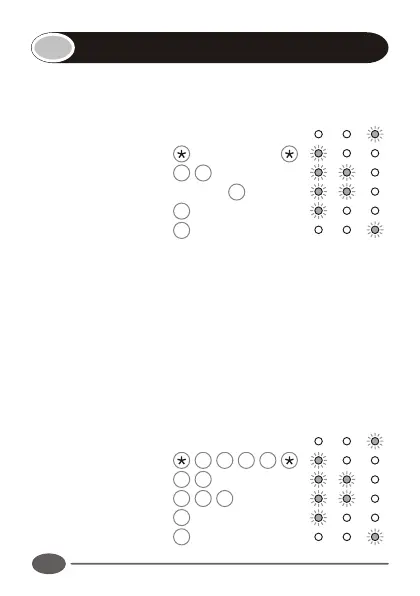
1. Enter program mode Master Code
2. Select Delete menu 2 #
3. Enter user address Address # †
4. Exit Delete menu #
5. Exit Program mode #
† Repeat step 3 to delete additional user codes.
Note:
If Address is specified as 0, all access codes will be deleted,
and the master code will revert to 1234.
Example:
Delete access code at address 99. (Master code = 1234)
Enter Program mode 1 2 3 4
Select Delete menu 2 #
Enter user address 9 9 #
Exit Delete menu #
Exit Program mode #
Deleting a user
INDICATOR LED's
INDICATOR LED's


 To Next Page