In a hurry?
0
In a hurry?
0
KwikLearn
Adds a new access code at a specified address. The code
will operate the relay output only.
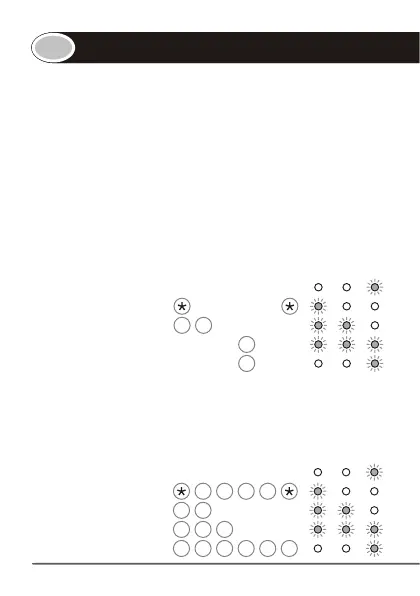
Enter the following keystrokes:
†
1. Enter program mode Master Code
2. Select KwikLearn 0 #
3. Enter user address Address #
4. Enter access code Code #
† Default master code = 1234
Example:
KwikLearn access code 93245 into address 25.
(Master code = 1234)
Enter program mode 1 2 3 4
Select KwikLearn 0 #
Enter user address 2 5 #
Enter access code 9 3 2 4 5 #
The following KwikLearn procedure and connection
diagram will enable you to start using your SmartGUARD
system right away.
Additional procedures are explained later in this manual.
INDICATOR LED's
INDICATOR LED's


 To Next Page