17
entering a code. This prevents an eavesdropper from
determining the number of digits in the code. Tones will still be
present in programming mode.
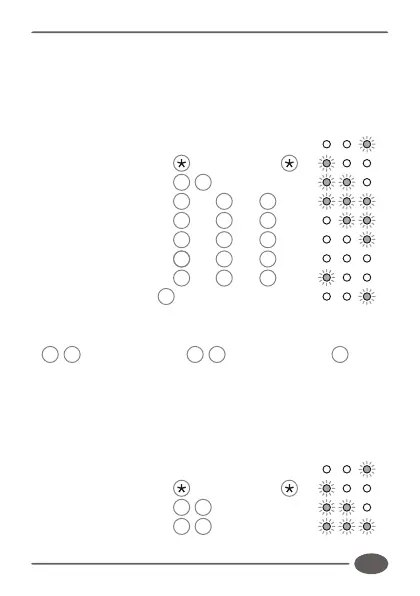
Enter the following keystrokes:
Enter Program mode Master Code
Select Alarm menu 6 #
Set (Code + 1) [ 0 or 1 ] #
Set (* + #) [ 0 or 1 ] #
Set (Wrong Codes) [ 0 or 1 ] #
Set Anti Default [ 0 or 1 ] #
Set Tone Mute [ 0 or 1 ] #
Exit Program mode #
Note:
!
0 # turns function off, 1 # turns function on, # leaves
function unchanged.
Example:
Enable alarm on Code+1. Clear all other functions.
(Master code = 1234)
Enter Program mode Master Code
Select Alarm menu 6 #
Set (Code + 1) 1 #
INDICATOR LED's
INDICATOR LED's



 To Next Page