75 – Monitoring – User manual – v1.2
Monitoring - CanDis
8.5.7.2 CS141
1. Fix in your computer an IP address close to the new IP address you have chosen in relation with area where device is
installed i.e. “xxx.xxx.xxx.xxx” Web-SNMP.
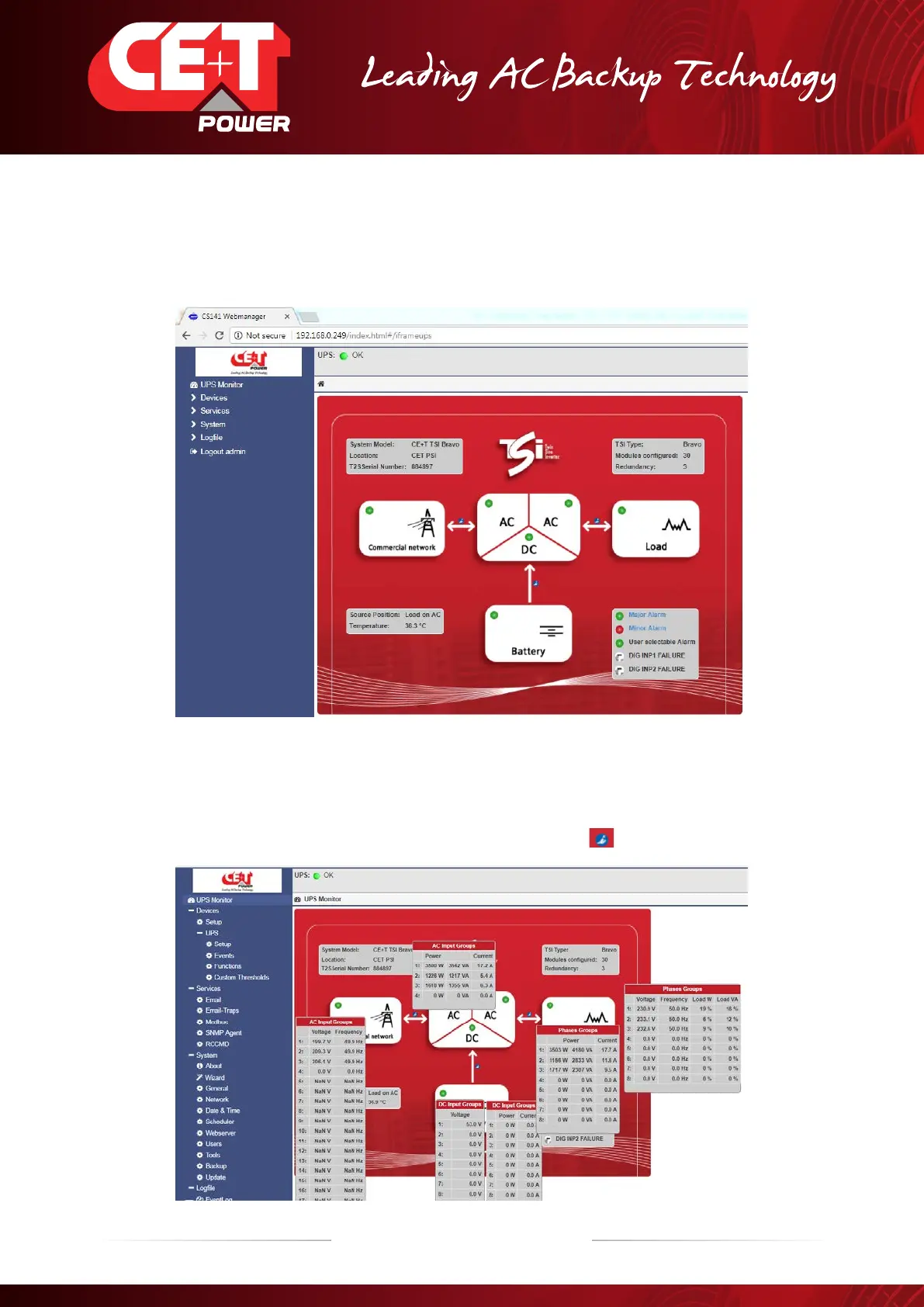
2. Following screen will appear on your notebook.
3. By clicking on the followings boxes “Commercial network”, “Battery” , “Load” and the information screens appear.


 To Next Page