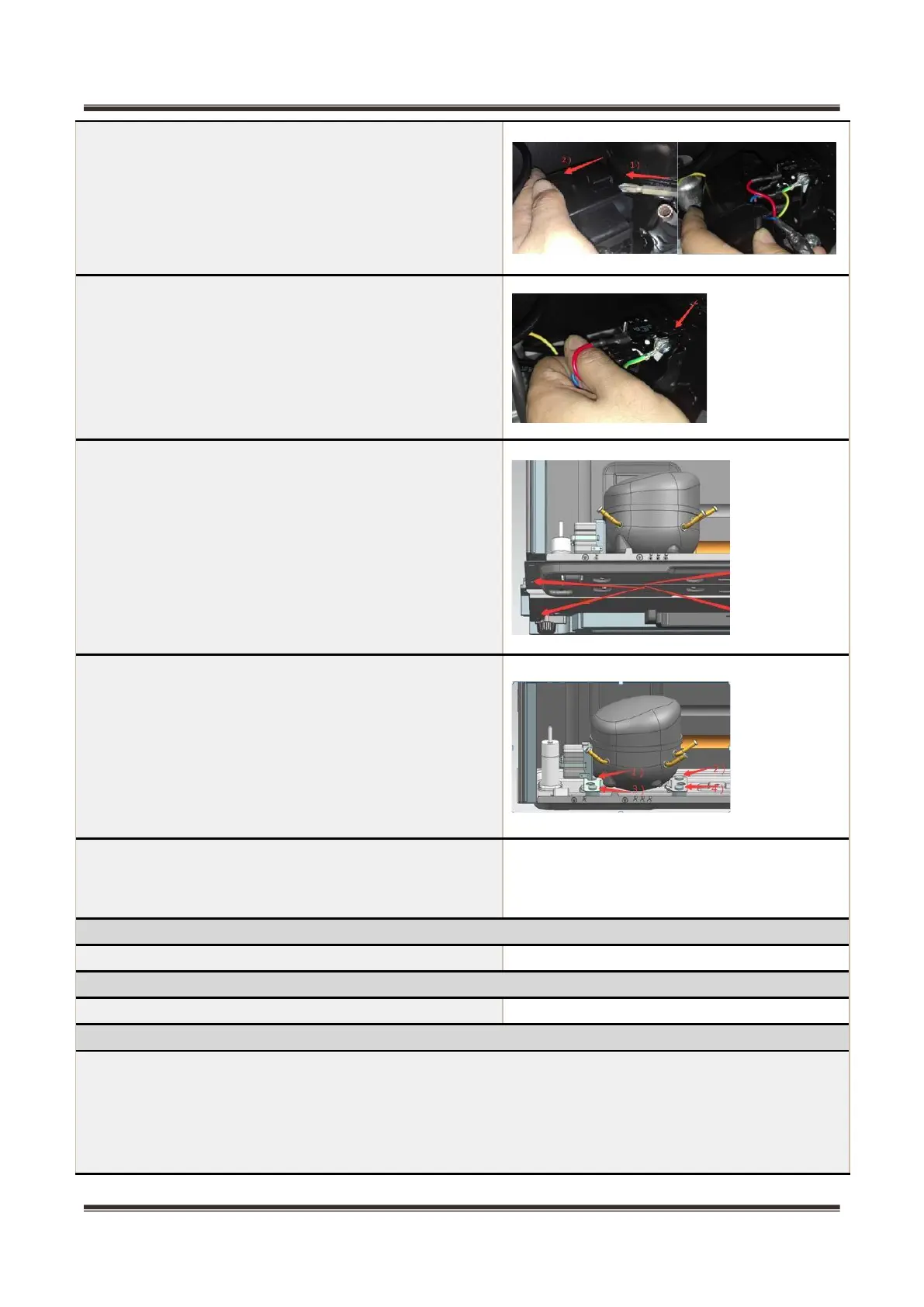
6)Remove the protective cover
-Pry the protective cover slowly from the upper part,
-Pull it out and remove it.
7)Remove the starter and protector
Unplug the starter and protector (you can use a
screwdriver to pry it slowly)
8)Loosen the screw of the compressor bottom plate,
remove the floor together with the compressor from
the box.
9)Use the wrench to remove the bolts by steps 1) 2) 3)
4).
10)The reverse process can complete installation.
Piping system in the compressor case
❶ Main control board mounting box ❻ Anti-condensation pipe
❷ Right condenser ❼ Capillary Tube
❸ Compressor ❽
❹ Left condenser ❾ Suction connection Pipe
❺ Exhaust evaporation pipe


 To Next Page