EasyManua.ls Logo

CG VSR48009 - User Manual

Default Icon
180 pages
Print Icon
To Next Page IconTo Next Page
Loading...
Smart solutions.
Strong relationships.
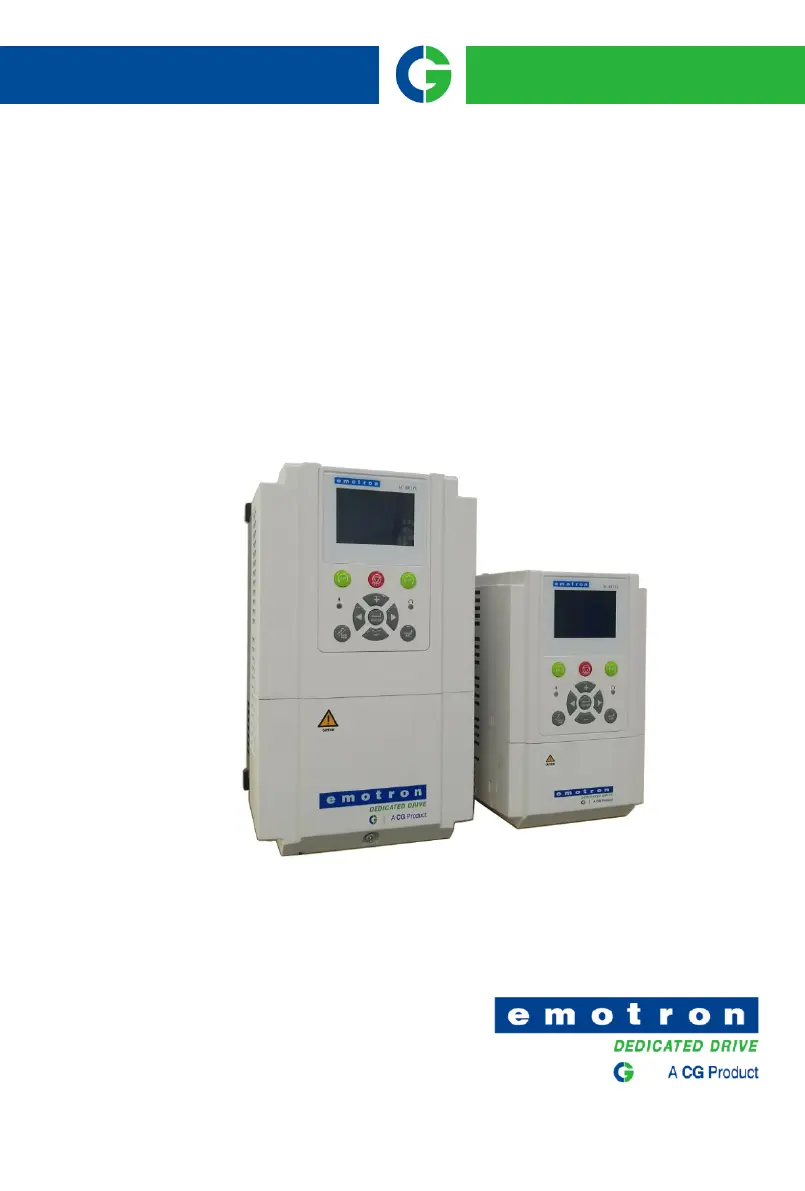
Emotron
VS Series Drive

Table of Contents

Questions and Answers

  • S
    Sandra WallSep 10, 2025
    What to do if my CG VSR48009 show Err17?
    • D
      daniel56Sep 12, 2025
      If your CG DC Drives are showing Err17, consider the following: * The motor and the inverter output terminals are not connected: Check the connection between the inverter and motor. * The motor does not disengage the load: The motor is disengaged load. * There is an electrical fault: Check the motor.
  • J
    Joseph MaxwellSep 9, 2025
    What to do if my CG DC Drives show Err10?
    • M
      Michael MackSep 9, 2025
      If your CG DC Drives display Err10, it may be due to: * The cable connecting the AC drive and the motor is faulty: Eliminate external faults. * The AC drive's three-phase outputs are unbalanced when the motor is running: Check whether the motor Three-phase winding is normal.
  • C
    christinemartinSep 8, 2025
    What to do if my CG VSR48009 DC Drives show Err09?
    • E
      Elaine HardySep 8, 2025
      If your CG DC Drives are showing Err09, it could be due to: * The three-phase power input is abnormal: Eliminate external faults.
  • B
    bcabreraAug 23, 2025
    What to do if my CG DC Drives show Err01?
    • J
      Jordan BarrettAug 23, 2025
      Err01 indicates a fault. This could be due to several reasons: * The output circuit is grounded or short-circuited: Eliminate external faults. * The acceleration time is too short: Increase the acceleration time. * Manual torque boost or V/F curve is not appropriate: Adjust the manual torque boost or V/F curve. * The voltage is too low: Adjust the voltage to normal range. * The startup operation is performed on the rotating motor: Select rotational speed tracking restart or start the motor after it stops. * A sudden load is added during acceleration: Remove the added load. * The AC drive model is of too small power class: Select an AC drive of higher power class.
  • S
    Samantha CowanSep 5, 2025
    What to do if my CG VSR48009 DC Drives show Err12?
    • A
      arthur13Sep 6, 2025
      If your CG DC Drives are showing Err12, check if: * The load is too heavy or locked-rotor occurs on the motor: Reduce the load and check the motor and mechanical condition. * The AC drive model is of too small power class: Select an AC drive of higher power class.
  • M
    Mike MillerSep 4, 2025
    What to do if my CG DC Drives show Err39?
    • B
      bobby23Sep 4, 2025
      If your CG DC Drive displays Err39, consider these possible causes: 1. PTC sensor configuration not right: Reset PTC sensor parameter. 2. Motor temperature protection value too small: Increase motor temperature protection value. 3. Motor temperature too high: Wait until the motor is cooled.
  • B
    Brandy BurnettSep 3, 2025
    What to do if my CG VSR48009 show Err06?
    • H
      Hunter McclainSep 3, 2025
      If your CG DC Drives are displaying Err06, it could be because: * The input voltage is too high: Adjust the voltage to normal range. * An external force drives the motor during deceleration: Cancel the external force or install the braking resistor.
  • J
    Jamie HillSep 2, 2025
    What to do if my CG DC Drives show Err14?
    • J
      Jennifer EvansSep 2, 2025
      If your CG DC Drives display Err14, it might be due to: * The ambient temperature is too high: Lower the ambient temperature. * The air filter is blocked: Clean the air filter. * The fan is damaged: Replace the damaged fan. * The thermally sensitive resistor of the module is damaged: Replace the damaged thermally sensitive resistor. * The inverter module is damaged: Replace the inverter module.
  • C
    Christine MillerSep 1, 2025
    What to do if my CG VSR48009 DC Drives show Err11?
    • A
      Andrew HillSep 1, 2025
      If your CG DC Drives are showing Err11, it could be due to: * E0-17 is set improperly: Set E0-17 correctly. * The load is too heavy or locked-rotor occurs on the motor: Reduce the load and check the motor and mechanical condition. * The AC drive model is of too small power class: Select an AC drive of higher power class.
  • W
    whawkinsAug 31, 2025
    What to do if my CG DC Drives show Err08?
    • V
      Victoria AllenAug 31, 2025
      If your CG DC Drives display Err08, the following could be the cause: * The output circuit is grounded or short-circuited: Eliminate external faults. * The connecting cable of the motor is too long: Install a reactor or an output filter. * The module overheats: Check the air filter and the cooling fan. * The internal connections become loose: Connect all cables properly. * The main control board is faulty: Contact the agent or CG.

Summary

Safety Precautions

Safety Considerations

Essential guidelines for safe operation and installation of the inverter.

Product Information

Technical Features

Comprehensive overview of the drive's electrical and functional characteristics.

Installation and Wiring

Wiring Diagram

Illustrates the electrical connections for various VS series models.

Operation and Display

LCD Keypad Operation

Explains the functions of keys and display for parameter modification and monitoring.

Specification of Parameters

Frequency Command Parameters (Group b0)

Settings related to frequency sources, limits, and commands for motor speed.

Maintenance and Troubleshooting

Periodic Inspection Guide

Guidelines for daily and regular inspections to ensure inverter reliability.

Modbus Communication Protocol

CG VSR48009 Specifications

General IconGeneral
BrandCG
ModelVSR48009
CategoryDC Drives
LanguageEnglish

Related product manuals