EasyManua.ls Logo

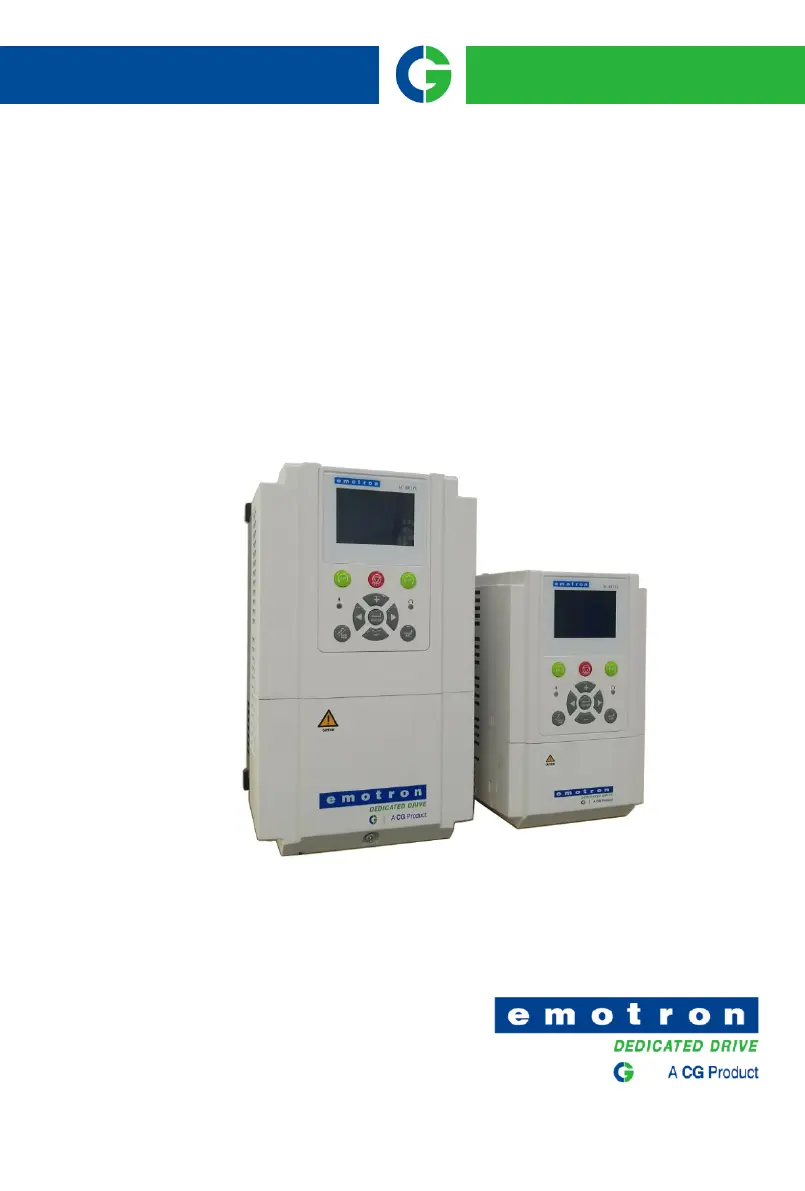
CG VSR48009 - User Manual

Default Icon
180 pages
Print Icon
To Next Page IconTo Next Page
Loading...
Smart solutions.
Strong relationships.
Emotron
VS Series Drive

Table of Contents

Questions and Answers

  • P
    Paul CrawfordAug 29, 2025
    What to do if my CG VSR48009 show Err05?
    • M
      Maria CowanAug 30, 2025
      If your CG DC Drives are showing Err05, consider these potential causes: * The input voltage is too high: Adjust the voltage to normal range. * An external force drives the motor during deceleration: Cancel the external force or install the braking resistor. * The deceleration time is too short: Increase the deceleration time. * The braking unit and braking resistor are not installed: Install the braking unit and braking resistor.
  • L
    Leah GibsonAug 28, 2025
    What to do if my CG VSR48009 DC Drives show Err04?
    • F
      Frederick RodriguezAug 28, 2025
      If you're seeing Err04 on your CG DC Drives, here's what might be happening: * The input voltage is too high: Adjust the voltage to normal range. * An external force drives the motor during acceleration: Cancel the external force or install a braking resistor. * The acceleration time is too short: Increase the acceleration time. * The braking unit and braking resistor are not installed: Install the braking unit and braking resistor.
  • S
    Shelly WilliamsAug 27, 2025
    What to do if my CG VSR48009 show Err03?
    • T
      Tamara StewartAug 27, 2025
      If your CG DC Drives display Err03, it may be caused by: * The output circuit being grounded or short-circuited: Eliminate external faults. * The voltage is too low: Adjust the voltage to normal range. * A sudden load is added during operation: Remove the added load. * The AC drive model is of too small power class: Select an AC drive of higher power class.
  • K
    Kimberly WongAug 27, 2025
    What to do if my CG VSR48009 show Err30?
    • G
      granthughesAug 27, 2025
      If your CG DC Drive shows Err30, consider the following potential causes and solutions: 1. Input voltage is too high: Adjust the voltage to the normal range. 2. There is external force dragging the motor to run in the deceleration process: Cancel external force or install a brake resistor. 3. The deceleration time is too short: Increase the deceleration time. 4. No installation of braking resistor: Install braking resistor.
  • S
    sandra13Aug 25, 2025
    What to do if my CG VSR48009 DC Drives show Err02?
    • M
      mbradyAug 26, 2025
      If your CG DC Drives display Err02, it could be due to: * The output circuit being grounded or short-circuited: Eliminate external faults. * The deceleration time is too short: Increase the deceleration time. * The voltage is too low: Adjust the voltage to normal range. * A sudden load is added during deceleration: Remove the added load. * The braking unit and braking resistor are not installed: Install the braking unit and braking resistor.
  • B
    brenda95Aug 25, 2025
    What to do if my CG VSR48009 DC Drives show Err29?
    • D
      David HowardAug 25, 2025
      If your CG DC Drive displays Err29, it indicates a fault that can arise from several causes. Here's what you should check: 1. The inverter output circuit is grounded or short-circuited: Troubleshoot peripheral problems. 2. The acceleration and deceleration time is too short: Increase the acceleration time. 3. Manual torque boost or V/F curve is not appropriate: Adjust the manually torque boost or V/F curve. 4. Voltage too low: Adjust the voltage to normal range. 5. Starting the running motor: Select RPM track start or start after the motor has stopped. 6. Sudden load in the acceleration process: Cancel the sudden load. 7. Model selection of inverter power is too small: Select an inverter with a higher rating.

Summary

Safety Precautions

Safety Considerations

Essential guidelines for safe operation and installation of the inverter.

Product Information

Technical Features

Comprehensive overview of the drive's electrical and functional characteristics.

Installation and Wiring

Wiring Diagram

Illustrates the electrical connections for various VS series models.

Operation and Display

LCD Keypad Operation

Explains the functions of keys and display for parameter modification and monitoring.

Specification of Parameters

Frequency Command Parameters (Group b0)

Settings related to frequency sources, limits, and commands for motor speed.

Maintenance and Troubleshooting

Periodic Inspection Guide

Guidelines for daily and regular inspections to ensure inverter reliability.

Modbus Communication Protocol

CG VSR48009 Specifications

General IconGeneral
BrandCG
ModelVSR48009
CategoryDC Drives
LanguageEnglish

Related product manuals