14
Check Control Station (Continued)
Terminals 2 and 3 are also a normally closed circuit used when an external interlock is present. If the external interlock
is activated the “STOP” LED will not be lit.
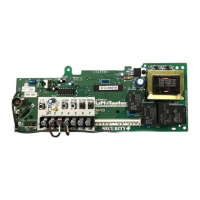
If the LEDs do not respond, disconnect the wall control station(s), put a jumper between the “STOP” and “COMMON”
terminals, and try activating the LEDs by pressing the on-board 3-button control station next to the terminal strip. If
the LEDs do not respond, there is a problem with the logic board and will require replacement.
If the lights do respond, but the operator still does not run, reset the operator to factory defaults.
Resetting Factory Defaults - Clearing Memory
To reset most of the user installed settings back to factory defaults:
1) Turn the selector dial to DIAGNOSTIC.
2) Press and hold the STOP button for 5 seconds. The MAS LED will fl ash
momentarily when the factory defaults have been restored.
3) Return the selector dial to the desired wiring type.
Factory Defaults:
a) Timer-To-Close is set to 0 seconds.
b) The Mid Stop is deactivated.
c) The Maintenance Alert System is deactivated.
d) The Maximum Run Timer is set to 90 seconds.
e) Car Dealer Mode is deactivated.
f
) The remote controls and myQ
®
devices will still be learned.
g) Remote control programming via the 3-button control station.
h) The LiftMaster Monitored Entrapment Protection (LMEP) device(s) will
be unprogrammed.
NOTE: Life of Operator feature (Odometer/Cycle Counter) and programmed
remote controls and myQ devices are not cleared.
B
Troubleshooting
Industrial Duty Logic Operators
Operation will
vary depending
on wiring type
SELECTOR DIAL









 To Next Page