PROGRAMMING
Before You Begin
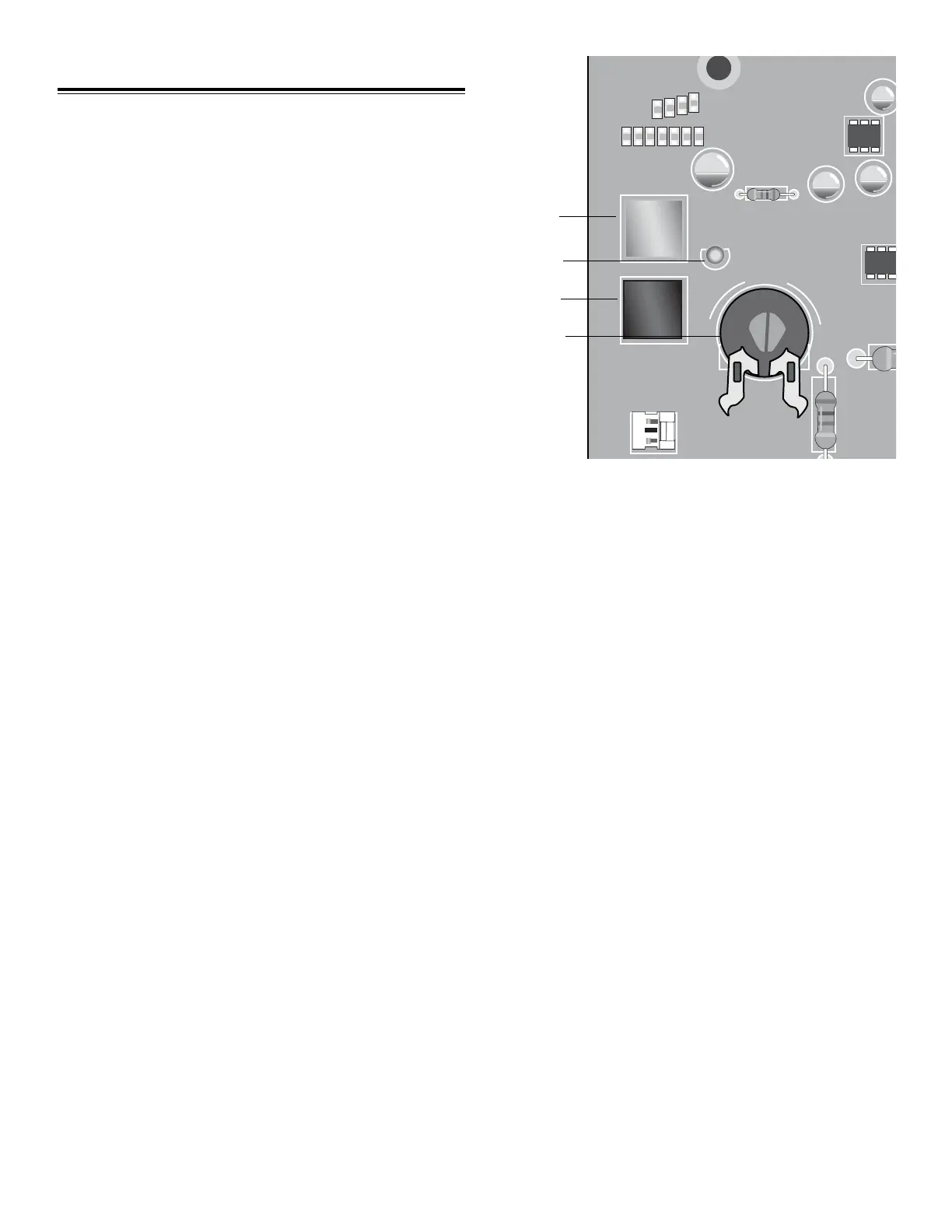
• The BLACK button is used for LIMIT LEARN and TIMER
TO CLOSE settings.
• The PURPLE button is used for RADIO LEARN and
FORCE LEARN.
• The large button on the 3-button remote control is
pre-programmed to activate your gate operator. It is
required to program your travel limits.
• The YELLOW LED provides learning mode feedback.
PROGRAMMING GATE TRAVEL (LIMIT LEARN)
SETTING THE OPEN POSITION
• With the gate in the closed position, press and hold
the BLACK button until the YELLOW LED begins
to blink (approximately 7 seconds), then release.
• Push and hold the BLACK button until the gate
reaches the desired OPEN position (not to exceed
100°). If required, push the PURPLE button to jog
the gate back toward the CLOSE position.
• Once you have the gate in the desired OPEN
position, press the large remote control button. This
will set the OPEN position and immediately begins
closing the gate.
• When the gate begins to close, press and release
either the BLACK or PURPLE button. This will stop
the gate.
SETTING THE CLOSE POSITION
• Press and hold the PURPLE button until the gate
reaches the desired closed position If required, use
the BLACK button to jog the gate back towards the
OPEN position.
• Once the gate is in the desired closed position,
press the large remote control button. This will set
the CLOSE position and the gate will immediately
begin to open.
LEARNING THE FORCE
Make certain that the gate path is free from any
obstructions while learning the force. Use the
programmed remote control and run the gate to the
fully closed position. After reaching the fully closed
position now run the gate to the fully open position.
This will complete the force learn and the YELLOW
LED will stop blinking and turn off.
LEARN / CLOSE
MODE / OPEN
GATE
FORCE
MAX
MIN
RESET
R17
S1
S2
C38
C98
U2
C42
D16
Purple Button
Yellow LED
Black Button
Force
Adjustment
1
2
3
Allow gate to open fully. The limits are now set. The
YELLOW LED will be blinking. Continue with step 3.
21 Programming













 To Next Page