Adding Additional Wireless Control Devices
The gate controller has the ability to learn 9 (total)
wireless control devices such as additional remote
controls or keyless entry (see accessories):
To add additional Remote Control:
1. Press and release the PURPLE button on the control
board. The YELLOW LED will light continuously. The
gate controller is now ready to learn a new remote
control.
2. Press and hold the desired button on the additional
remote control until the YELLOW LED on the control
board goes out.
To add Keyless Entry Control (not provided):
1. Press and release the PURPLE button on the control
board. The YELLOW LED will light continuously. The
gate controller is now ready to learn password.
2. Within 30 seconds enter a four digit personal
identifi cation number (PIN) then press the ENTER
button for approximately 3 seconds and release.
The YELLOW LED on the control board will go out.
(Temporary PIN's are not available for use with this
gate operator)
NOTE: If no radio signal is detected within 30 seconds,
the learn mode will exit automatically. To clear
programmed remotes, press and hold the PURPLE button
until the YELLOW LED goes out (about 6 seconds). This
will clear ALL learned wireless control devices.
Optional Control Connections
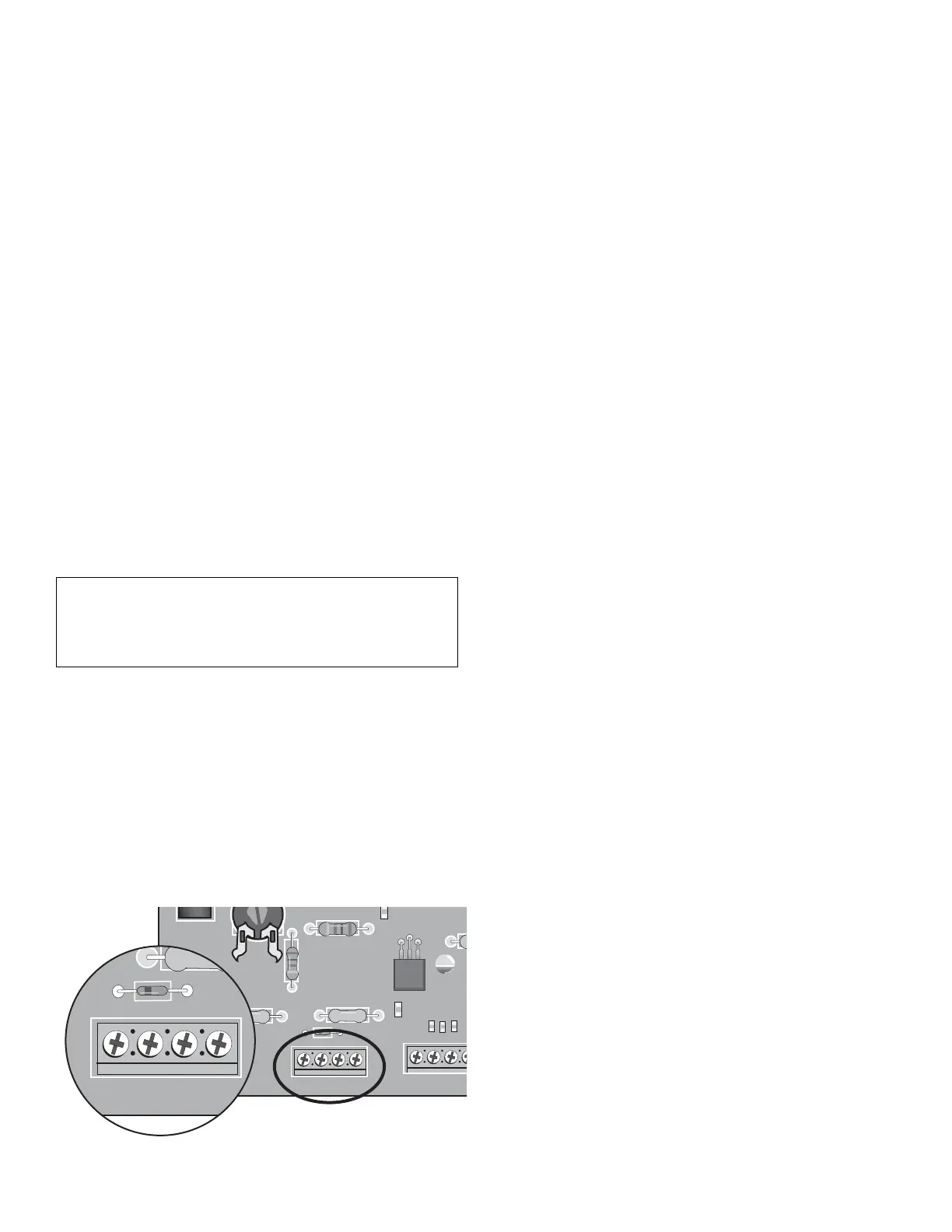
SINGLE BUTTON CONTROL
A wired control that functions identically to the wireless
remote control can be connected to the SWITCH +/-
inputs on the control board. Any switch with normally
open contacts and a momentary input can be used. Be
sure to unplug the Power Supply before making any
electrical connections to the control board.
Advanced Programming Features
PROGRAMMING TIMER TO CLOSE (TTC)
Timer to close is a user programmable option that will
automatically close the gate after this feature has been
programmed.
1. Begin with the gate in the fully closed position, press
and hold the BLACK button for 2 seconds then
release when the YELLOW LED turns on solid.
2. Press the BLACK button X amount of times to set
the desired close delay:
1 press = 15 seconds (LED will blink 1 time)
2 press = 30 seconds (LED will blink 2 time)
3 press = 45 seconds (LED will blink 3 time)
4 press = 60 seconds (LED will blink 4 time)
5 press = 75 seconds (LED will blink 5 time)
6 press = 90 seconds (LED will blink 6 time)
7 or 0 press = TTC off (LED will turn on solid and
then go out after 10 seconds)
3. After programming the X amount of time desired,
allow 10 seconds for TTC programming to exit. You
will hear a single beep from the alarm that indicates
programming has exited.
NOTE: If the gate is open and the power is interrupted,
the TTC will be disabled. Upon another user command
the timer to close will be reactivated.
PARTY MODE
This feature allows the user to temporarily disable TTC.
With the gate in the open position, simply press and
release the RESET button located on the outside of
the control box. The gate will remain open until a user
command is given.
NOTICE: To comply with FCC and or Industry Canada (IC) rules, adjustment or modifi cations
of this receiver and/or transmitter are prohibited, except for changing the code setting or
replacing the battery. THERE ARE NO OTHER USER SERVICEABLE PARTS.
Tested to Comply with FCC Standards FOR HOME OR OFFICE USE. Operation is subject to the
following two conditions: (1) this device may not cause harmful interference, and (2) this
device must accept any interference received, including interference that may cause undesired
operation.
23 Programming
YEL
E / OPEN
RESET ALARM
JU1
R17
S1
R6
SWITCHIR
++
__
GRN
BRN
WHT













 To Next Page