chargepoint.com 5
4
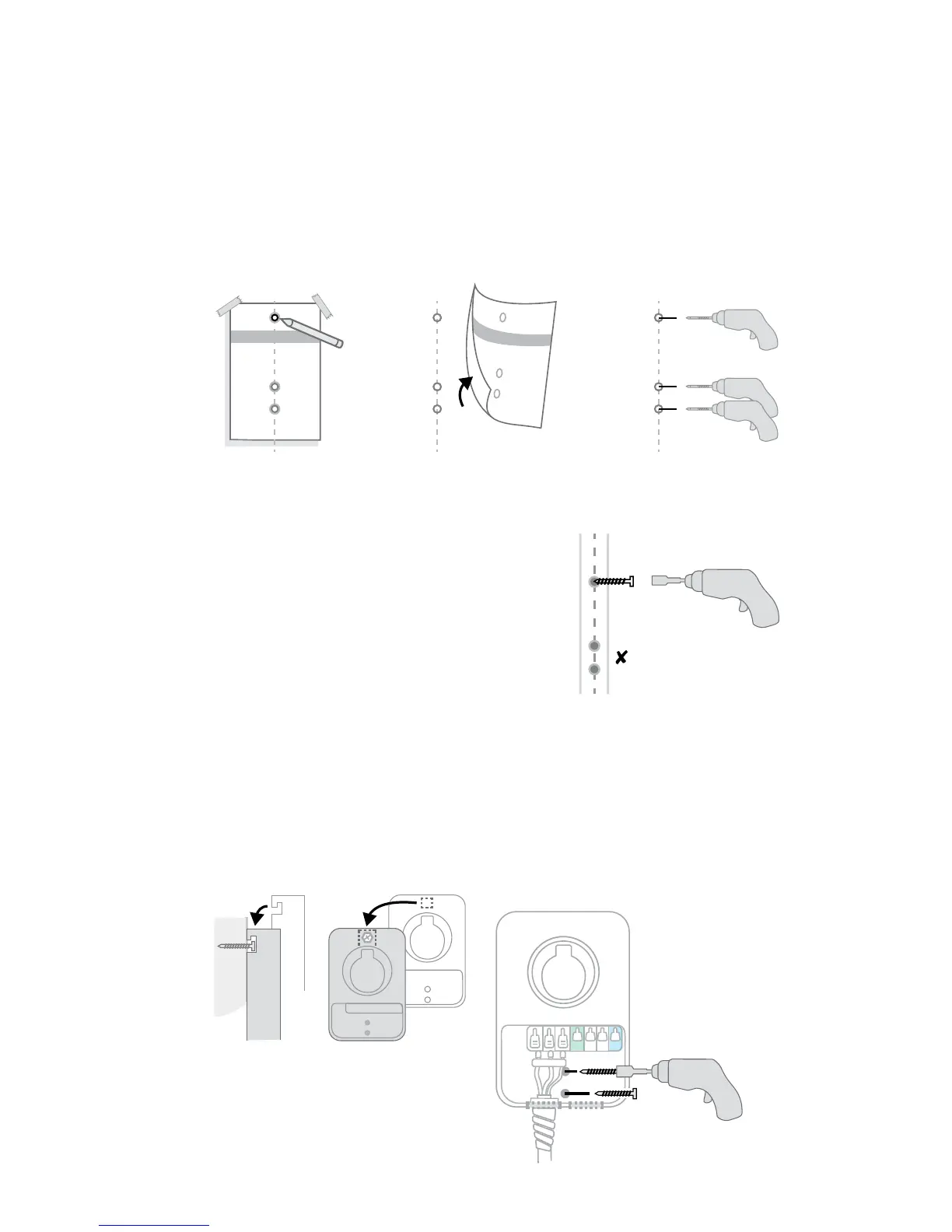
Mount the station
+ Line up the mounting holes and tape the installation template against the wall
+ Mark the top mounting hole on the wall with the installation template
+ Remove the template
+ Drill the three mounting holes with the included drill bit. WARNING: If you hit
metal, stop immediately and contact an electrician
5
6
Install top mounting screw
+ Use driver bit to drill a screw into the top-most
mounting hole, leaving a 1/8" gap to hang the
station on
+ Keep the remaining 2 screws for use later
Hang the station
+ Hang the station on the protruding screw using the notch on the back of
the station
+ Don’t plug the station in
+ Drill the remaining 2 screws into the bottom mounting holes to secure the
station. Be careful not to damage the electrical wires
(2) 2" screws
Side view Front view











 To Next Page