6 chargepoint.com
7
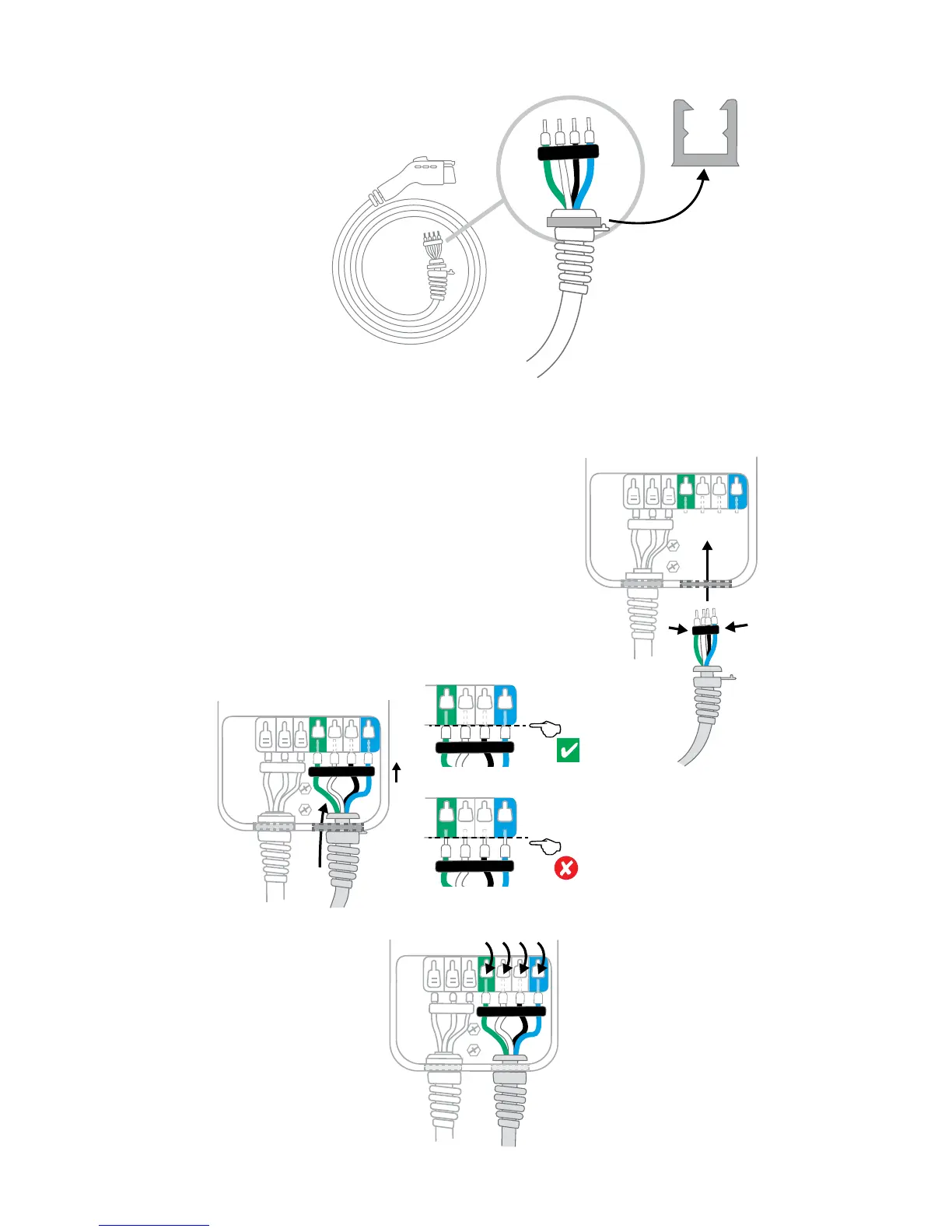
Remove the cable clip
Remove the cable clip connected
to the wire end of the cord, but
do not discard it.
8
Connect the charging cord
+ Fold the wire ends and insert them into the
bottom hole of the station
+ Match the blue and green wires to the blue and
green connector blocks
+ Insert the exposed wires into the corresponding
holes, pushing the cables up until the silver
conductors are no longer visible
+ Snap down the white clips all the way down on
each wire
Tip: Keep fingers away from
underneath the white clips as
you snap them down.











 To Next Page