chargepoint.com 7
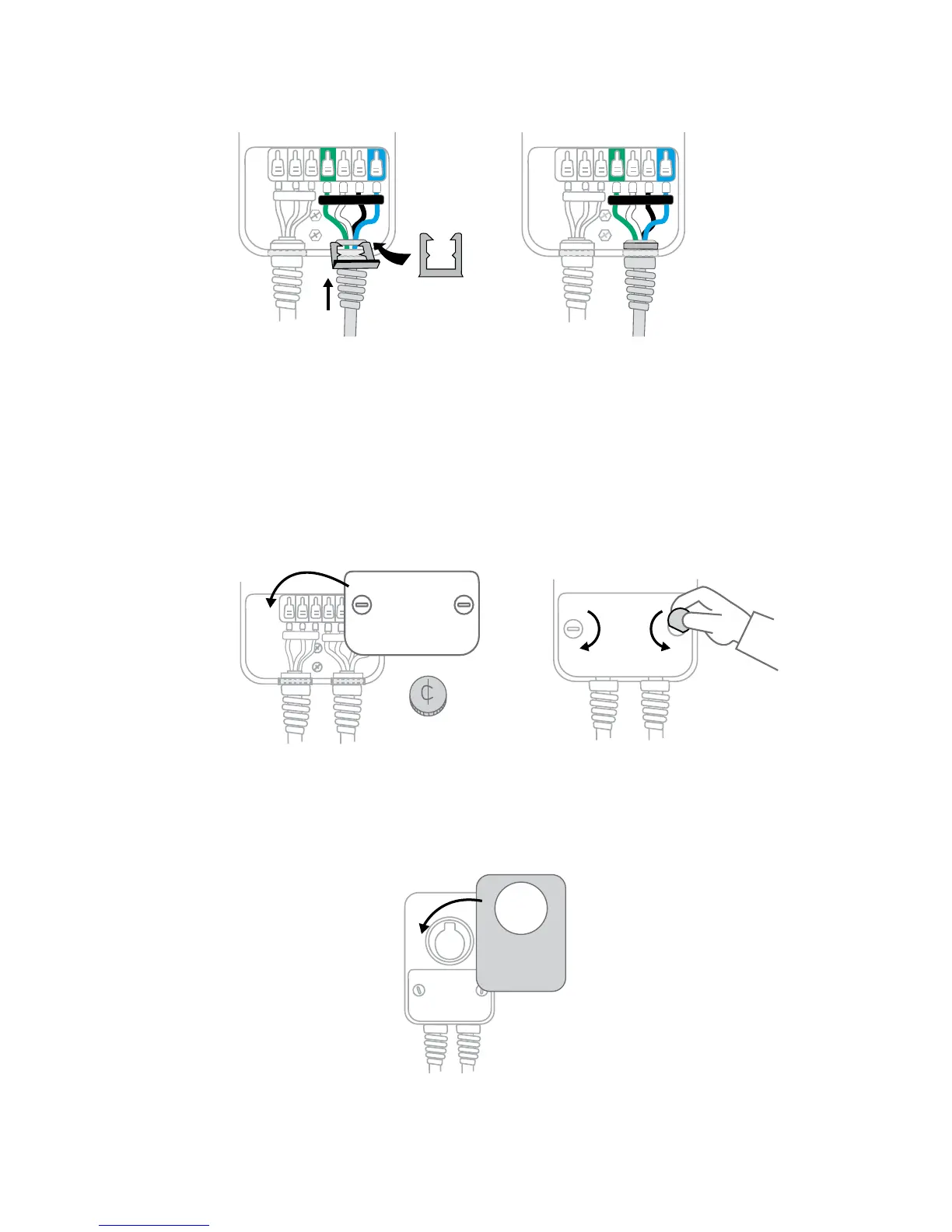
Cable clip
9
Attach the cable clip
Push the cord up and slide the cable clip around the wires
Tip: To avoid damage, do not
use a screwdriver
Tip: The cable clip protects
the cord from damage
AMP
AMP
10
Lock the wire cover in place
+ Place the wire cover over the exposed wiring
+ Using a coin, lock the cover in place
11
Snap the cover on the station










 To Next Page