8 chargepoint.com
13
Activate your station
+ Turn on Bluetooth and WiFi
+ Open the ChargePoint app. On the main menu,
click Home Charger
+ Select “Set Up Home Charger”
+ Select “Activate” and follow the instructions
Home Charger
Activation of Home will allow you to schedule charging, start sessions
remotely and set reminders so you never forget to charge. You’ll be able to
view and track all your residential, public and workplace charging in one
place including energy usage and how many miles you’ve added during a
charging session depending on your car model. You’ll also be able to update
your station remotely with any software upgrades. Plus, Home works with
Nest to help you save on energy costs.
Congratulations, you're ready to charge.
Tip: The front status light
will glow white when the
station is on
12
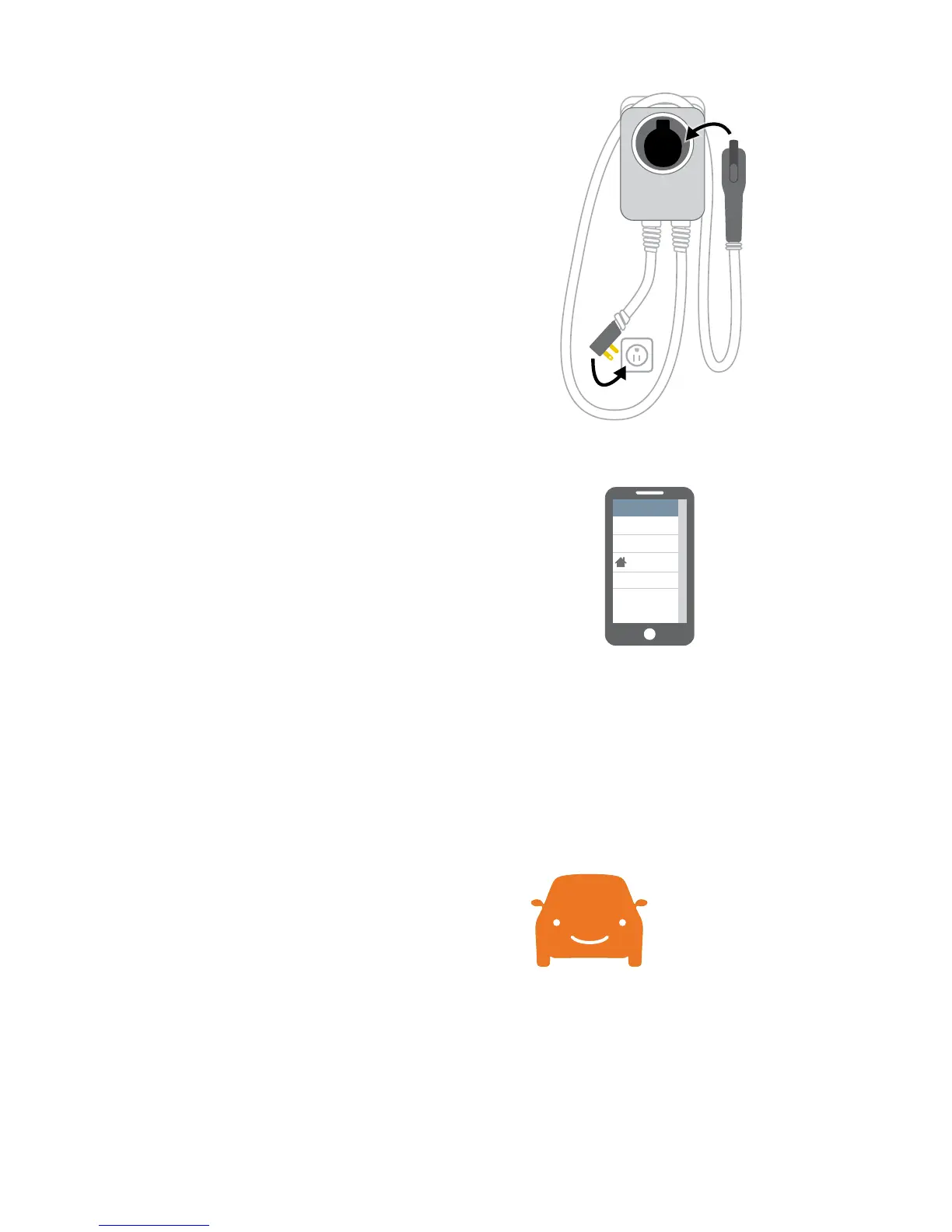
Turn on your station
+ Wrap the charging cord around the top of
the station and dock the connector
+ Plug the station into the outlet (Plug version)
+ Restore power to the outlet (Plug version)
or restore power to the station (Hardwire)
Drive happier.










 To Next Page