Configuring through a web browser
58
1. RTK Client
After configuring the settings of RTK client, users can log on CORS or APIS. Tap
the Connect button to the right → the IO Settings screen will appear →
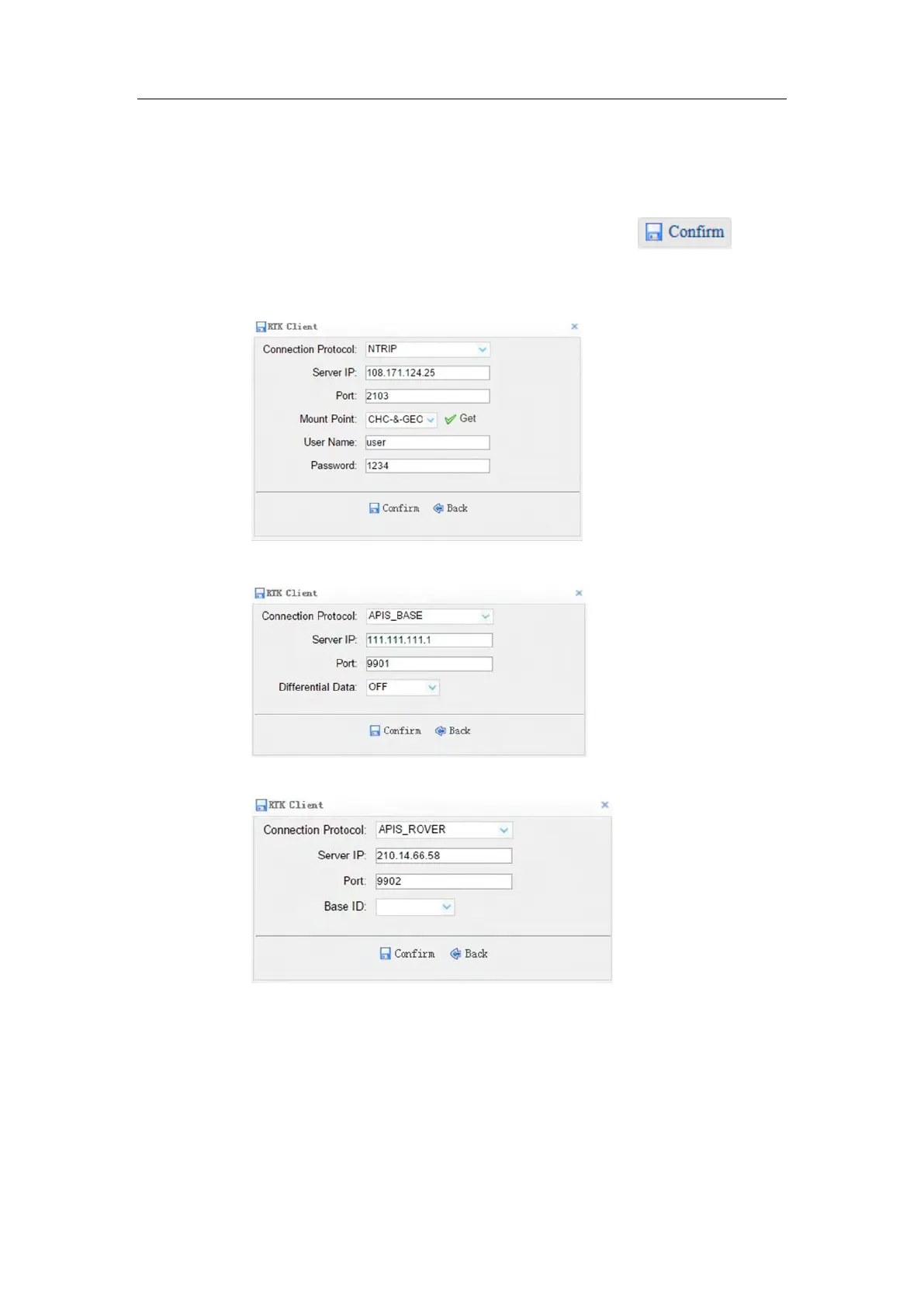
choose one of the connection protocols among the NTRIP, APIS_BASE and
APIS_ROVER → configure the related parameters → click to log
on CORS or APIS.
Connection Protocol: NTRIP
Connection Protocol: APIS_BASE
Connection Protocol: APIS_ROVER
2. TCP/UDP Client
Tap the Connect button to the right of required TCP/UDP Client → the IO
Settings screen will appear → select the connection protocol between TCP
and UDP → enter the IP and Port of the target server → configure messages



 To Next Page