Equipment Setup and Operation
CHCNAV i93 GNSS USER GUIDE
|
2023-04
P
a
g
e
|
69
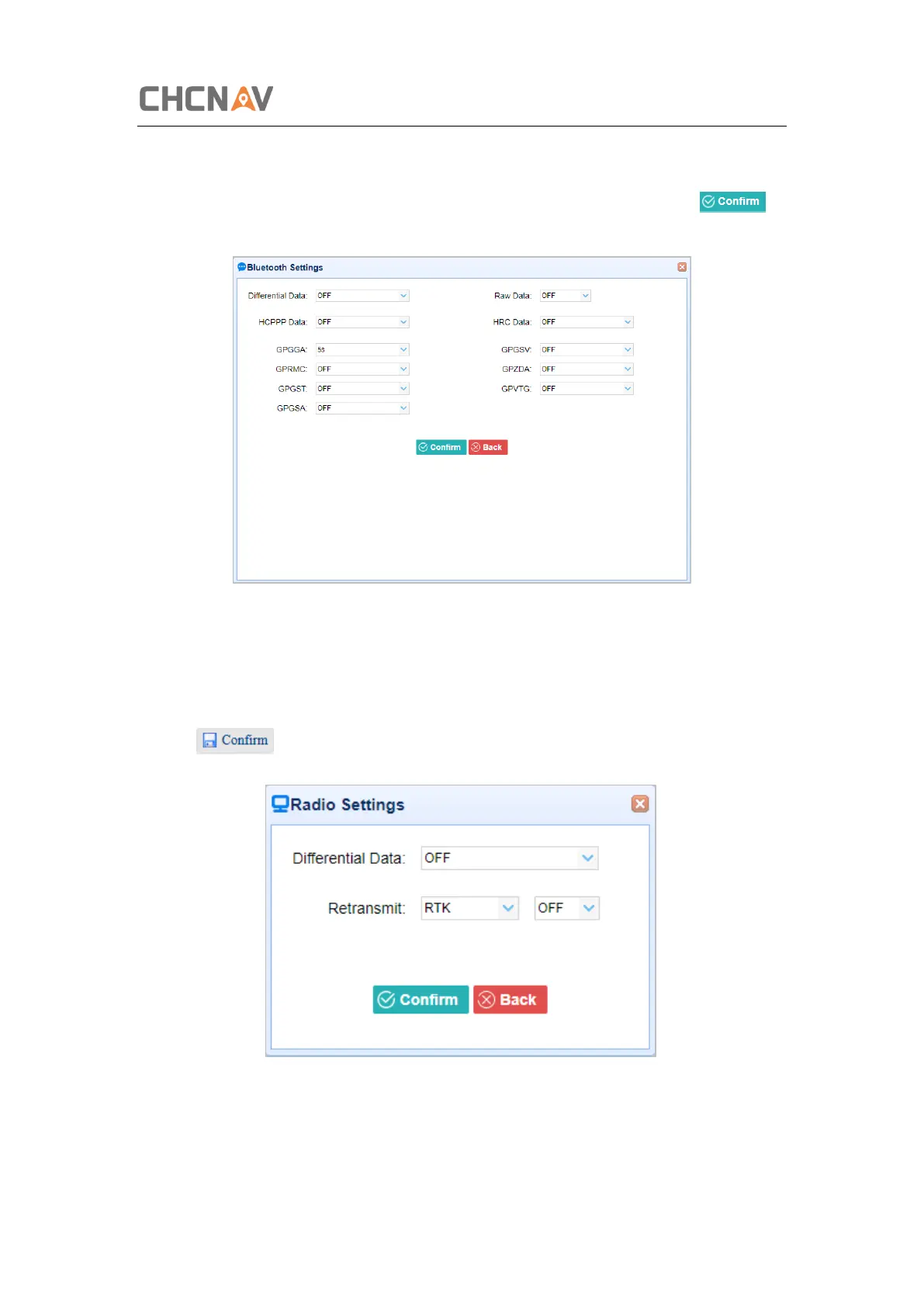
5. Bluetooth
Tap the Settings button to the right of Bluetooth → the Bluetooth Set screen will appear →
configure the messages that you want to transmit through Bluetooth → click to
save the settings and start to transmit.
6. Radio
Tap the Settings button to the right of Radio → the Radio Settings screen will appear → select
the format of differential data that you want to transmit through radio from the dropdown list
→ click to save the settings and start to transmit.


 To Next Page