Important Information
Next Generation Security Gateway Guide R80.20 | 5
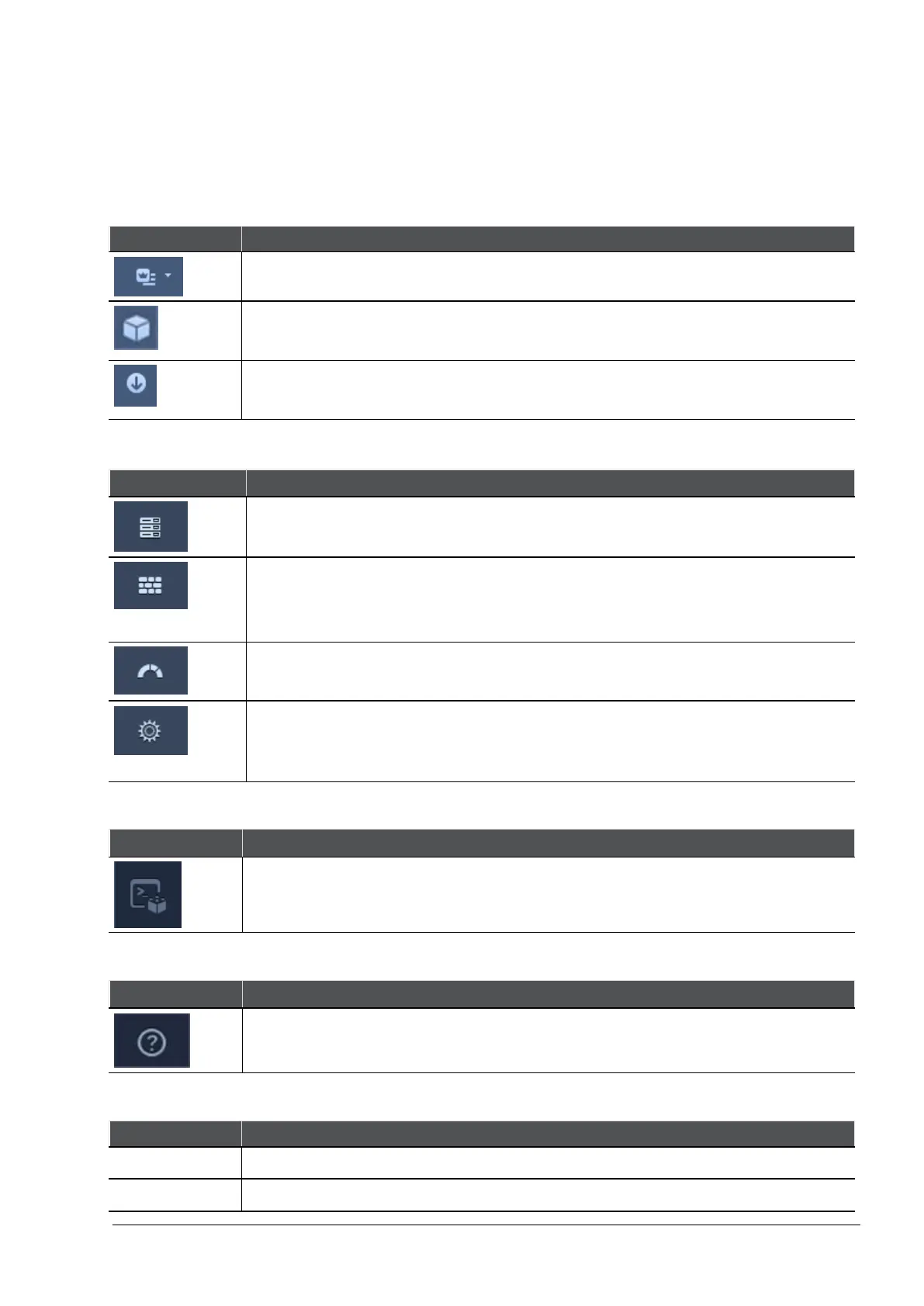
SmartConsole Toolbars
For a guided tour of SmartConsole, click What's New in the left bottom corner of SmartConsole.
Global Toolbar (top left of SmartConsole)
Description and Keyboard Shortcut
The main SmartConsole Menu
The Objects menu.
Also leads to the Object Explorer Ctrl+E
Install policy on managed gateways
Ctrl+Shift+Enter
Navigation Toolbar (left side of SmartConsole)
Description and Keyboard Shortcut
Gateways & Servers configuration view
Ctrl+1
Security Policies Access Control view
Security Policies Threat Prevention view
Ctrl+2
Logs & Monitor view
Ctrl+3
Manage & Settings view - review and configure the Security Management
Server settings
Ctrl+4
Command Line Interface Button (left bottom corner of SmartConsole)
Description and Keyboard Shortcut
Open a command line interface for management scripting and API
F9
What's New Button (left bottom corner of SmartConsole)
Description and Keyboard Shortcut
Open a tour of the SmartConsole
Objects and Validations Tabs (right side of SmartConsole)
Description
Objects Manage security and network objects
Validations Validation warnings and errors








 To Next Page