ICAP Client
Next Generation Security Gateway Guide R80.20 | 80
To configure ICAP Client Data Trickling
You configure the ICAP Client Data Trickling with the specific kernel parameters on Security
Gateway.
For general instructions, see
Working with Kernel Parameters on Security Gateway
(on page 547).
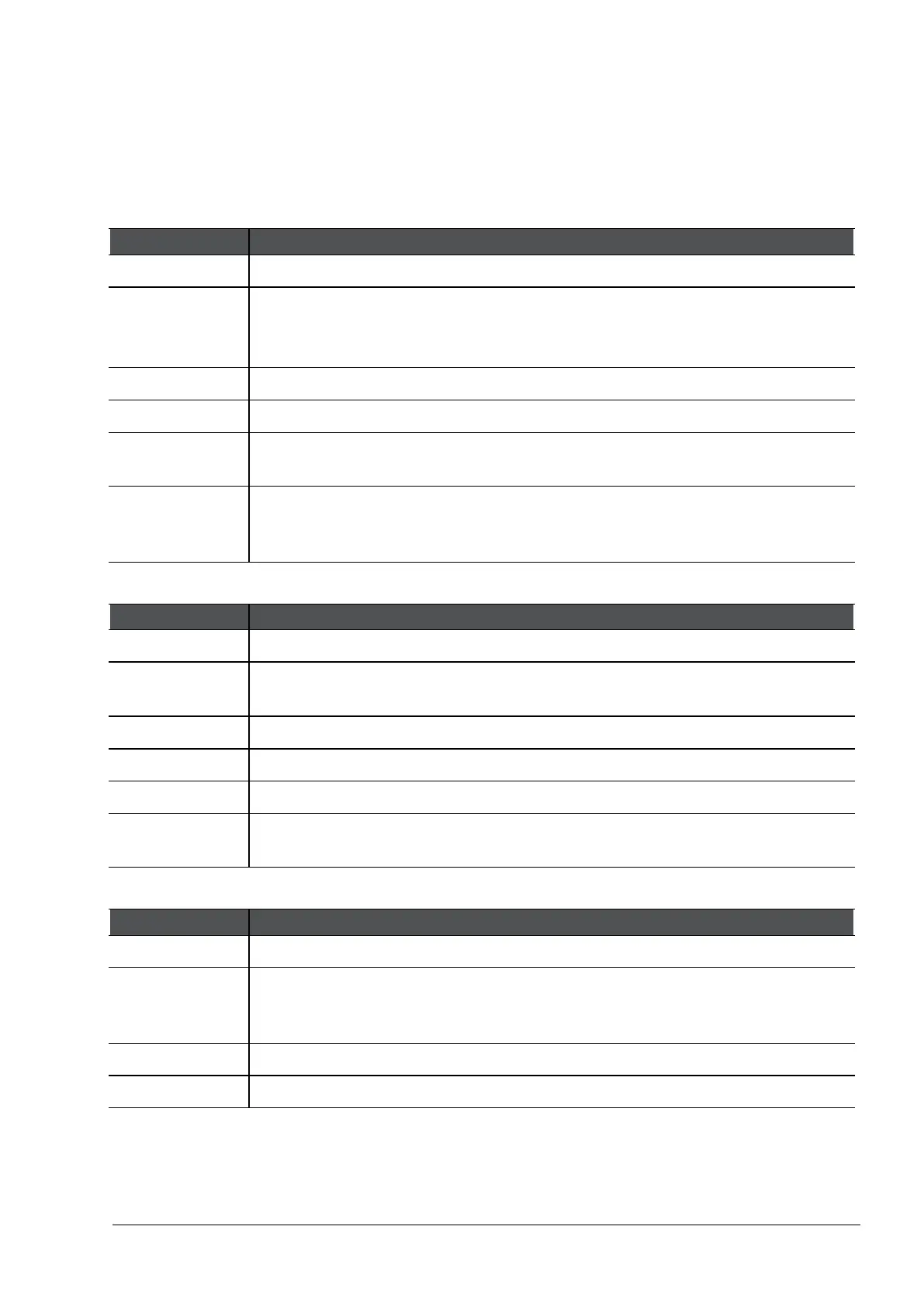
Kernel Parameter 1:
Item Description
Name
icap_blade_trickling_bytes_ps
Description Specifies how many bytes per second to send to the original HTTP destination,
while
Trickling from the Start
works.
The HTTP Client sees very slow upload and download progress.
Type Integer
Default value 10
Notes The configured value must be much less than the byte-rate of the ICAP
connection.
Example If the ICAP Server scans a file with the size of ~600 kilobytes for a 1 minute,
the ICAP connection byte-rate is ~10 kilobytes per second. Therefore, the
configured value must be much less than 10,000 bytes per second.
Kernel Parameter 2:
Name
icap_blade_trickling_interval
Description Specifies the interval in seconds for sending bytes to the original HTTP
destination, while
Trickling from the Start
works.
Type Integer
Default value 1
Notes The configured value must be more than or equal to 1.
Example Value 2 means that the ICAP Client sends bytes to the original HTTP
destination only every 2 seconds.
Kernel Parameter 3:
Name
icap_blade_trickling_threshold_mb
Description Specifies the
Content-Length
threshold in megabytes. Only if the HTTP
Content-Length
of the original HTTP connection is greater than this threshold,
the
Trickling from the Start
is activated.
Type Integer
Default value 0




 To Next Page