3.3 Using the controller menus
The menus available with the VariPro room controller vary based on the system
configuration. This manual describes all the menus in detail.
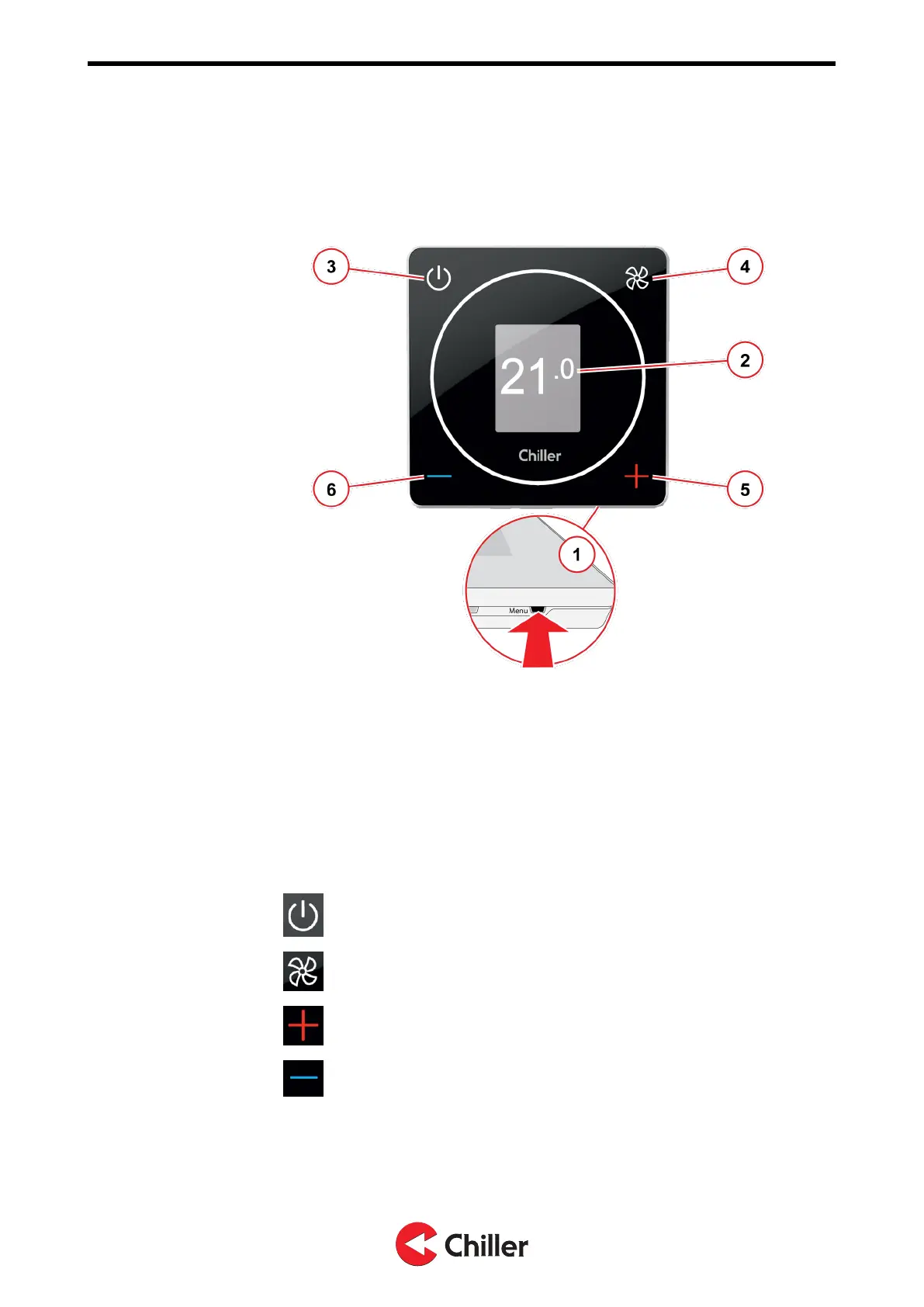
Figure 1: Using the controller menus
1
Accessing the menus
Access and browse the menus by pressing the Menu button on the
lower edge of the controller with a thin, pointed object.
2
Showing the menus
The menus are displayed in sections on the area marked gray.
Browsing the menus
To browse the menus, use the buttons on the controller as follows:
3
Back / Cancel
4
Enter / Select
5
Move down in the menus / Increase value
6
Move up in the menus / Decrease value
Copyright © 2021. All rights reserved.
10 (37)
N03104128 Rev. A VariPro Room controller – Installation and Operation Manual


 To Next Page