10 Troubleshooting
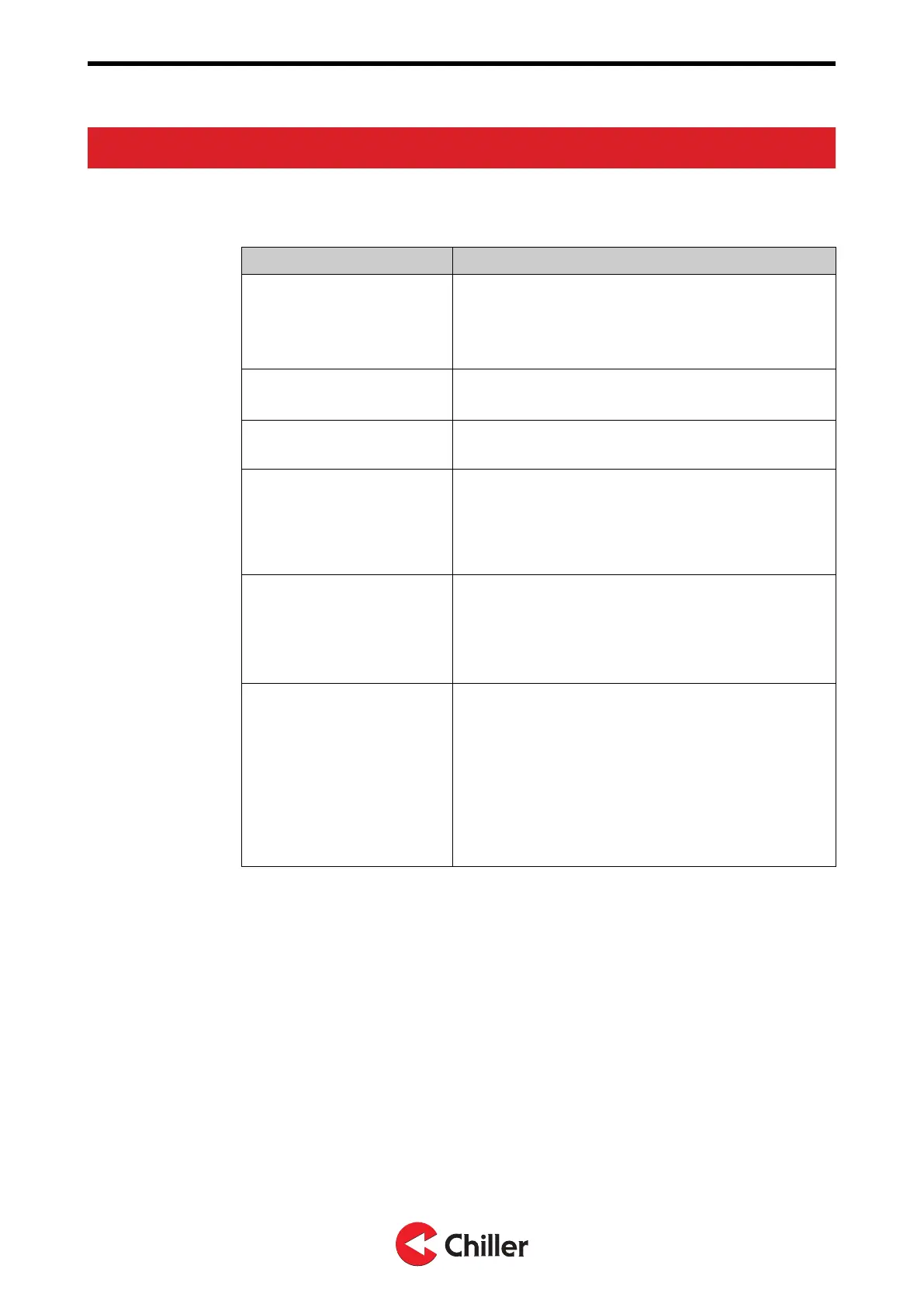
10.1 Troubleshooting
Issue Solution
Rescanning the system
In case of problems, first rescan the system:
1. Select Menu→Unit settings.
2. Select Scan.
3. When the scan is complete, push the Fan button.
Restoring factory defaults to
the controller
1. Select Menu→Controller settings.
2. Select Reset→Reset.
Restoring factory setting to
the connected unit
Select Menu→Unit settings→Unit
XX→Reset→Reset.
Changing or disabling the
AUTO mode timer
By default, the fan returns to AUTO mode after 1
hour. To change the timer or to disable it:
1. Select Menu→Controller settings→Manual fan
spd..
2. Select from 1 to 15 hours or No limit.
Verifying the liquid flow
Verify the liquid flow during normal operation by
noting the temperature differential between the Water
in and Water out temperatures.
To read the temperatures:
1. Select Unit settings→Unit XX.
Using the Testing menu
during de-airing, balancing
or other use during
commissioning
The Testing menu operates on a 24 hour global timer,
starting from the time of power on.
To use the Testing menu during de-airing, balancing
or other use during commissioning:
1. Turn off and turn on again the 230V power to the
unit(s).
2. Select the Testing menu.
Any settings made in the Testing menu are reset in
24 hours, counting from the time power was applied.
Copyright © 2021. All rights reserved.
32 (37)
N03104128 Rev. A VariPro Room controller – Installation and Operation Manual


 To Next Page