DESIGN | MANUFACTURE | SUPPORT
6
3 Extended Aerial Version
3.1 Introduction
The extended aerial variant of the base unit, SEVEN LE-X or SEVEN L-X, has been
designed for easy installation in areas where there is limited cellular coverage of the
4G/3G network.
SEVEN LE-X or SEVEN L-X with an extended aerial connection is a different hardware
build and order code. Please note: a standard SEVEN base unit cannot be
converted to work with an extended aerial.
4G/3G Aerials can be purchased from a number of organisations, and must come
with a SMA male connection. The aerial must be designed to work with the 4G/3G
telecommunications frequencies in your region. Contact Chiptech for an up to date
list of suppliers.
3.2 How to Attach the Aerial
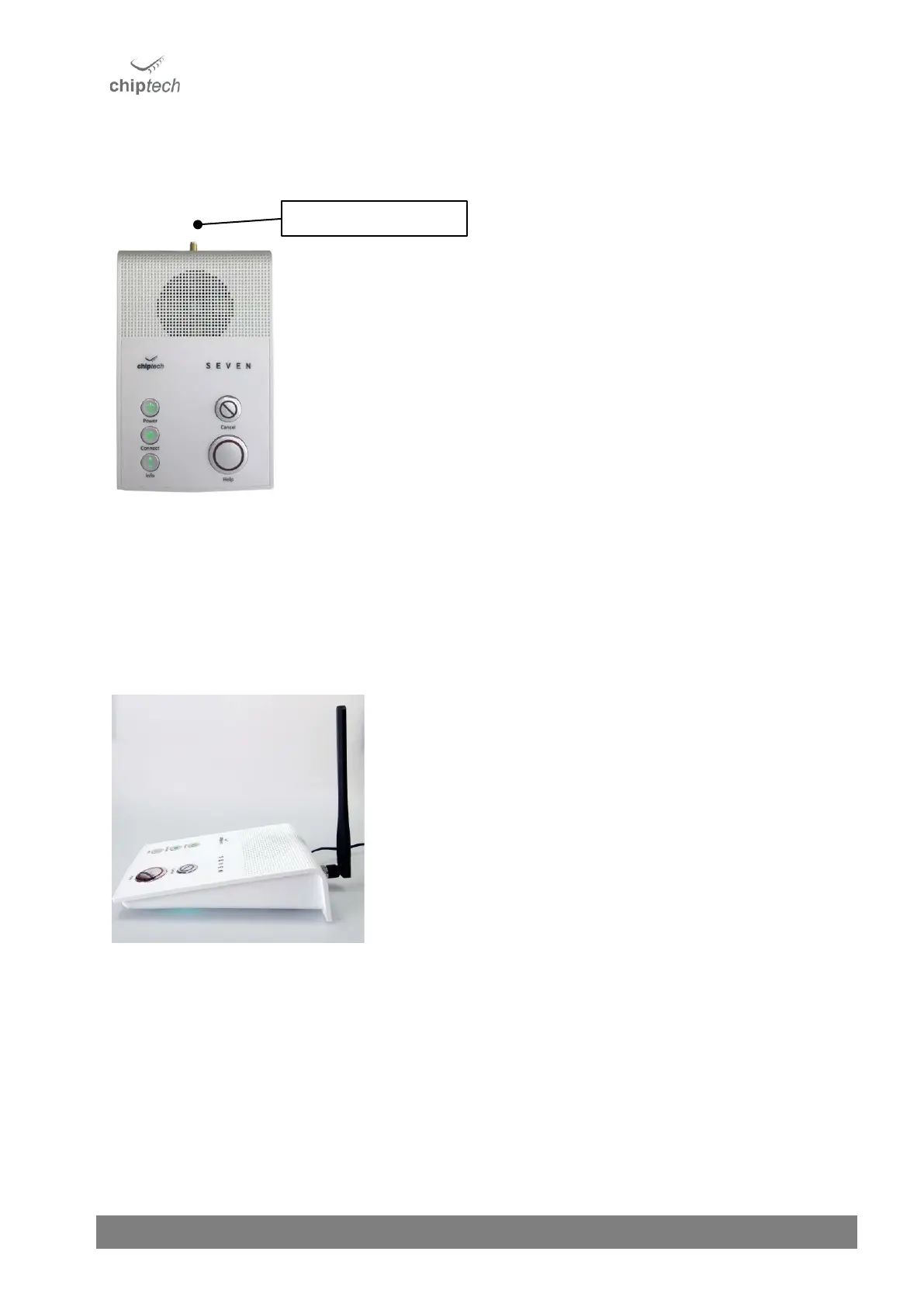
Attach the external aerial directly or with a coax cable to the SMA
connector, which is located on the back panel of SEVEN X.
This only needs to be tightened to finger tight force. Over tightening the
aerial may cause potential issues if the connection is ‘over-tightened.’ Over-
tightening could result in damage inside the base unit, with the possibility
of shearing the internal cable.
When the extended aerial is connected, check the cellular connection
strength by pressing the Connect button. When adequate cellular coverage
is obtained make sure the customer is aware of the warnings in the SEVEN
LE-X or SEVEN L-X User Guides:
• Do not unplug the aerial from the base unit, as this will prevent
the base unit from connecting to the cellular network.
• Do not reposition the aerial from the installed location.



 To Next Page