Broadcaster Auxiliary Box Setup
21
MT2461A
Auxiliary Box Names
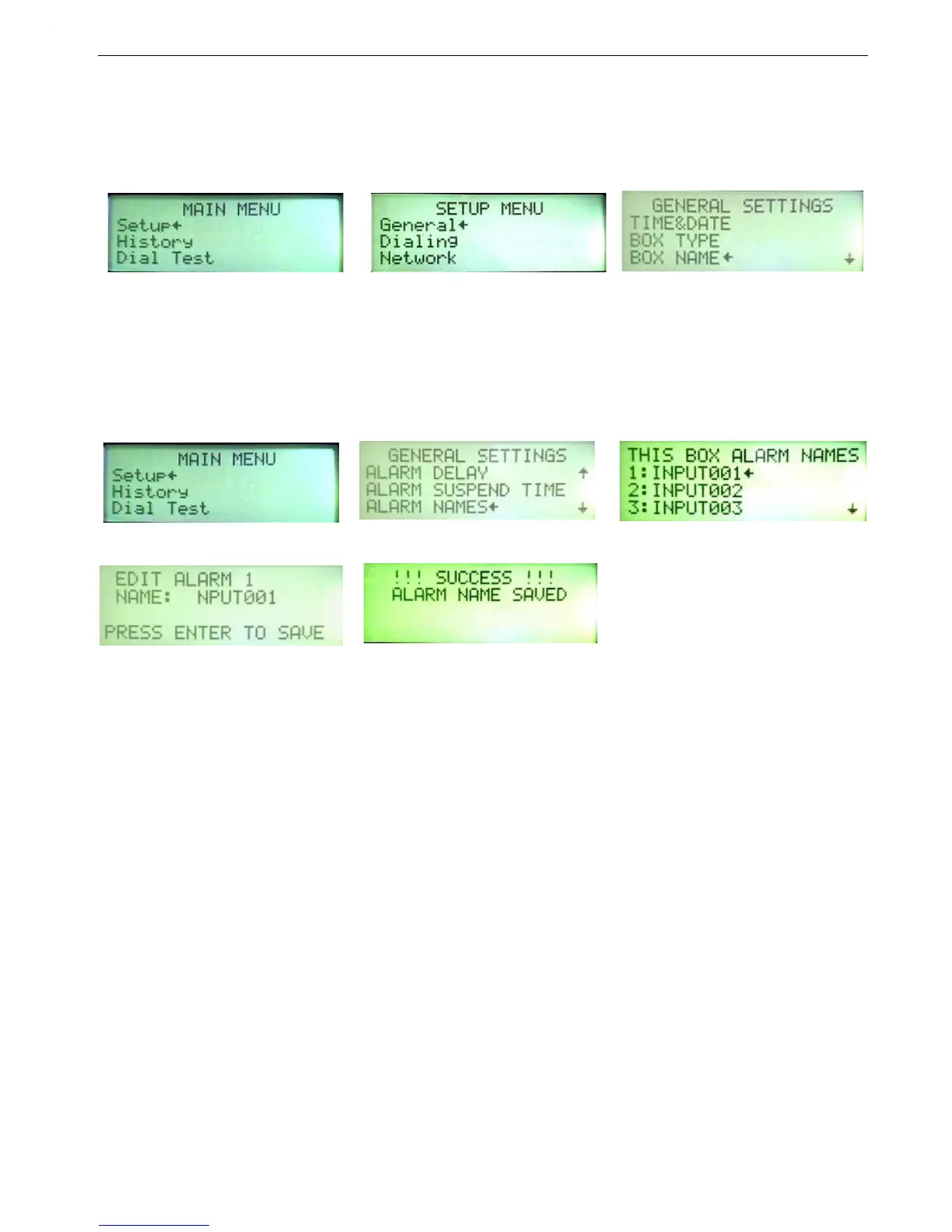
1.Go to the Main Menu Setup Screen.
1.Enter the General Screen.
1.Enter the Box Name Screen.
2.Box Name and IP must match the name and IP entered in the Base Box approved Aux List.
Alert Names (Aux.)
Note: Only SMS will display specific names.
1.Go to the Main Menu and choose Setup.
2.Select Alert Names and Edit.
3.Select Alert Names. This is where you can give a specific name to one or more of eight alert inputs.
4.Select the alert input you want to rename and press Enter.


 To Next Page