18
| INSTALLATION MANUAL PRORAPID
Before working on the unit, switch o the power supply and secure it against
being switched on again! Check that there is no power owing! Electrical
connections may only be made by a specialist and in compliance with the
applicable regulations. The unit may not be put into operation if there is
visible damage to the housing, e.g. cracks.
The unit may not be accessible from behind.
Low-voltage cables such as temperature sensor cables must be routed
separately from mains voltage cables. Feed temperature sensor cables only
into the left-hand side of the unit, and mains voltage cables only into the
right-hand side.
The customer must provide an all-pole disconnecting device, e.g. an
emergency heating switch.
The cables being connected to the unit must not be stripped by more than 55
mm, and the cable jacket must reach into the housing just to the other side of
the strain relief.
Cable Installation
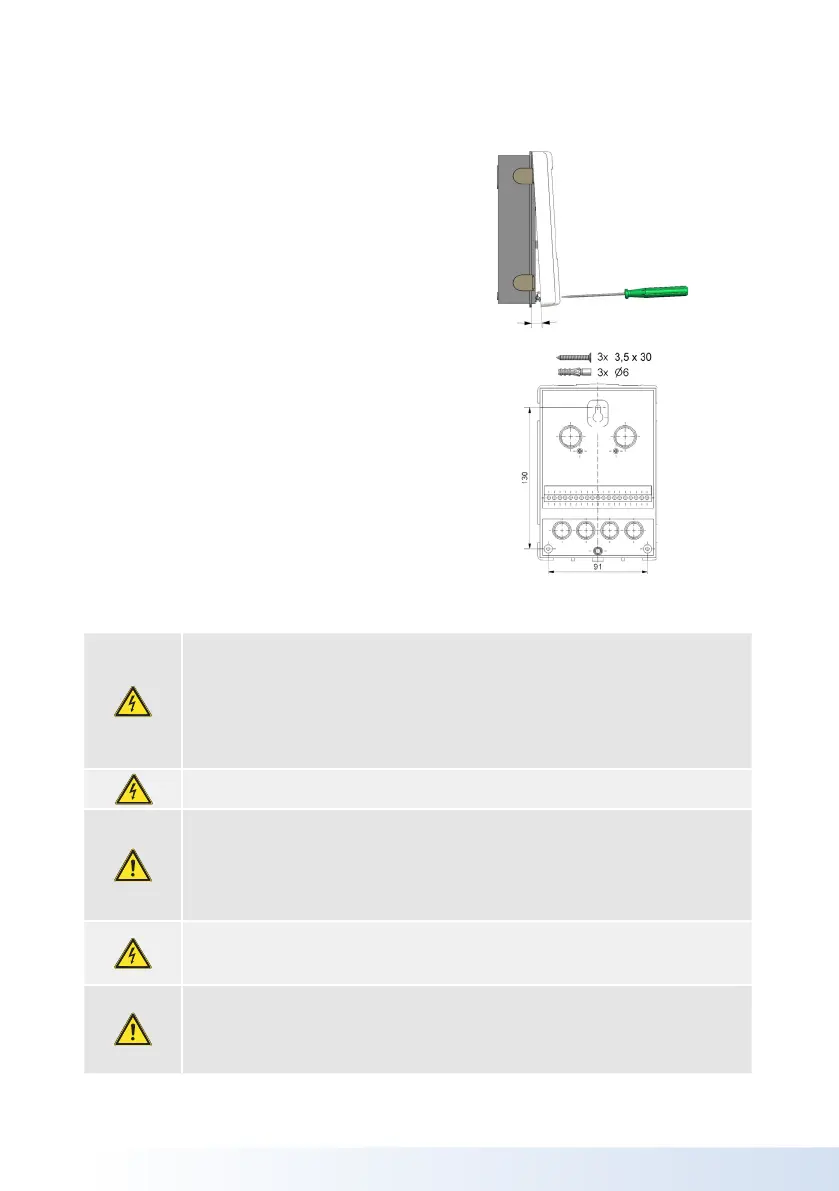
1. Unscrew cover screw completely.
2. Carefully pull upper part of housing
from lower part. During the removal, the
brackets are released as well.
3. Set upper part of housing aside. Do not
touch the electronics.
4. All terminals are “spring cage” type
terminals. To open the terminal use a
terminal screw driver to push in the
spring and insert your cables. It is
recommended to use “boot lace” type
connections.
5. Once all cabling is completed, check
that no mains voltage cables have been
installed on the low voltage side.
6. Put on the cover and screw cover
completely.
Electrical Connection



 To Next Page