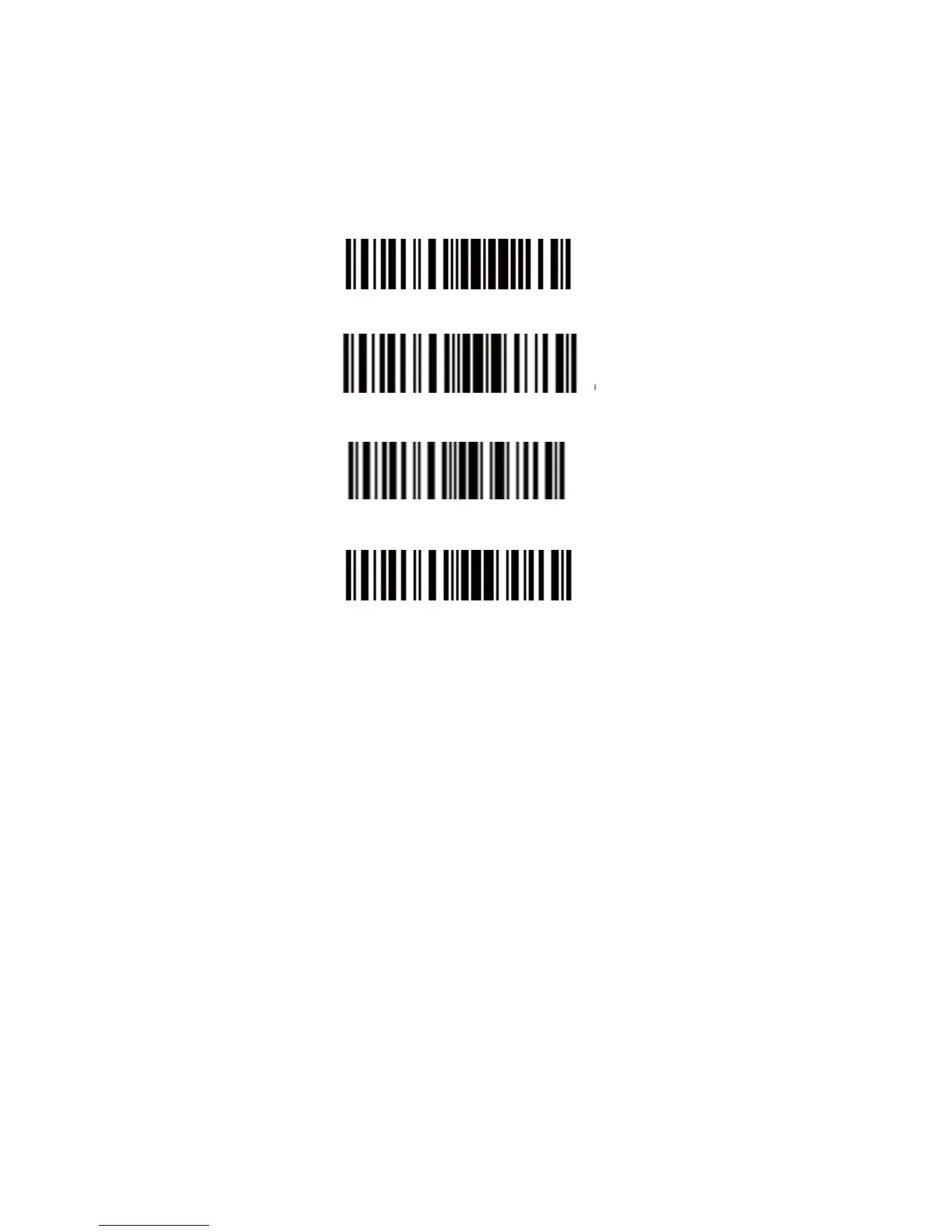
Save Custom Settings
1. You may change factory defaults, and customize some functions
suitable for your own applications when you use CT10X, you
must read the ‘Enter Setup’ Function barcode you want to
customize ‘Save Custom Settings’ ‘Exit with Save’ barcodes.
Enter Setup
Save Custom Settings
Restore Customs Settings
Exit with Save
2. If you want to restore to custom settings after resetting the
barcode scanner, just need to read ‘Enter Setup’ ‘Restore Custom
Settings’ ‘Exit with Save’ barcodes as above.


 To Next Page