2.4.3 Connect via BT Input Method
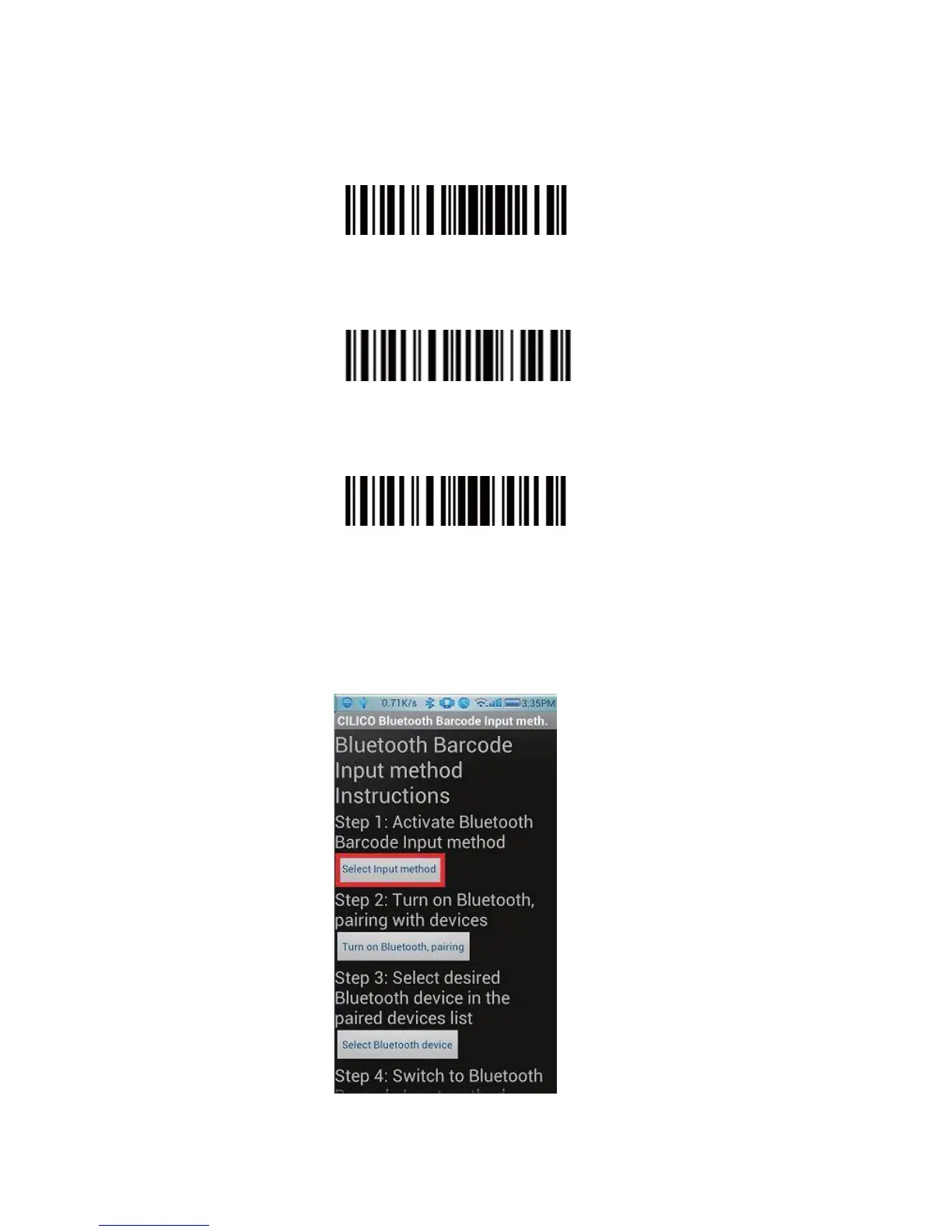
1. Turn on Bluetooth barcode scanner CT10X for setup
Read “Enter Setup” barcode
Enter Setup
Read “Bluetooth Input Method” barcode
Bluetooth Input Method
Read “Exit with Save” barcode
Exit with Save
2. Setup “CILICO Bluetooth barcode input method”
Step 1: Tap “Select Input Method”


 To Next Page