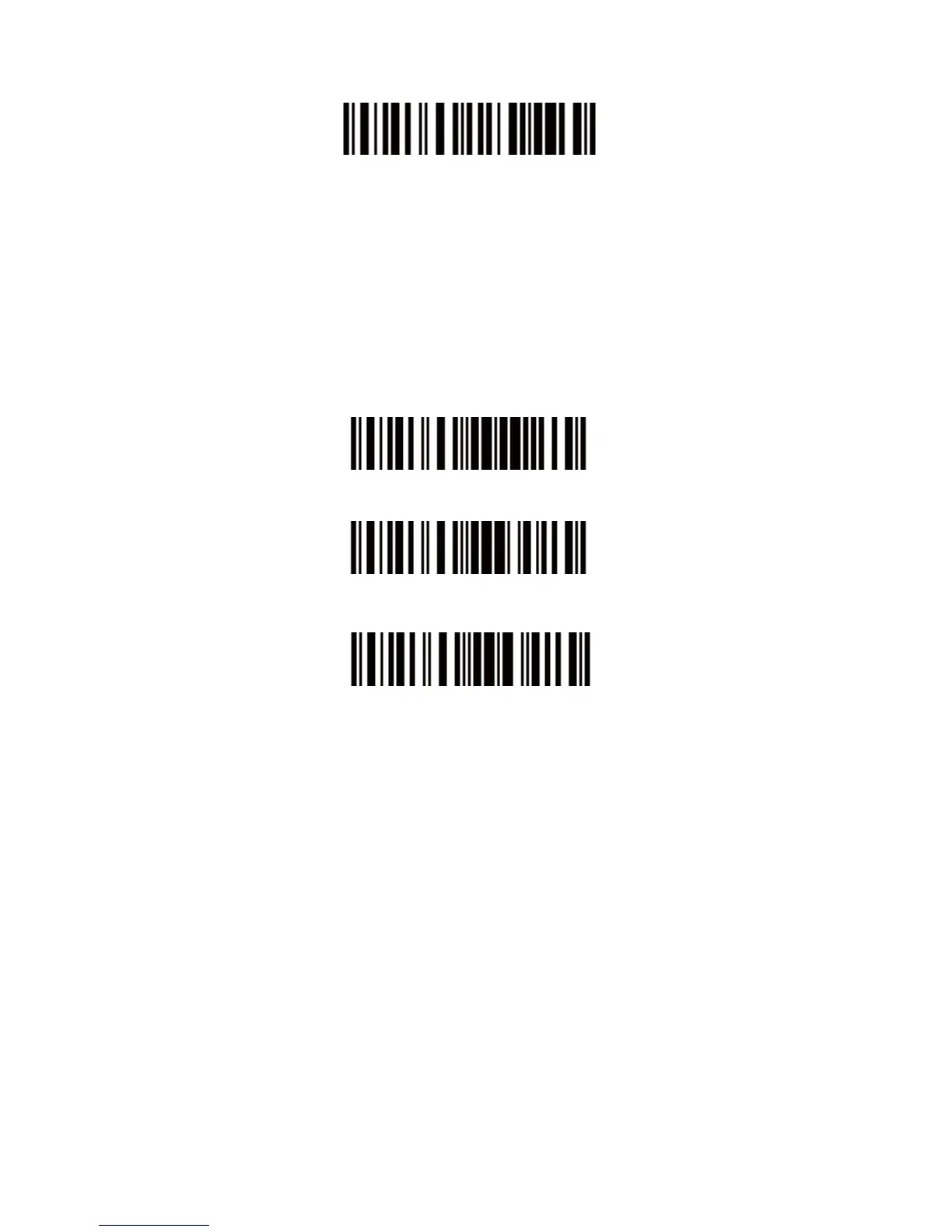
Exit Auto Power Off
For example: Set 20 minutes for the scanner to automatically turn off.
1. Read the "Enter Setup" barcode;
2. Read the "Enter Auto Power Off" barcode;
3. Read the "20min" barcode;
4. Read the "Exit with Save" barcode.
Note: If you want to keep the scanner power on all the time, read
"Exit Auto Power Off" in stead of step 3 and 4.
Enter Setup
Exit with Save
Exit without Save
1.2 Transmit Buffer
During the Bluetooth connection, the CT10X Scanner uses a 16KB
memory as a data buffer, and sends the collected data to the host
computer one by one via the Bluetooth. Upon reading a barcode
successfully, the scanner responds with one short beep and its LED
indicator becomes green and goes off quickly. However, the host
computer may not receive the data immediately if getting out of
range. With the 256KB transmit buffer, the scanner can ignore the
transmission status and keep on reading barcodes until the buffer is
full. When the buffer is full, the scanner will respond with a long beep
(low tone), this reminds the user that the space of buffer is not
enough and can not read barcode any more. Once the Buffer is


 To Next Page