EasyManua.ls Logo

CILICO CT10X - Symbologies Supported; USB Wired Data Transmission

CILICO CT10X
75 pages
Print Icon
To Next Page IconTo Next Page
To Previous Page IconTo Previous Page
Loading...
22
1.6 Symbologies Supported
Most of the popular barcode symbologies are supported by the
CT10X Scanner, as listed below. Refer to Chapter 4 for details of
each symbology.
Symbologies Supported: Enable/Disable
Pre-Set
Codabar
Enable
Code 93
Enable
MSI
Disable
USPS
Enable
FedEx
Enable
Code 128
Enable
UCC/EAN-128
Enable
Code 39
Enable
EAN/UPC
EAN-8
Enable
EAN-13
Enable
UPC-A
Enable
UPC-E
Enable
ISBN
Disable
Code 2 of 5
Industrial 25
Disable
Interleaved 25
Enable
Standard 25
Enable
2/5 Matrix
Disable
1.7 USB Wired Data Transmission
CT10X Barcode Scanner support USB Data live transmission. The
user just need connect one end of the USB cable to a device with
USB2.0 port, and the other end to CT10X, open a textbox, it will enter
data transmission. USB wired transmission is the prior transmission
mode.

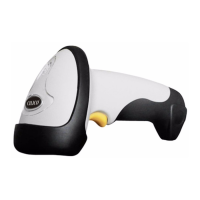
Table of Contents