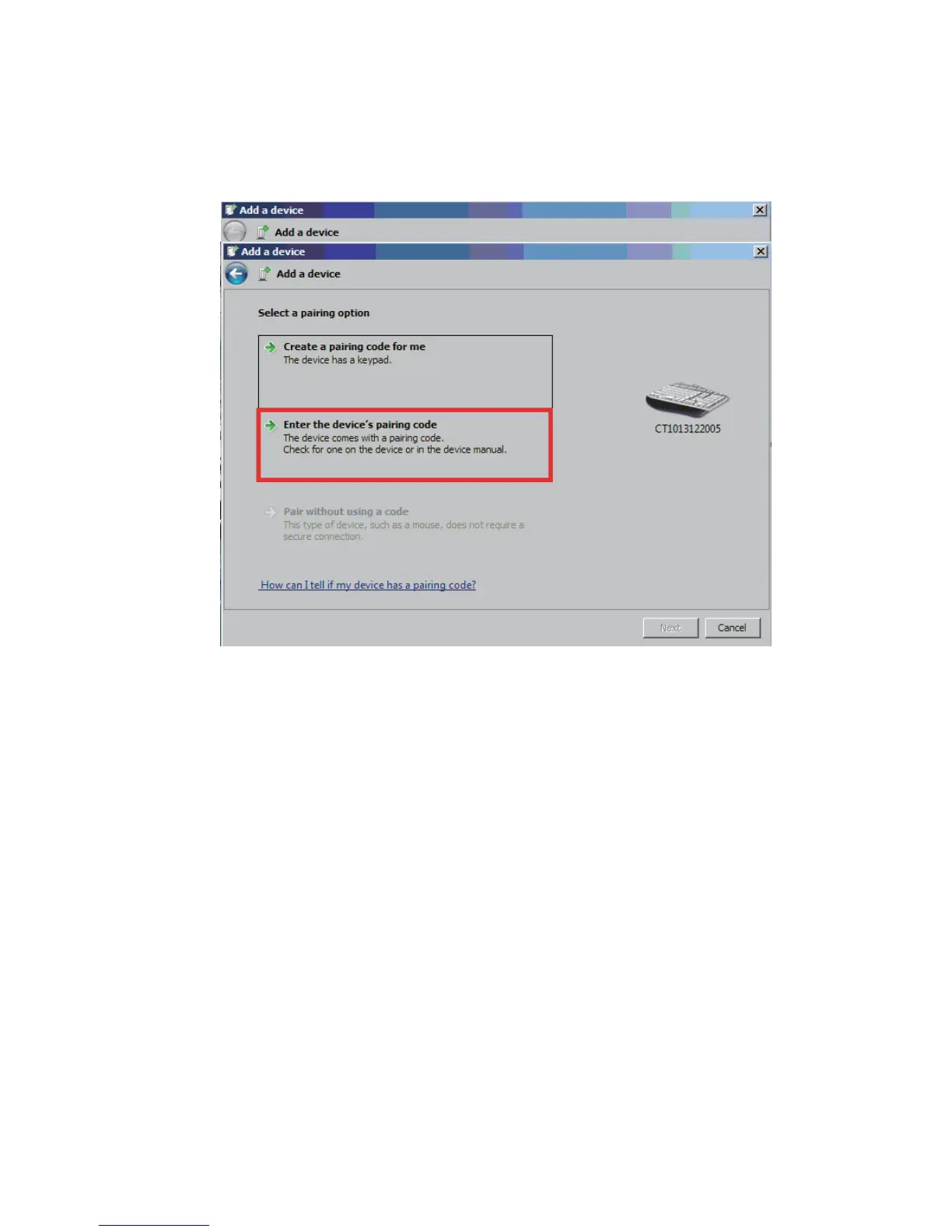
The computer will search Bluetooth devices automatically. A
few seconds later, you will find CT******** in the available
devices list, click ’Next‘
Select ’Enter the device‘s pairing code’, and click ’Next‘.
Input the pairing code 10010, and click ’Next’.


 To Next Page