Prefix and Suffix Setting
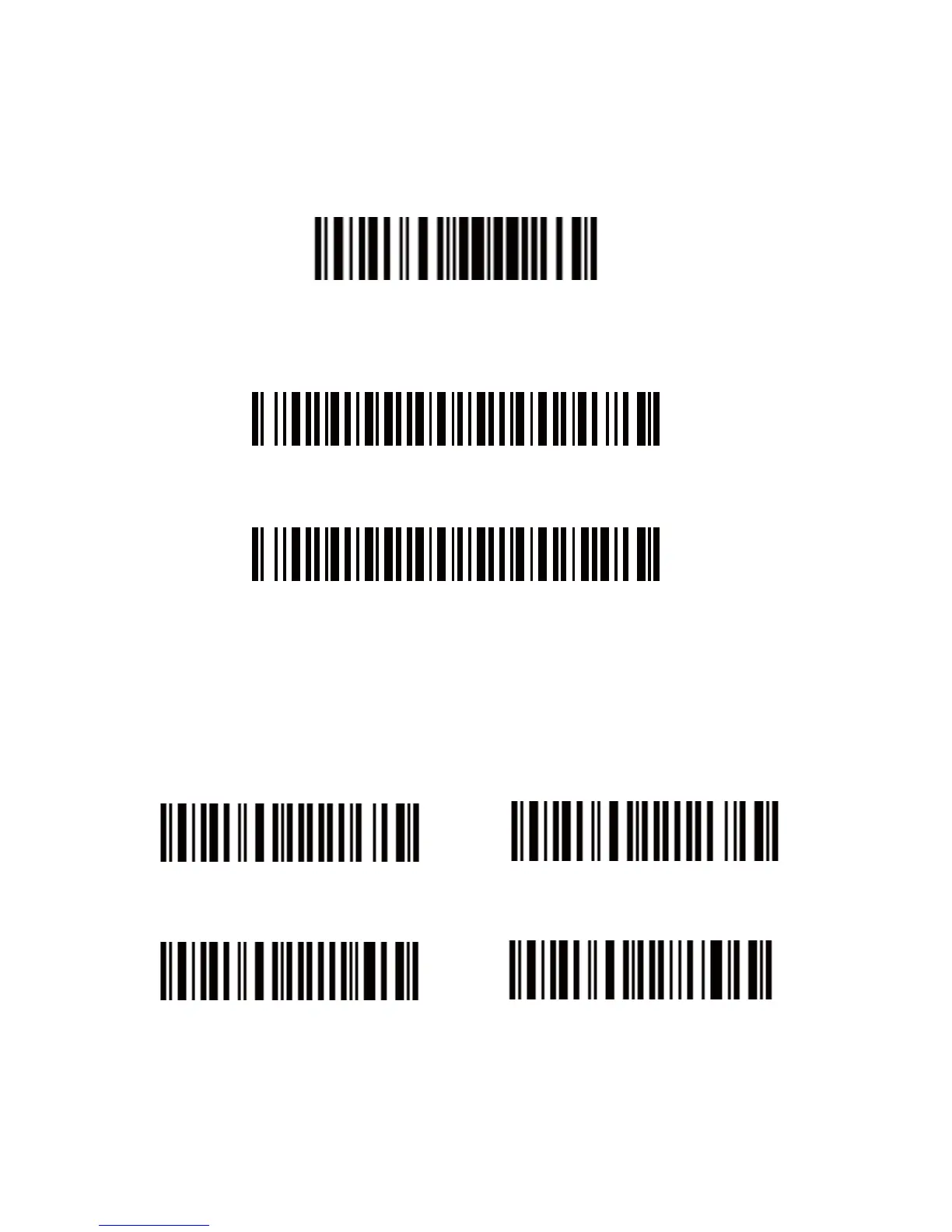
1. Scan the “Enter Setup” barcode
Enter setup
2. Scan the “Prefix Setting” or “Suffix Setting” scanner
Prefix Setting
Suffix Setting
3. Scan certain barcodes sequentially to generate your own
prefix/suffix. Example: If you want to add “#” as prefix or suffix,
according to the barcode list provided on our website, you need to
scan the “3” barcode first and then scan the “5” barcode.
0 1
2 3


 To Next Page