2
Enter Setup
1662 L/1664 Barcode Scanner User Guide
GET FAMILIARIZED WITH 1662 L/1664 AND 3610
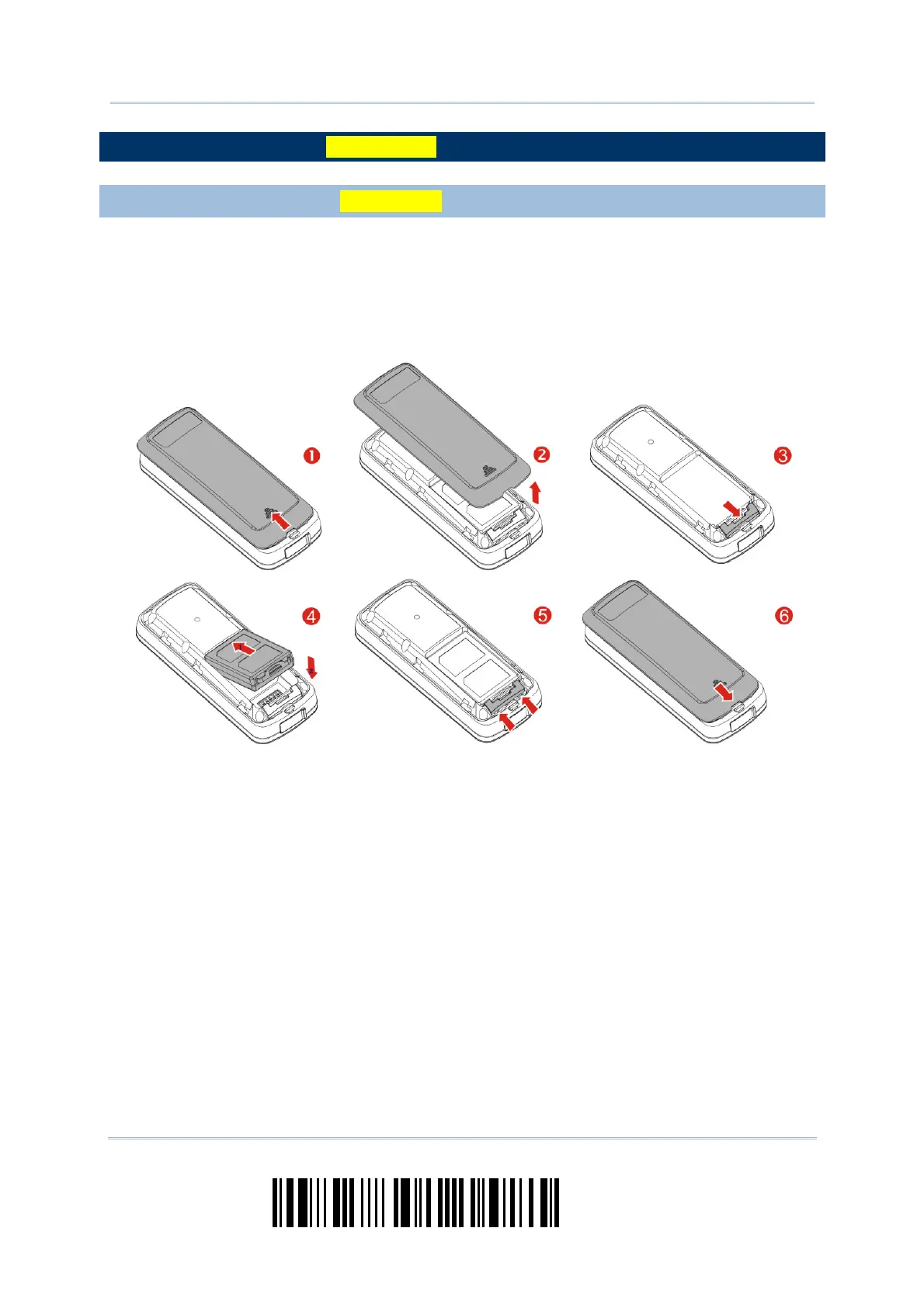
INSTALL THE BATTERY INTO 1662 L/1664
1) Hold the scanner face down in one hand, press the battery cover, and slide the
battery cover.
2) Remove the battery cover.
3) Push battery lock to unlocked position.
4) Insert the battery into the battery compartment.
Install the supplied 3.7V/850mAh Li-ion battery into the battery compartment.
5) Push battery lock to lock the battery firmly.
6) Replace the battery cover.
7) Hold down the [Power/Delete] key for about 2 seconds to turn on the scanner.
The scanner will respond with a long beep (high tone) and its LED indicator will
become solid red and go off.



 To Next Page