8-12
Cisco TelePresence System 3000
OL-14521-01
Chapter 8 Routing Power and Signal Cables
Power Requirements for the Cisco TelePresence 3000
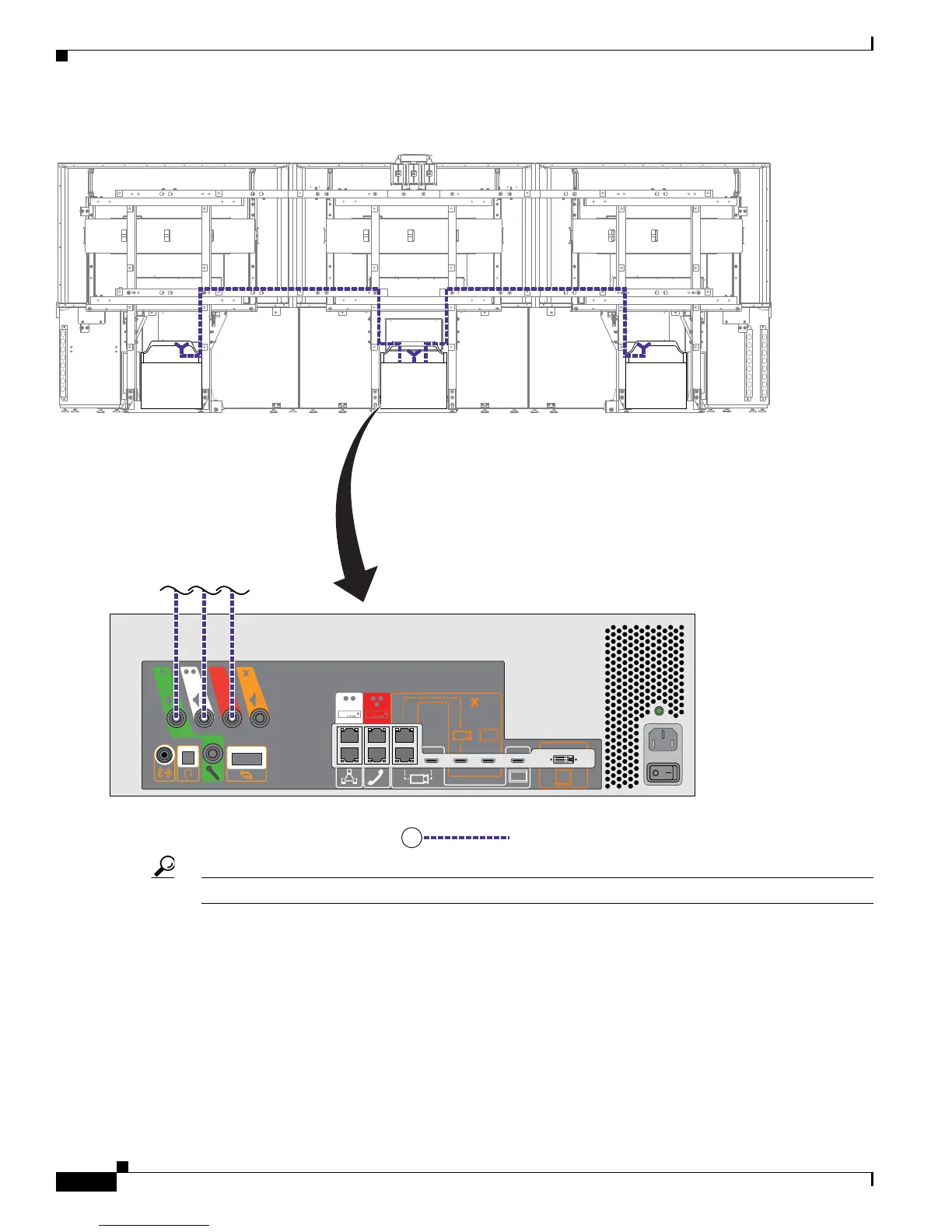
Figure 8-9 Cabling the Speakers
Tip Before plugging cables into the Codec, label each one. For example, Left Speaker, Center Speaker.
Step 10 Connect the following cables:
• Attach and route the power cables for the lighting assembly by connecting the lights to the auxiliary
control unit.
• Connect the DSUB to 8-P MINI DIN cable between the projector and the auxiliary control unit.
• Connect the Ethernet cables between the codec and the auxiliary control unit.
• Connect the power cord for the auxiliary control unit to a wall outlet.



 To Next Page