8-4
Cisco Unified IP Phone 7965G and 7945G Administration Guide for Cisco Unified Communications Manager 6.1(3)
OL-17755-01
Chapter 8 Monitoring the Cisco Unified IP Phone Remotely
Network Configuration
Network Configuration
The Network Configuration area on a phone’s web page displays network configuration information and
information about other phone settings.
Table 8-2 describes this information.
You can view and set many of these items from the Network Configuration Menu and the Device
Configuration Menu on the Cisco
Unified IP Phone. For more information, see Chapter 5, “Configuring
Features, Templates, Services, and Users.”
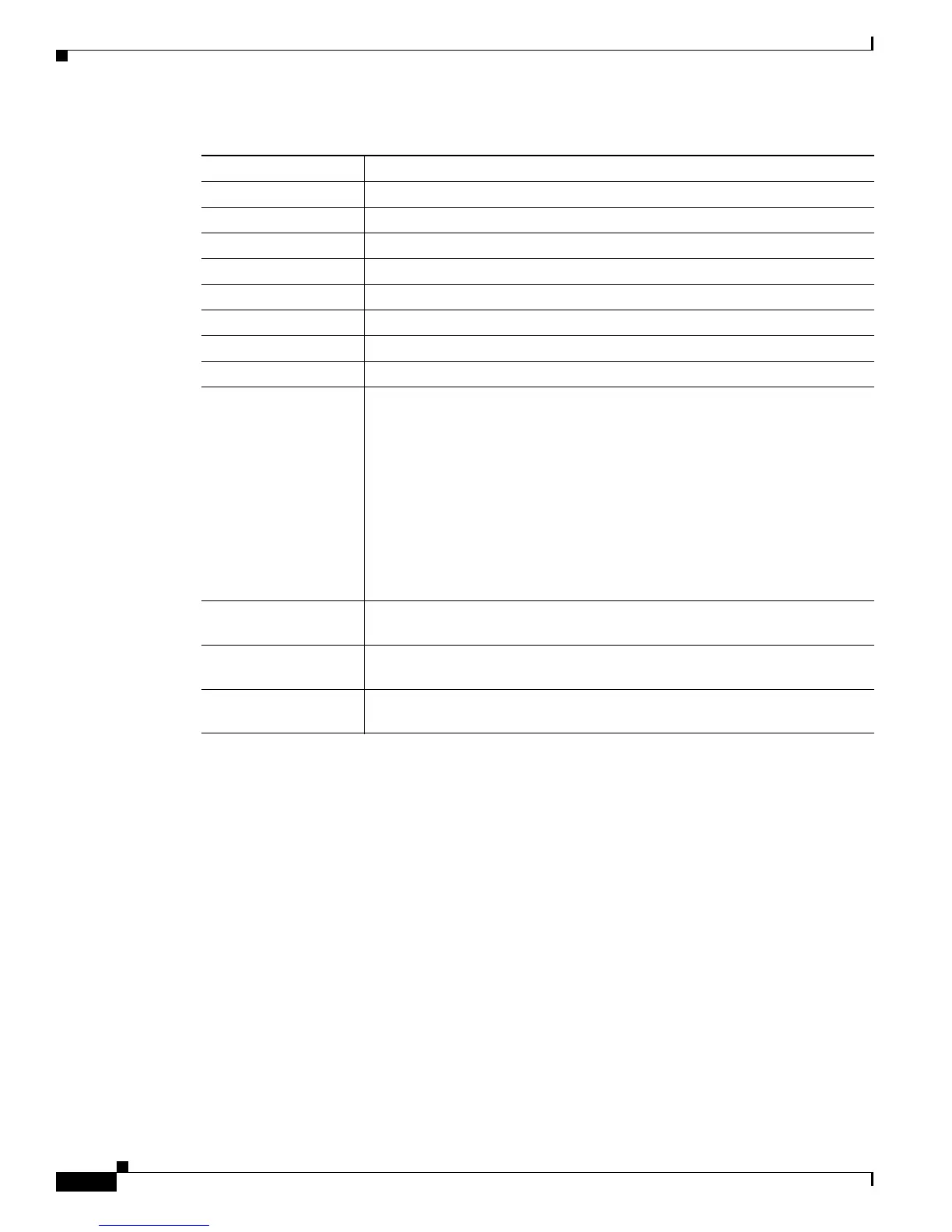
Boot Load ID Identifier of the factory-installed load running on the phone
Ve r s i o n Version of the firmware running on the phone
Expansion Module 1 Phone load ID for the first Cisco Unified IP Phone Expansion Module
Expansion Module 2 Phone load ID for the second Cisco Unified IP Phone Expansion Module
Hardware Revision Revision value of the phone hardware
Serial Number Serial number of the phone
Model Number Model number of the phone
Message Waiting Indicates if there is a voice message waiting on any line for this phone
UDI Displays the following Cisco Unique Device Identifier (UDI) information
about the phone:
• Device Type—Indicates hardware type. For example, phone displays for
all phone models
• Device Description—Displays the name of the phone associated with the
indicated model type
• Product Identifier—Specifies the phone model
• Version Identifier
1
—Represents the hardware version of the phone
• Serial Number—Displays the phone’s unique serial number
Time Time obtained from the Date/Time Group in Cisco Unified Communications
Manager to which the phone belongs
Time Zone Timezone obtained from the Date/Time Group in Cisco Unified
Communications Manager to which the phone belongs
Date Date obtained from the Date/Time Group in Cisco Unified Communications
Manager to which the phone belongs
1. The Version Identifier field might display blank if using an older model Cisco Unified IP Phone because the hardware does
not provide this information.
Table 8-1 Device Information Area Items (continued)
Item Description


 To Next Page
 Loading...