CHAPTER 4
Powering on the Router
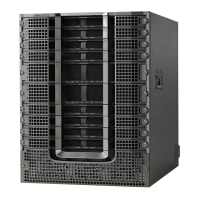
This chapter describes how to connect the power modules in the chassis and to power on the router.
• Power Supply Overview, on page 59
• Power Connection Guidelines for AC-Powered Systems, on page 59
• Power Supply Unit Input and Output Ranges, on page 61
• Connect AC Power to the Chassis, on page 62
• Connect DC Power to the Chassis, on page 65
• AC/DC-Input Power Cord Options, on page 67
Power Supply Overview
You can install up to two 2KW AC (PSU2KW-ACPI or PSU2KW-ACPE) or 2KW DC (PSU2KW-DCPI or
PSU2KW-DCPE) power supplies in the chassis. Ensure that all power connection wiring conforms to the
rules and regulations in the National Electrical Code (NEC) and in local codes.
The Cisco 8700 Series routers doesn't support a mix of:
• AC and DC Power Supply Units (PSUs).
• Port-Side Intake (PSI) and Port-Side Exhaust (PSE) configurations.
Note
Nominal RangeDescriptionModule Type
100—127V AC, 12A, 50—60Hz and
200—240V AC, 10A, 50—60Hz.
single feed with 2KW capacity at
12V
AC Power
-48—60V DC, 55Adual feed with 2KW capacity at any
specified input voltage.
DC Power
Power Connection Guidelines for AC-Powered Systems
When connecting AC-input Power Supply Units (PSUs) to the site power source, observe the guidelines
described here.
Hardware Installation Guide for Cisco 8700 Series Routers
59



 To Next Page