• The unit's process field net (PROFINET) support settings (if
applicable).
• The unit's Neutrino Qnet (QNET) support settings (if applicable).
To change any of the miscellaneous settings, do the following steps:
1. Click the -misc settings link under ADVANCED SETTINGS in
the left-hand settings menu.
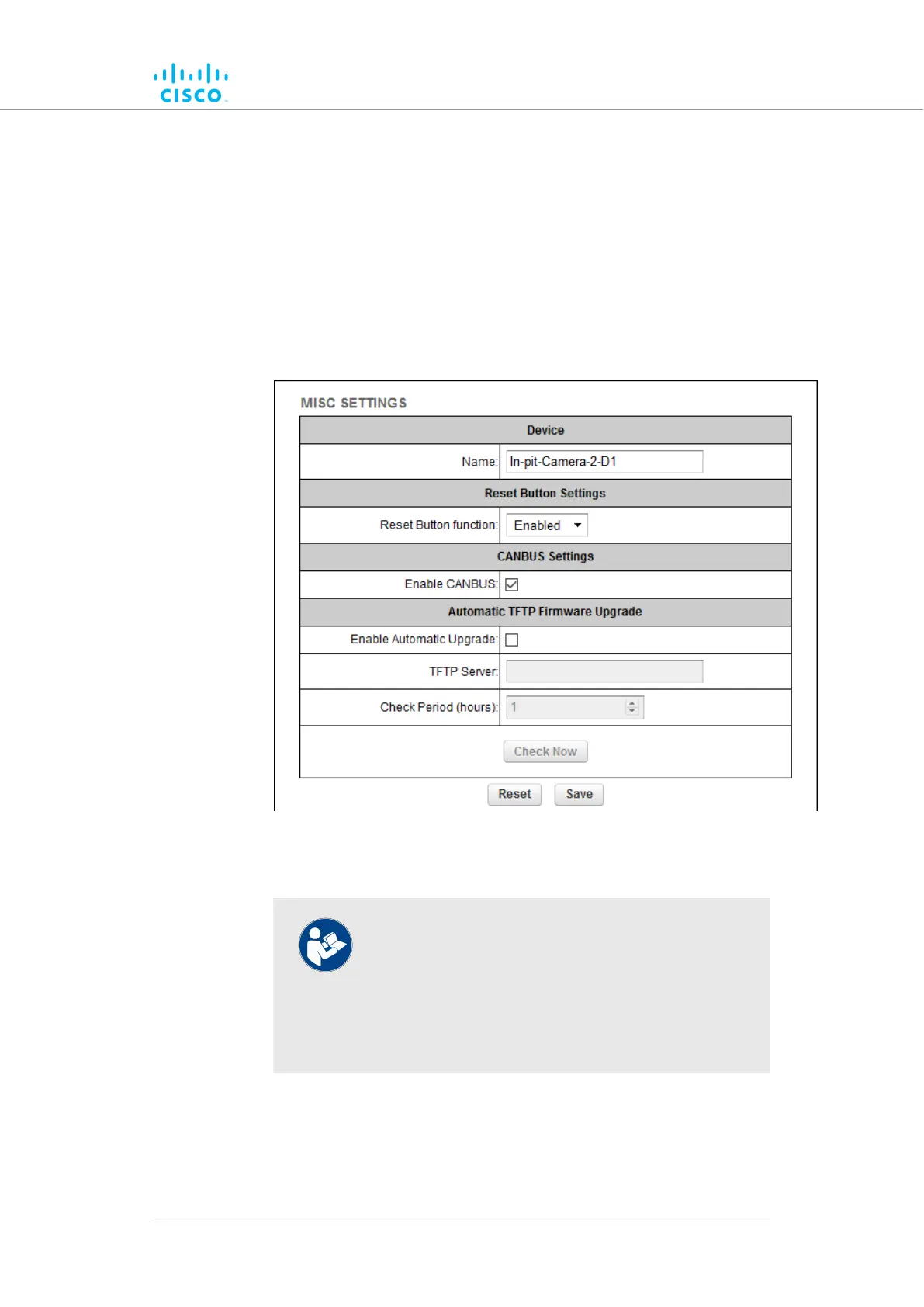
• The MISC SETTINGS dialog will be shown (Figure 50
(page 122)).
Figure 50. Configurator GUI (MISC SETTINGS dialog)
2. Set the device name by typing it in the Name: field.
NOTE
It is not essential to specify the device name, but it is
strongly recommended. Failure to specify the device
name may make the unit difficult to recognize in
situations where more than one unit is being dealt
with at the same time (for example, when using
utilities such as the FMQuadro network map).
3. Set the functionality of the unit's hardware Reset button by
clicking the Reset Button function: drop-down and clicking the
needed option as described below:
• Disabled: The hardware Reset button will be disabled.
Device configuration using the configurator interface
© 2021 Cisco and/or its affiliates. All rights reserved. Page 122 of 175



 To Next Page