EasyManua.ls Logo

Cisco Meraki MS350 Series - User Manual

Cisco Meraki MS350 Series
8 pages
Print Icon
To Next Page IconTo Next Page
Loading...
MS350 Series Installation Guide
About this Guide
This guide provides instruction on how to install and configure your MS350 series switch. This guide also provides mounting instructions and limited
troubleshooting procedures. For more switch installation guides, refer to the switch installation guides section on our documentation website.
Model number Description
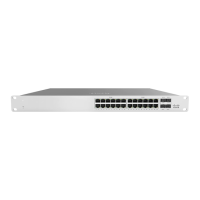
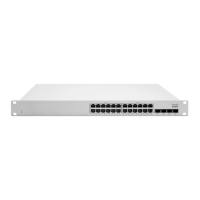
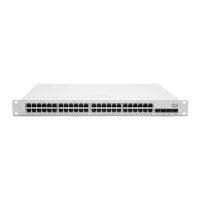
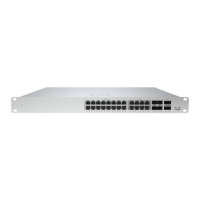
MS350-24 Layer-3 24-port gigabit Ethernet switch with 4 SFP+ interfaces, hot-swappable power supplies and hot-swappable fans
MS350-24P
Layer-3 24-port gigabit Ethernet PoE switch with 4 SFP+ interfaces, hot-swappable power supplies and hot-swappable
fans
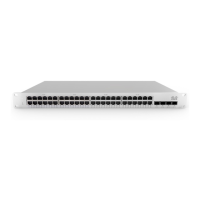
MS350-48
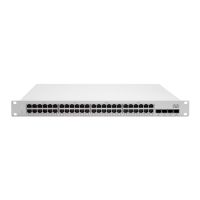
Layer-3 48-port Physically Stacking gigabit Ethernet switch with 4 SFP+ interfaces, hot-swappable power supplies and hot-
swappable fans
MS350-48LP
Layer-3 48-port gigabit Ethernet 370W PoE switch with 4 SFP+ interfaces, hot-swappable power supplies and hot-
swappable fans
MS350-48FP
Layer-3 48-port gigabit Ethernet 740W PoE switch with 4 SFP+ interfaces, hot-swappable power supplies and hot-
swappable fans
MS350-24X
Layer-3 16-port gigabit Ethernet and 8-port multigigabit 740W UPoE switch with 4 SFP+ interfaces, hot-swappable power
supplies and hot-swappable fans
Product Overview
Physical Specifications
MS350-24 MS350-24P MS350-24X MS350-48
1Gbe RJ45 24 24 16 48
mGbe RJ45 - - 8 -
10Gbe SFP+ 4 4 4 4
40Gbe QSFP+ 2 2 2 2
1
Question and Answer IconNeed help?

Do you have a question about the Cisco Meraki MS350 Series and is the answer not in the manual?

Summary

About this Guide

Product Overview

Physical Specifications

Details physical attributes like port counts, power, environment, and mounting for different MS350 models.

Product View and Physical Features

Front Panel

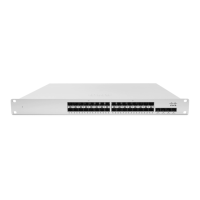
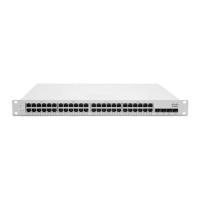
Illustrates and describes the front panel components of MS350-24 and MS350-48 series switches.

Factory Reset Button

Ports and Status Indicators

Front Panel Components

Explains the LED status indicators for Power and Switch Ports on the front panel.

Package Contents

Safety and Warnings

Pre-install Preparation

Configure your Dashboard Network

Guides on setting up a Meraki dashboard network and adding switches for initial configuration.

Check and Set Firmware

Recommends upgrading switch firmware before installation for optimal performance.

Upstream Firewall Settings

Assigning an IP Address

Dynamic Assignment

Explains how DHCP servers can assign static IP addresses to Meraki switches.

Static Assignment

Details the procedure for configuring static IP addresses via the switch's built-in web server.

Static IP via DHCP Reservations

Describes using DHCP reservations on the server to assign static IPs to switches.

Installation Instructions

Basic Troubleshooting

Bringing your Stack Online

Warranty

Support and Additional Information

Overview

The Cisco Meraki MS350 Series is a range of Layer-3 Ethernet switches designed for various networking needs, offering a blend of performance, flexibility, and ease of management. These switches are intended for industrial or commercial activities and are not for domestic use, requiring installation and maintenance by qualified specialists.

Function Description:

The MS350 series switches provide Layer-3 switching capabilities, enabling efficient routing between different network segments. They are designed to be integrated into a Meraki cloud-managed network, allowing for centralized configuration, monitoring, and troubleshooting through the Meraki dashboard. The switches support various port configurations, including gigabit Ethernet, PoE (Power over Ethernet), and multigigabit UPoE, catering to diverse device connectivity requirements. Dedicated stacking ports allow for physical stacking of multiple MS350 switches, enhancing network scalability and redundancy. Hot-swappable power supplies and fans contribute to high availability and ease of maintenance.

Important Technical Specifications:

Models and Port Configurations:

  • MS350-24: Layer-3 24-port gigabit Ethernet switch with 4 SFP+ interfaces.
  • MS350-24P: Layer-3 24-port gigabit Ethernet PoE switch with 4 SFP+ interfaces.
  • MS350-48: Layer-3 48-port Physically Stacking gigabit Ethernet switch with 4 SFP+ interfaces.
  • MS350-48LP: Layer-3 48-port gigabit Ethernet 370W PoE switch with 4 SFP+ interfaces.
  • MS350-48FP: Layer-3 48-port gigabit Ethernet 740W PoE switch with 4 SFP+ interfaces.
  • MS350-24X: Layer-3 16-port gigabit Ethernet and 8-port multigigabit 740W UPoE switch with 4 SFP+ interfaces.

Physical Specifications (Common across models, where applicable):

  • 1Gbe RJ45 Ports: 24 (MS350-24, MS350-24P), 16 (MS350-24X), 48 (MS350-48)
  • mGbe RJ45 Ports: 8 (MS350-24X)
  • 10Gbe SFP+ Ports: 4 (all models)
  • 40Gbe QSFP+ Ports: 2 (all models)
  • 40G Hardware Stack Port: 2 (all models)
  • Dedicated Mgmt Interface: 1 (all models)
  • UPoE Capable: Yes (MS350-24X)
  • Hot Swap Power Supply: Yes, Dual (all models)
  • Hot Swap Fans: Yes (all models)
  • Power Input: 100 - 240 VAC, 47-63 Hz (all models)
  • Power Consumption: 56-888W (all models)
  • Operating Temperature: 23 °F - 122 °F (-5°C - 50°C)
  • Storage and Transportation Temperature: -4°F - 158°F (-20°C - 70°C)
  • Humidity: 5% to 95%
  • Mounting: 1U rack-mountable, 2 post rack mount support

LED Status Indicators:

  • Power LED:
    • Solid orange: Switch unable to connect to Meraki cloud.
    • Flashing white: Firmware upgrade in process.
    • Solid white: Switch fully operational and connected to Meraki cloud.
    • Off: Switch does not have power.
  • Switch Ports LEDs:
    • Off: No client connected.
    • Solid orange: 10/100 Mbps (1 Gbps on SFP+).
    • Solid green: 1/2.5/5/10 Gbps (10 Gbps on SFP+).
  • Management Interface LED: Green (Connected, used for easy access to local status page).
  • Redundant Fans LED: Green (Active and operational).
  • Redundant Power Supplies LED: Green (Active and functional power supplies).

Usage Features:

The MS350 series is designed for easy deployment and management within the Meraki ecosystem.
  • Cloud Management: Configuration and monitoring are performed through the intuitive Meraki dashboard, accessible via a web browser. This includes adding switches to the network, placing them on floor plans, and managing their settings remotely.
  • Firmware Upgrades: The switch can automatically upgrade its firmware when connected to the internet, indicated by a flashing white power LED. It is recommended to perform a firmware upgrade prior to mounting for optimal performance.
  • IP Address Assignment: Switches can obtain IP addresses dynamically via DHCP or be assigned static IP addresses. Static IP configuration can be done through the local web server or via DHCP reservations on the upstream DHCP server.
  • Physical Stacking: MS350 switches support physical stacking using dedicated stacking ports and cables, allowing for increased port density and simplified management of multiple switches as a single logical unit.
  • Factory Reset: A factory reset button allows users to restore the switch to its original factory settings, deleting all configuration information. This is useful for troubleshooting or re-provisioning the device.
  • Safety and Warnings: Users must adhere to local laws and safety guidelines during installation and operation. This includes powering off the unit before beginning work, being aware of electrical hazards, and using appropriate hardware and procedures for mounting. The product relies on the building's installation for short-circuit protection, with protective devices rated not greater than 15A, 125 Vac, or 10A, 240 Vac. Only provided power cables should be used to ensure regulatory compliance.

Maintenance Features:

  • Hot-Swappable Components: The inclusion of hot-swappable power supplies and fans allows for replacement without interrupting network operations, enhancing uptime and simplifying maintenance tasks.
  • Troubleshooting: Basic troubleshooting steps include resetting the switch, holding the factory reset button for 5 seconds, and switching cables or testing them on another device. More advanced troubleshooting resources are available on the Meraki documentation website and through Cisco Meraki support.
  • Warranty: MS350 switches come with a Lifetime warranty, while accessories (SFP Modules, cables, mounting kits, etc.) have a 1-year warranty. Hardware replacements under warranty require access to the original packaging, including the device serial number and order information.
  • Support: For installation issues or additional help, users can contact Meraki Support by logging into dashboard.meraki.com and opening a case.
  • Restricted Access: The equipment is intended for use in restricted access locations and should only be installed/operated by trained service personnel.
  • Disposal: At the end of its service life, the device must be disposed of in accordance with all state regulations and laws, and not with household waste.
  • Storage and Transportation: The equipment should be stored and transported in its original packaging, in a room protected from atmospheric precipitation, and within specified temperature and humidity ranges.

Cisco Meraki MS350 Series Specifications

General IconGeneral
BrandCisco
ModelMeraki MS350 Series
CategorySwitch
LanguageEnglish

Related product manuals