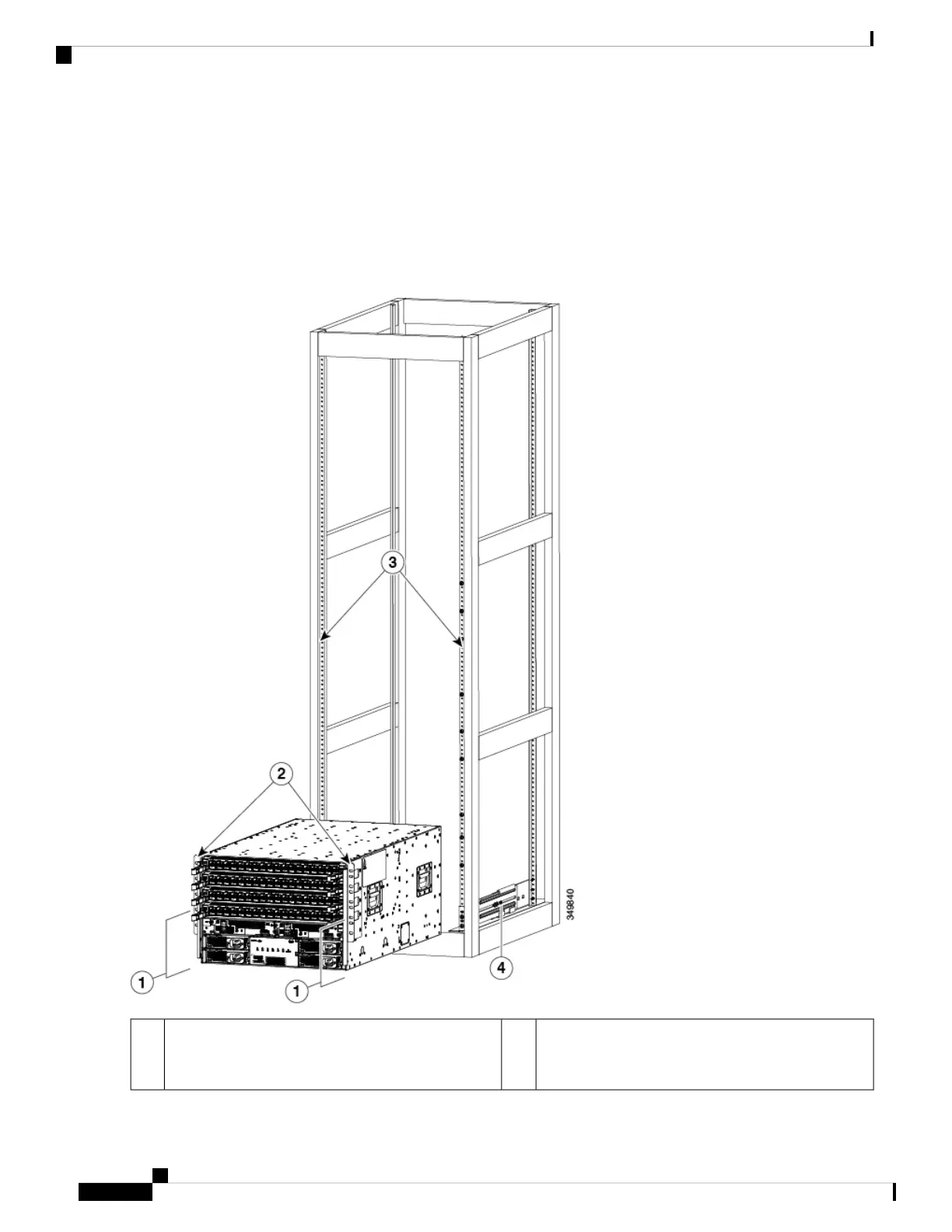
Make sure that the bottom of the chassis is elevated to the height of the bottom-support rails or no more than 1/4 inch
(0.6 cm) above the bracket.
Step 4 Push the chassis halfway onto the rack or cabinet.
Use at least two people to push the chassis onto the bottom-support rails and one person to guide the chassis down the
center of the rails. Push the lower half of the front side of the chassis so that the back side enters the rack. Then push until
the chassis is halfway onto the rack, see the following figure. Ensure that the chassis does not get caught on any of the
expansion edges of the bottom-support rail.
Rack vertical mounting rails on the rack.3Push the sides of the lower half of the front side of
the chassis (do not push or lift any modules or module
handles).
1
Cisco Nexus 9504 NX-OS Mode Switch Hardware Installation Guide
26
Installing a Chassis
Installing a Chassis in a Rack or Cabinet







 To Next Page