EasyManua.ls Logo

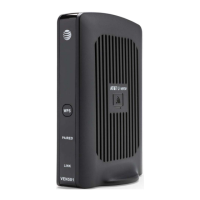
Cisco VEN401 - User Manual

Cisco VEN401
52 pages
Print Icon
To Next Page IconTo Next Page
Loading...
4038769 Rev 0 1
Cisco Model VEN401 and VEN402
User Guide
Draft
DRAFT

Table of Contents

Other manuals for Cisco VEN401

Question and Answer IconNeed help?

Do you have a question about the Cisco VEN401 and is the answer not in the manual?

Summary

Important Safety Instructions

Notice to Installers

Servicing instructions are for qualified personnel only to reduce shock risk.

Note to System Installer

Alerts to voltage risk and advises against opening the product.

Power Source Warning

Operate product only from the indicated voltage/frequency outlet.

Ground the Product

Ensures grounding for protection against surges and static charges.

Protect the Product from Lightning

Disconnect AC power and signal inputs during lightning.

Eliminate AC Mains Overloads

Avoid overloading mains, outlets, and cords to prevent shock/fire.

Provide Ventilation and Select a Location

Ensure proper ventilation and avoid placing objects on the device.

Protect from Exposure to Moisture and Foreign Objects

Avoid liquids, moisture, and inserting foreign objects into openings.

Service Warnings

Do not open the product; refer servicing to qualified personnel.

Compliance Information

CE Compliance

Europe

Installing the Devices

Front Panel

Details indicators and functions on the front of the device.

Connecting the VEN401 Access Point to a Residential Gateway or Router

Step-by-step guide to connect the VEN401 to a gateway or router.

Connecting the VEN402 Client to a Set-Top, DVR, or DMA

Step-by-step guide to connect the VEN402 to a set-top, DVR, or DMA.

Web-Based User Interface

Summary

Important Safety Instructions

Notice to Installers

Servicing instructions are for qualified personnel only to reduce shock risk.

Note to System Installer

Alerts to voltage risk and advises against opening the product.

Power Source Warning

Operate product only from the indicated voltage/frequency outlet.

Ground the Product

Ensures grounding for protection against surges and static charges.

Protect the Product from Lightning

Disconnect AC power and signal inputs during lightning.

Eliminate AC Mains Overloads

Avoid overloading mains, outlets, and cords to prevent shock/fire.

Provide Ventilation and Select a Location

Ensure proper ventilation and avoid placing objects on the device.

Protect from Exposure to Moisture and Foreign Objects

Avoid liquids, moisture, and inserting foreign objects into openings.

Service Warnings

Do not open the product; refer servicing to qualified personnel.

Compliance Information

CE Compliance

Europe

Installing the Devices

Front Panel

Details indicators and functions on the front of the device.

Connecting the VEN401 Access Point to a Residential Gateway or Router

Step-by-step guide to connect the VEN401 to a gateway or router.

Connecting the VEN402 Client to a Set-Top, DVR, or DMA

Step-by-step guide to connect the VEN402 to a set-top, DVR, or DMA.

Web-Based User Interface

Cisco VEN401 Specifications

General IconGeneral
ModelVEN401
CategoryWireless Access Point
Maximum Data Rate300 Mbps
Antenna TypeInternal
Humidity10% to 90% non-condensing
Wireless Standards802.11a/b/g/n
Frequency Bands2.4 GHz and 5 GHz
Power over EthernetYes
SecurityWPA, WPA2, WEP
MIMO2x2
Operating Temperature0 to 40 °C
Storage Temperature-20 to 70 °C

Related product manuals