ci5000 Series Printer Operation Guide
Version 1.0 2-2
Introduction 介绍
介绍介绍
介绍
The touchscreen GUI provides a simple intuitive interface for controlling the printer. It follows the same
familiar structure as previous generations of Citronix printers. The printer boots up to the home screen
which provides quick access to the most commonly used printer features. 触摸屏操作界面提供简单,直
观的方式控制喷码机。它继承了以前喜多力喷码机所为人熟知的架构。喷码机启动到主菜单。这里可以快
捷找到大多数最常用的喷码机功能。
Home Screen 主菜单
主菜单主菜单
主菜单
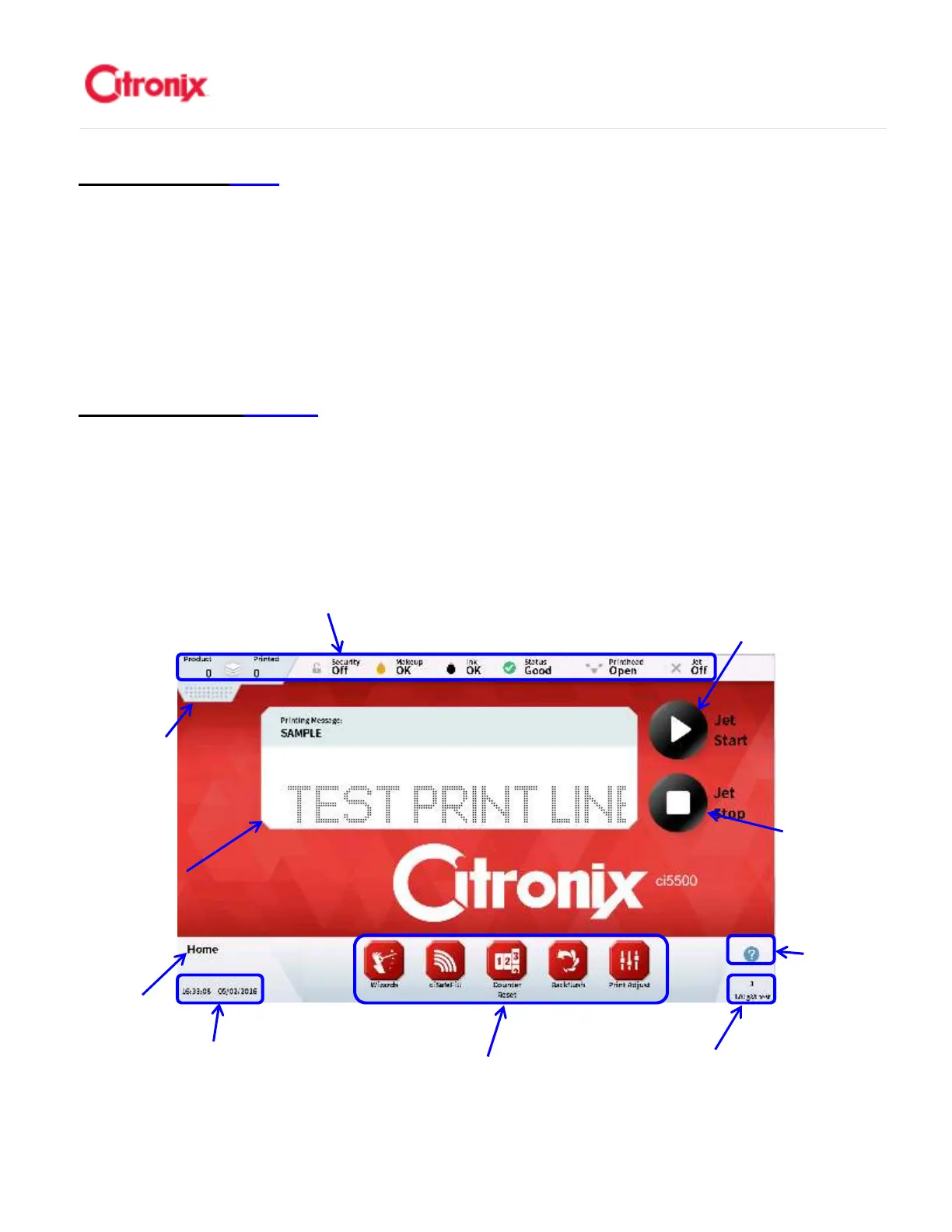
The home screen provides quick and easy access to the most commonly used statuses and printer
functions. It is used to start and stop printing, adjust the print properties for the application, refill fluids
and provide quick access to other top level menu items. These status and function items are shown
below. 主菜单可以快捷方便地找到大多数最常用的喷码机功能和状态。它可以开启和关闭喷码机,根据不
同应用修改打印参数,添加耗材以及快速进入其他菜单。这些状态和功能选项显示如下
Menu Tab 菜
单下拉条
Navigation Tool Bar
快捷键
Jet Stop
Button 墨线
关闭键
Screen
Name 菜单
名称
Status Bar 状态
Firmware Revision
Screen Number 软件
版本和菜单号
Date & Time 时间和日期
Current Printing
Message 当前喷
Help 帮助
Jet Start & Pause
Printing Button 墨线
开启和打印暂停键



 To Next Page