ci5000 Series Printer Operation Guide
Version 1.0 3-40
Graphics 图案编辑
图案编辑图案编辑
图案编辑
Citronix printers allow for the creation and storage of custom graphics that can be inserted into the
messages. These are limited to the pixel size of the particular message the graphic is being used in.
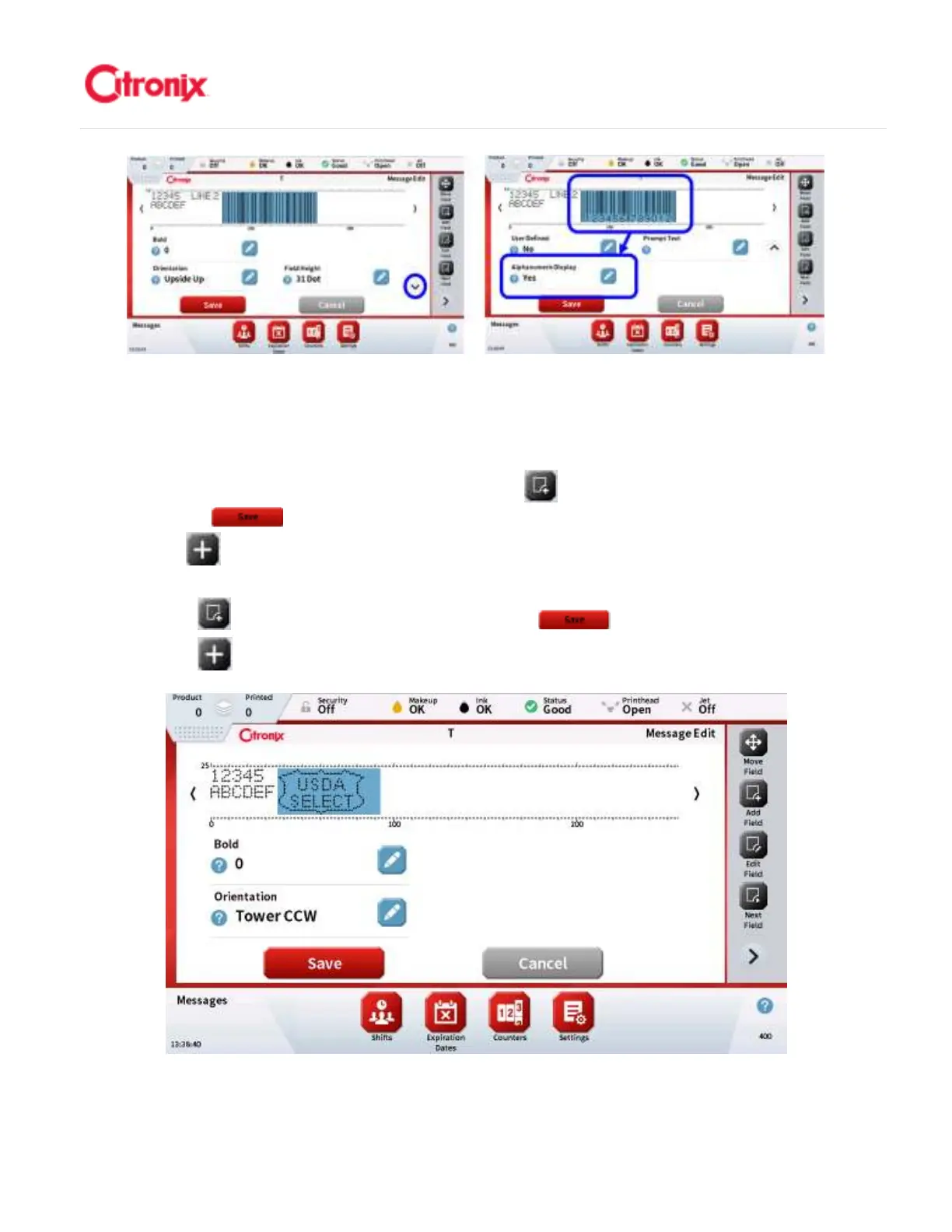
To add a Graphic field to a message, press the [Add Field] button. Select the “Graphic” from the list
and press [Save] . Pick the Graphic from the list by highlighting the graphic name and then
press [Select] . The graphic will now be displayed in the message as shown below. 喜多力喷码机允
许创建并储存用于插入信息的图案。这些图案的点阵大小受到使用图案的信息限制。在信息中添加字段,
按“添加字段” 键。在列表中选择“图案”并按“保存” 。在列表中选择图案,选中图案名
称并按“选择” 键。图案将出现在信息中,如下图所示
NOTE: ensure the Graphic vertical pixel height does not exceed the
Message Pixel height as shown below. Increase Pixel size if it does not.



 To Next Page