ci5000 Series Printer Operation Guide
Version 1.0 3-12
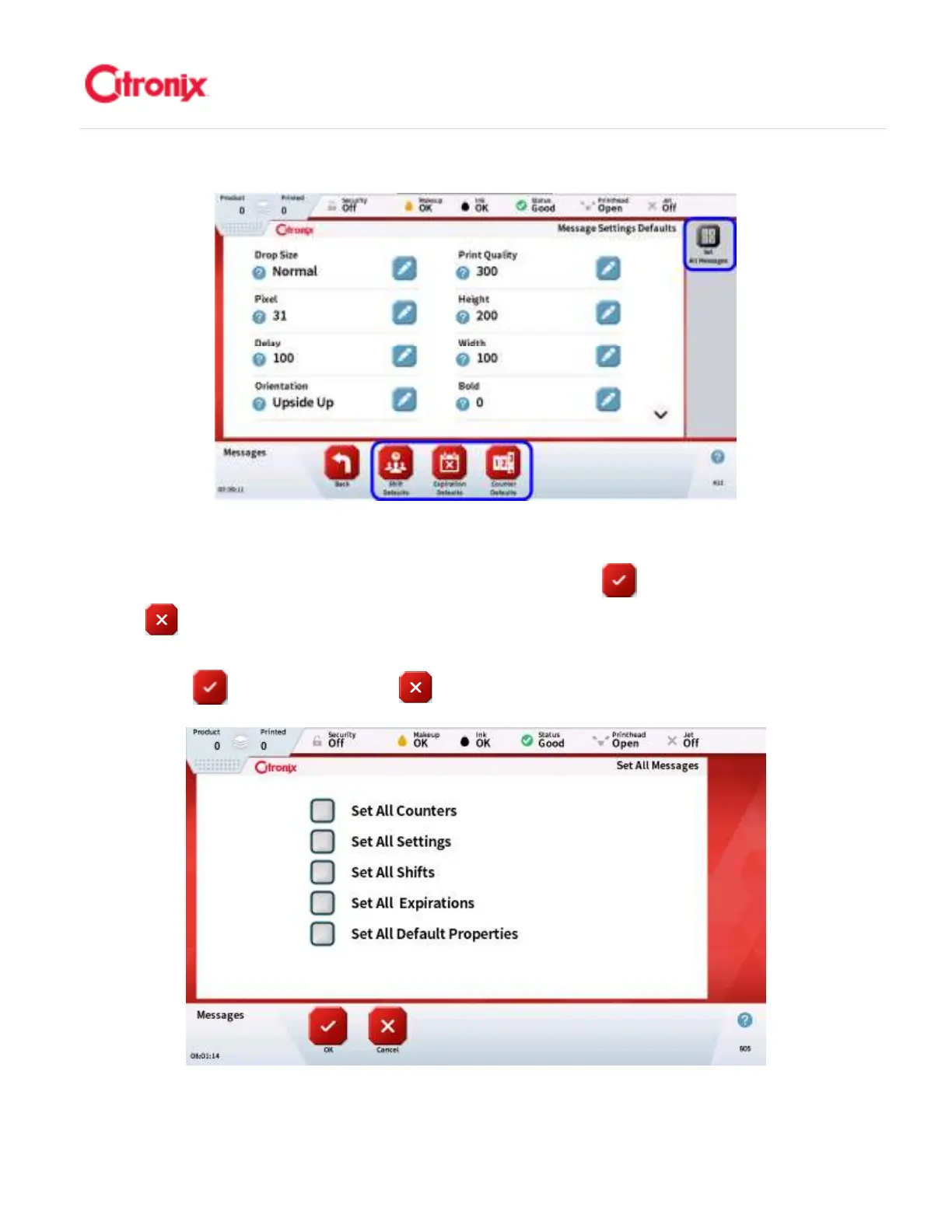
When all of the changes are completed, press the [Back] button. If these are common to all messages,
pressing the [Set All Message] button shown above will apply these changes to one or more from the list
of Message Defaults when selected (shown below). Then press [OK] to save the changes or
[Cancel] to discard the changes. 当所有需要修改的内容完成以后,按“返回”键。如果所有的信息
都一样,按“设置所有信息”按钮,如上图显示,可以选择列表中的一项或多项信息默认(如下显示)。
然后按“OK” 键保存修改或“放弃” 键放弃所有的修改。



 To Next Page