EasyManua.ls Logo

Citronix ci5500 - Messages

Default Icon
133 pages
Print Icon
To Next Page IconTo Next Page
To Previous Page IconTo Previous Page
Loading...
ci5000 Series Printer Operation Guide
Version 1.0 2-8
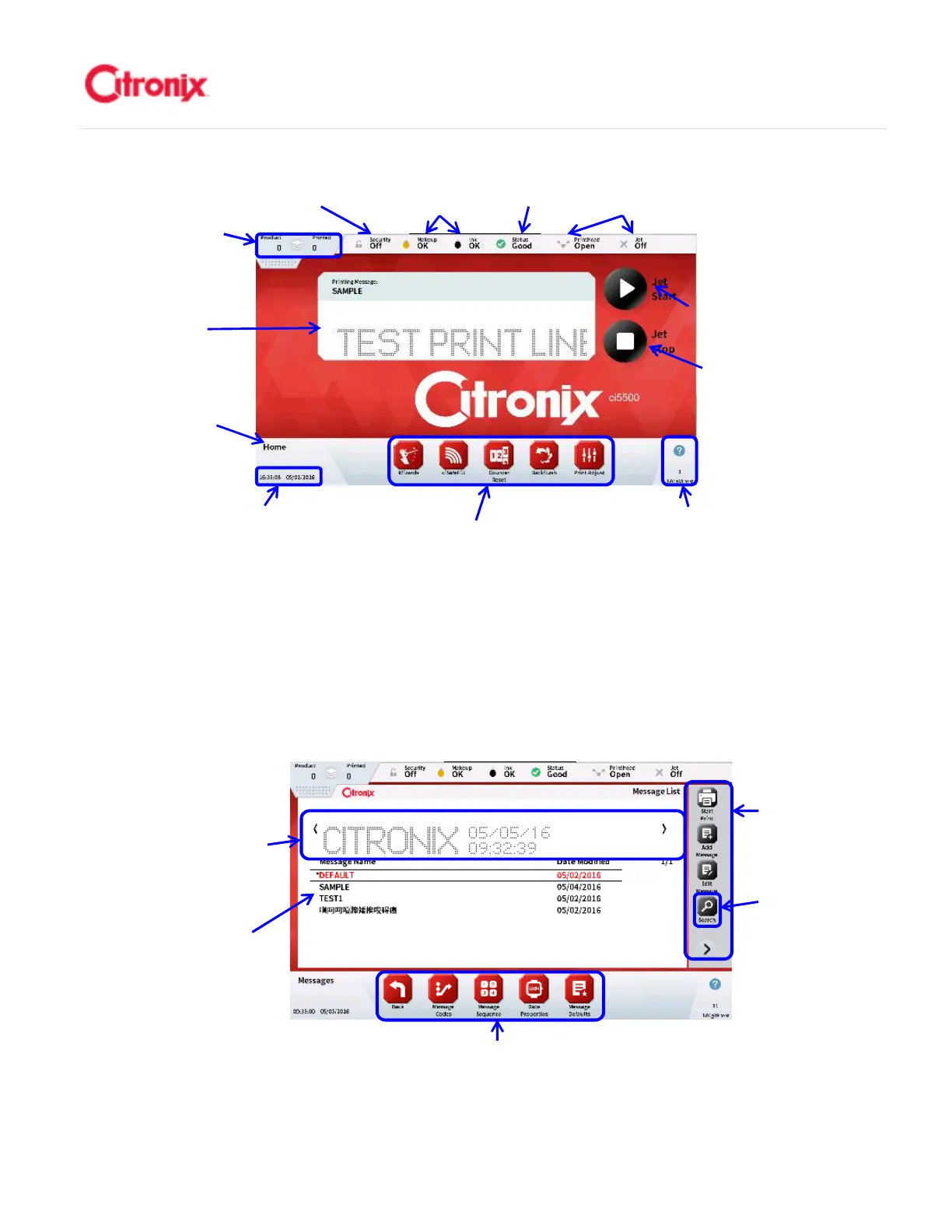
(2) Messages 信息菜单
The message edit screen is used for creating and editing messages by adding fixed and variable
fields and formatting to a WYSIWYG message window. 信息菜单用于创建和编辑信息。它通过添
加固定和可变字段并在窗口中生成信息的所见即所得内容。
Firmware Revision
Screen Number
Help Button
软件版本
屏幕号
帮助键
Date & Time
时间和日期
Navigational Tool Bar
捷键
Current
Printing
Message 当前
喷印信息
Jet Stop
Button 墨线
闭键
Product &
Printed
Counts 产品/
喷印计数
Security
登录状态
Fluid Level
Indicators 耗材
液位状态
Printer
Status
码机状态
Printhead
Status 打印
头状态
Jet Start & Pause
Printing Button
墨线以及喷印暂
停键
Screen
Name 菜单名
Navigational Tool Bar 快捷键
WYSIWYG of
Highlighted Message
被选中的信息所见即所得显示
Message Storage
List 已保存信息列表
Function Tool
Bar 功能键
Message Search
Button 信息检索键

Table of Contents

Other manuals for Citronix ci5500

Related product manuals