ci5000 Series Printer Operation Guide
Version 1.0 3-44
打印速度越慢。
Orientation 打印方向
打印方向打印方向
打印方向
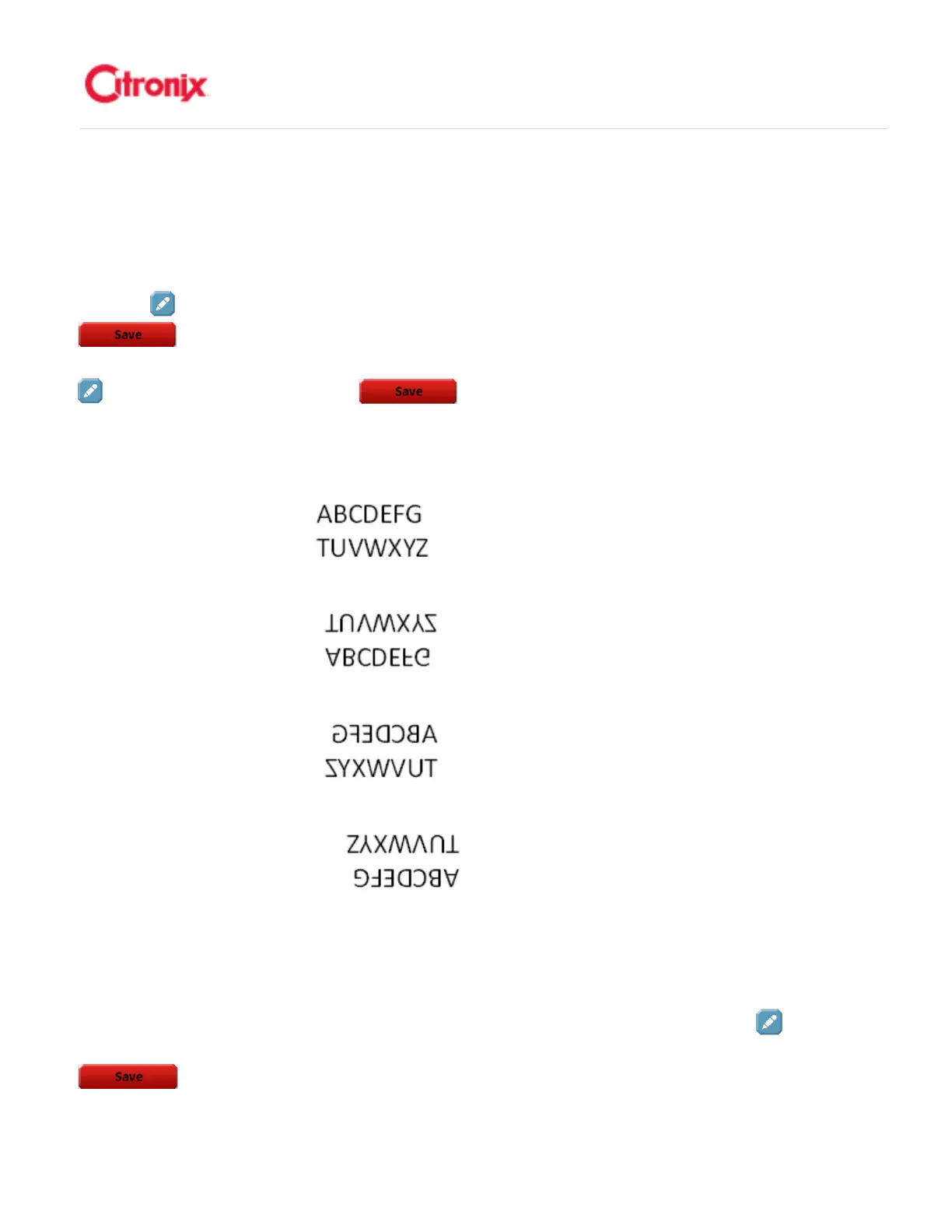
Orientation is the positioning/direction in which the message is printed. To change the Orientation, press
the [Edit] button to the right side of the current orientation setting. Select from the list and press [Save]
. There are four (4) Orientations: Upside Up, Upside Down, Mirror Up and Mirror Down.
Below are examples. 打印方向是信息打印的位置/方向。改变打印方向,按打印方向设置右侧的“编辑”
键。在列表中选择,并按“保存” 。有 4 个方向:正向向上,倒置向下,翻转向上和翻转
向下
1. Upside Up 正向向上
2. Upside Down 倒置向下
3. Mirror Up 翻转向上
4. Mirror Down 翻转向下
Bold 粗体
粗体粗体
粗体
Bold defines the number of times that every printed raster (vertical stroke) is repeated. Each bold
increment increases the overall length of the print. To select a bold value, press the [Edit] button to
the right of the bold valve. Select the desired setting from the list (between 0 and 9) then press [Save]
.粗体决定每个打印划速(垂直方向的列)的重复次数。每次粗体增加将增加总体打印的长度。



 To Next Page