ci5000 Series Printer Operation Guide
Version 1.0 3-4
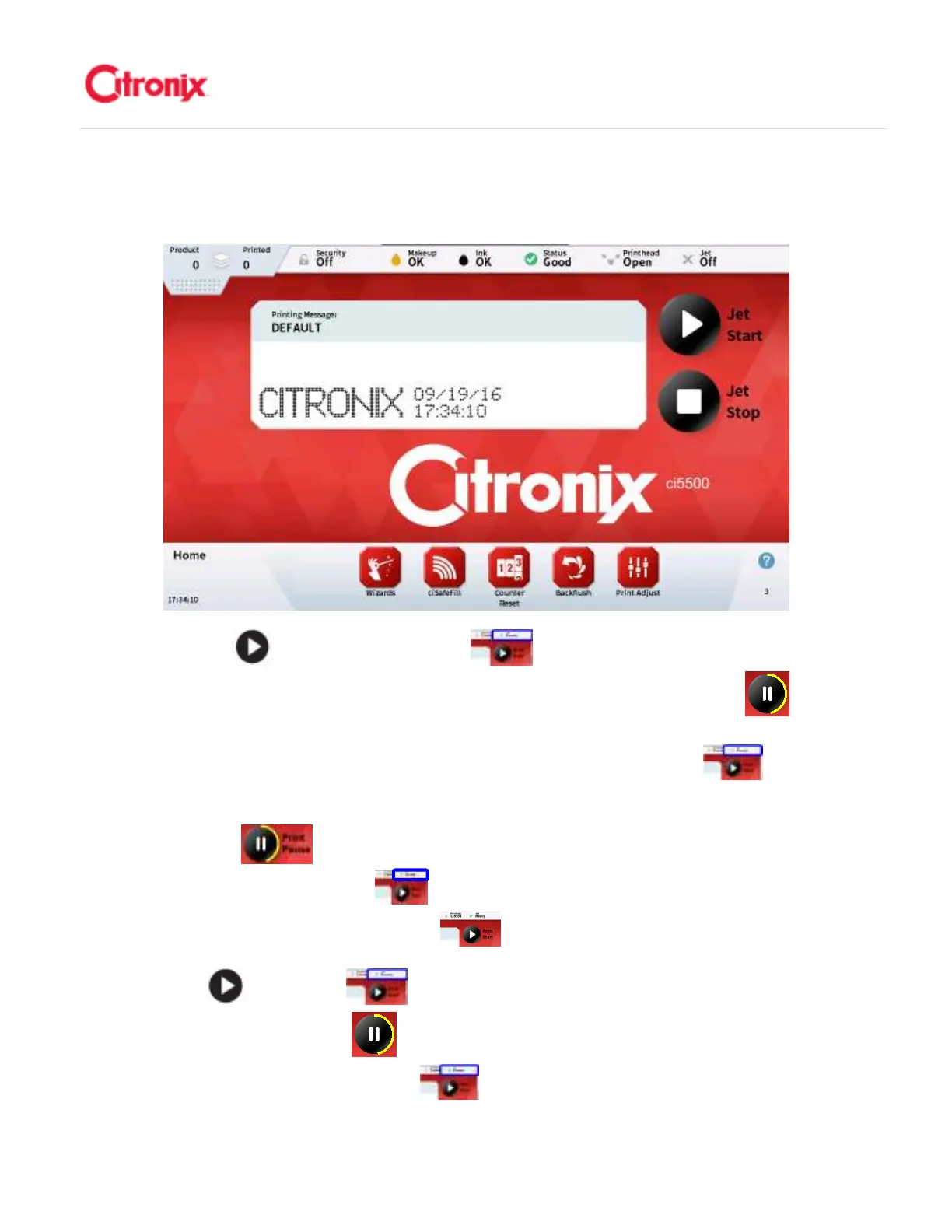
After approximately 40 seconds, the printer will finish initializing and will display the home screen as
shown below. It is now ready to start the jet. 大约 40 秒以后,喷码机将完成初始化并进入主菜单,如下图
显示。然后可以开墨线。
Press the [Jet Start] button and the Jet Status (located in the top right corner of the screen)
will change from “Off” to “Starting”. The Jet Start button will show a yellow progress bar while the
jet is being started. After approximately 30 seconds the jet will be on. If the printhead cover is on, the
Deflection Voltage will also be turned on and the Jet Status will change to “Ready” (meaning
ready to print).
Pressing the [Pause] button while the printer is ready to print will stop any print signal(s) and
the Jet Status will change to “Paused”. Pressing the [Pause] button again will allow print signals
and the Jet Status will change back to “Ready”.
按“开墨线” 键,墨线状态 (位于屏幕的右上角)会从“关”变成“开墨线”。在开墨线
过程中,开墨线键将出现黄色进度条 。大约 30 秒以后,完成开墨线。如果打印头保护罩已经装好,
高压将加载同时墨线状态会显示为“已准备” (意味着准备喷印)。



 To Next Page