CLA-VAL D35
Communicating Valve Controller
CLA-VAL Europe www.cla-val.ch cla-val@cla-val.ch 10 - D35001UE - 08/22
© Copyright CLA-VAL Europe - Specifications subject to change without notice - no contractual illustrations. Reduce your waste - Sort your rubbish
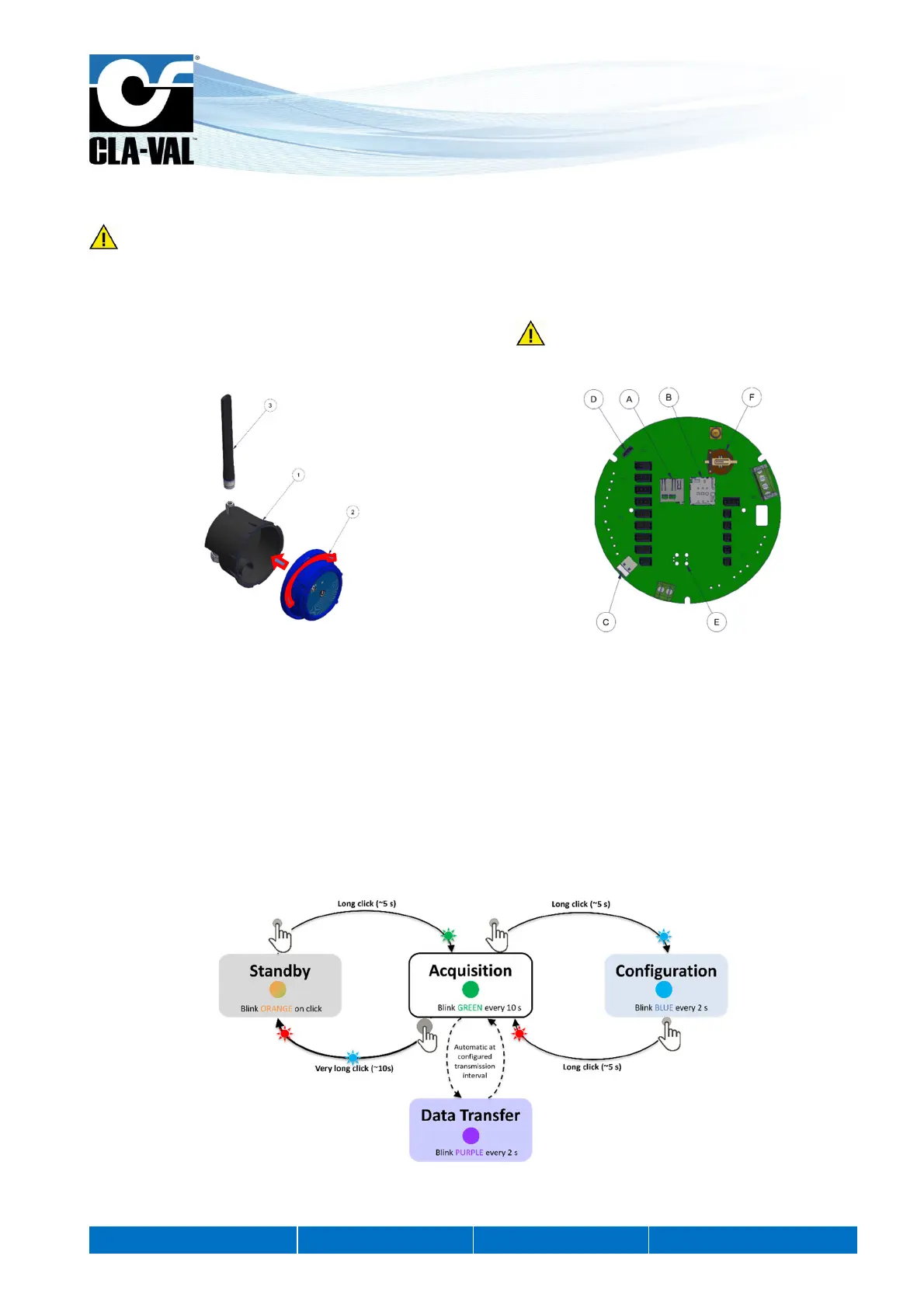
8.1 D35 ASSEMBLY
Before re-assembly, ensure the inside of the housings and seal are clean and dry. Presence of dust or humidity when
installing may damage the product.
1. Connect the antenna (3) to the product (if present) (1).
2. Connect the battery connector (C).
3. Close the body (1) by rotating the head (2), see Figure 3 below. Do not force closure! If the two parts of the
housing cannot be fit together properly, make sure there is no pinched cable or dust.
8.2 OPERATING MODE
The D35 has 3 modes of operation:
"Standby" mode
"Acquisition" mode
"Configuration" mode
In "Standby" mode you can remove the SIM card or SD card, as well as connect or disconnect physical inputs.
The "Acquisition" mode is the operating mode of the D35. In this mode, the device acquires the signals from the connected
sensors and inputs and saves them to the internal memory. If the data communication option is enabled, the recorded data
is sent across the cellular network at the set interval time.
The "Configuration" mode is used to activate the WiFi local network generated by the device, to configure the D35.
Figure 4 Logical diagram of switching from one mode of operation to another
Figure 3 Body (1) and head (2) assembly


 To Next Page