CLA-VAL D35
Communicating Valve Controller
CLA-VAL Europe www.cla-val.ch cla-val@cla-val.ch 16 - D35001UE - 08/22
© Copyright CLA-VAL Europe - Specifications subject to change without notice - no contractual illustrations. Reduce your waste - Sort your rubbish
9.6 EVENT SETTING
Events are used to set alarms.
You can set two types of alarms:
The high alarm is used to detect values above a threshold.
The low alarm is used to detect values below a threshold.
Alarms can be used to force data to be sent before the transmission period.
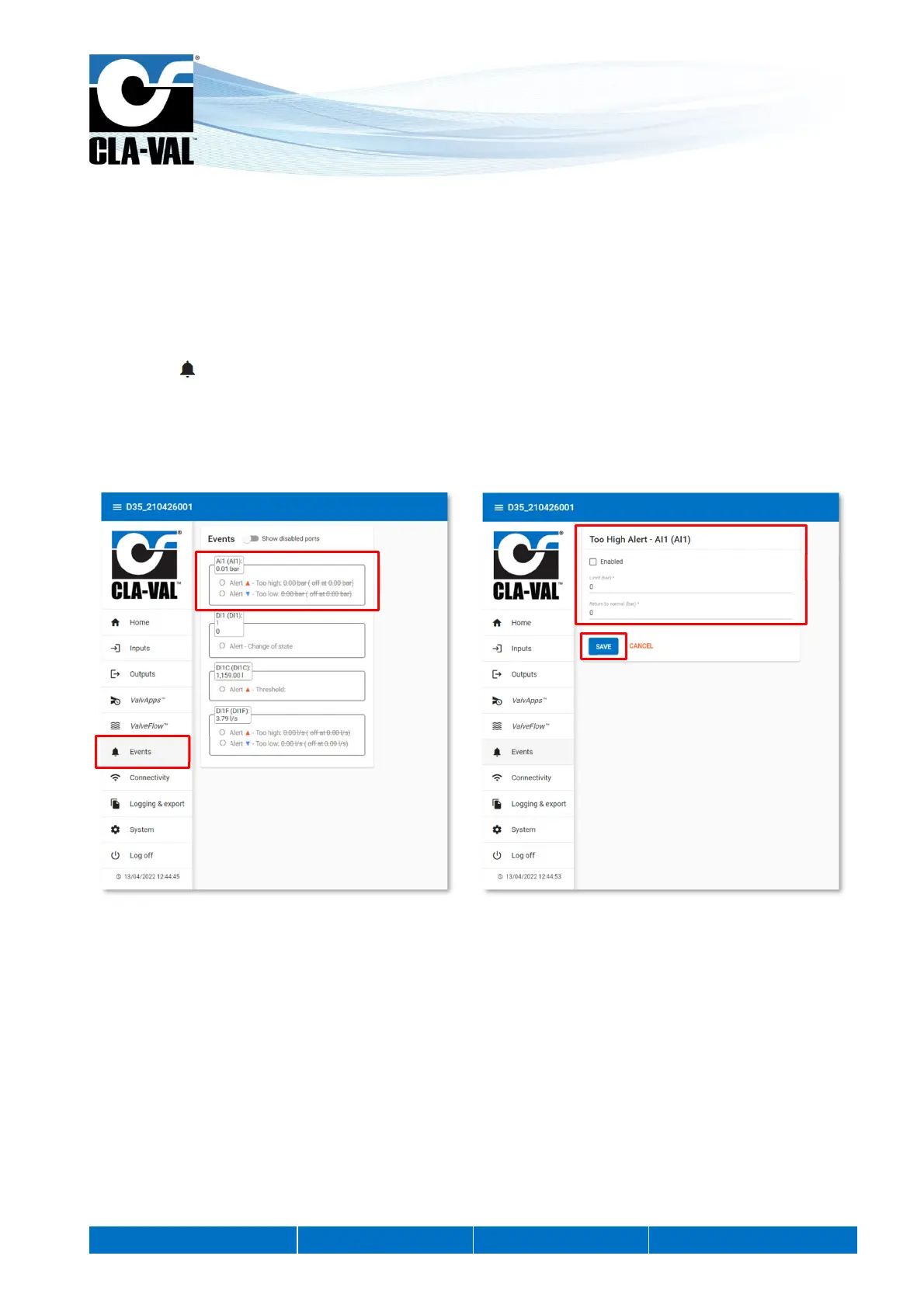
1. Click on " Events"
2. Click on the input you want to configure.
3. Select the threshold and the return to normal value. The return to normal allows to define a dead band, to avoid
oscillations between the active and inactive state.
4. Click "SAVE" to apply the changes.
2.
1.
3.
4.


 To Next Page