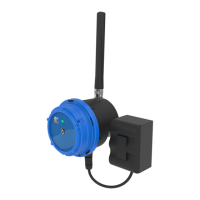
CLA-VAL D35
Communicating Valve Controller
CLA-VAL Europe www.cla-val.ch cla-val@cla-val.ch 3 - D35001UE - 08/22
© Copyright CLA-VAL Europe - Specifications subject to change without notice - no contractual illustrations. Reduce your waste - Sort your rubbish
9.3 Analogue Input Settings .......................................................................................................... 12
9.4 Setting Up a Flowmeter .......................................................................................................... 14
9.5 Setting the Parameters of a Solenoid Valve ........................................................................... 15
9.5.1 Output Test ...................................................................................................................................... 15
9.6 Event Setting........................................................................................................................... 16
9.7 Valveflow™ Setting (Option) ................................................................................................... 17
9.8 ValvApps™ ............................................................................................................................. 17
9.8.1 ValvApps™ Inside ............................................................................................................................ 17
9.8.2 Import/Export ................................................................................................................................... 18
9.8.3 Actions ............................................................................................................................................. 18
9.8.4 « Action » Configuration ................................................................................................................... 19
9.8.5 Conditions ........................................................................................................................................ 19
9.9 Custom SIM Card (Communication Option) ........................................................................... 22
9.10 Checking the Quality of the Network (Communication Option) ............................................... 23
9.11 Register on Link2valves (Communication Option) .................................................................. 24
9.12 Logging Setting ....................................................................................................................... 25
9.13 Basic System Settings ............................................................................................................ 26
9.14 Battery Control ........................................................................................................................ 27
9.15 Firmware Update .................................................................................................................... 28
10 Support ........................................................................................................................... 29
10.1 Maintenance and Retrofit ........................................................................................................ 29
10.2 Non-Conformity Return (NCR) ................................................................................................ 29
11 Accessories .................................................................................................................... 29


 To Next Page