Page 14
For Cometa Evolution 4 Zone (p/n): 8014
For Cometa Evolution 6 Zone (p/n): 8016
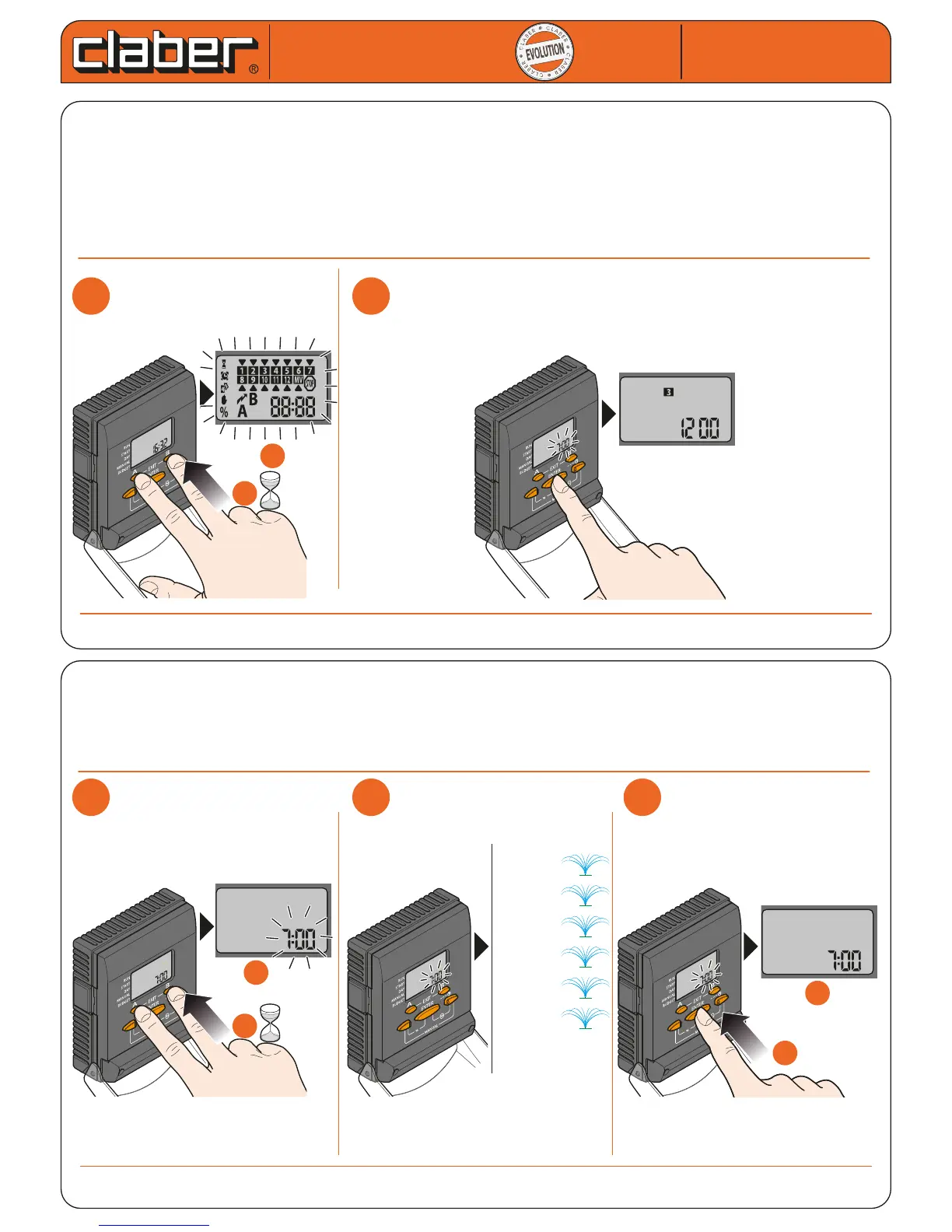
RESET FUNCTION
The RESET function re-initialises Cometa® deleting all the programmes which were previously set by the user
but keeping the factory programmes in the memory
- Press A and B at the same time for at least 10 seconds.
- Press ENTER to conrm the setting.
After a RESET, the current time, year, day and month must be reset and Programmes A and/or B.
If Programmes A and/or B are not set after a RESET, the factory programme will automatically be started
(activation of each line for 10 MINUTES, at 7:00, ON EACH day of the week).
Cometa
Cometa
For Cometa Evolution 4 Zone (p/n): 8014
For Cometa Evolution 6 Zone (p/n): 8016
User manual
User manual
1
1
2
2
b
b
a
a
10 sec.
FACTORY PROGRAMME
The timer is provided with an internal memory containing a safety programme designed to activate each wate-
ring line for 10 minutes a day, every day, when the time displayed in the clock eld reaches 7:00. To activate this
function, press buttons A and B simultaneously (EXIT) and hold them for at least 10 seconds. The display blinks,
and pressing any button in this situation will restore the timer to the previous situation.
1
1
2
2
3
3
b
b
b
b
a
a
a
a
10 sec.
every days
valve 110’
valve 210’
valve 310’
valve 410’
valve 510’
valve 610’


 To Next Page