Page 3
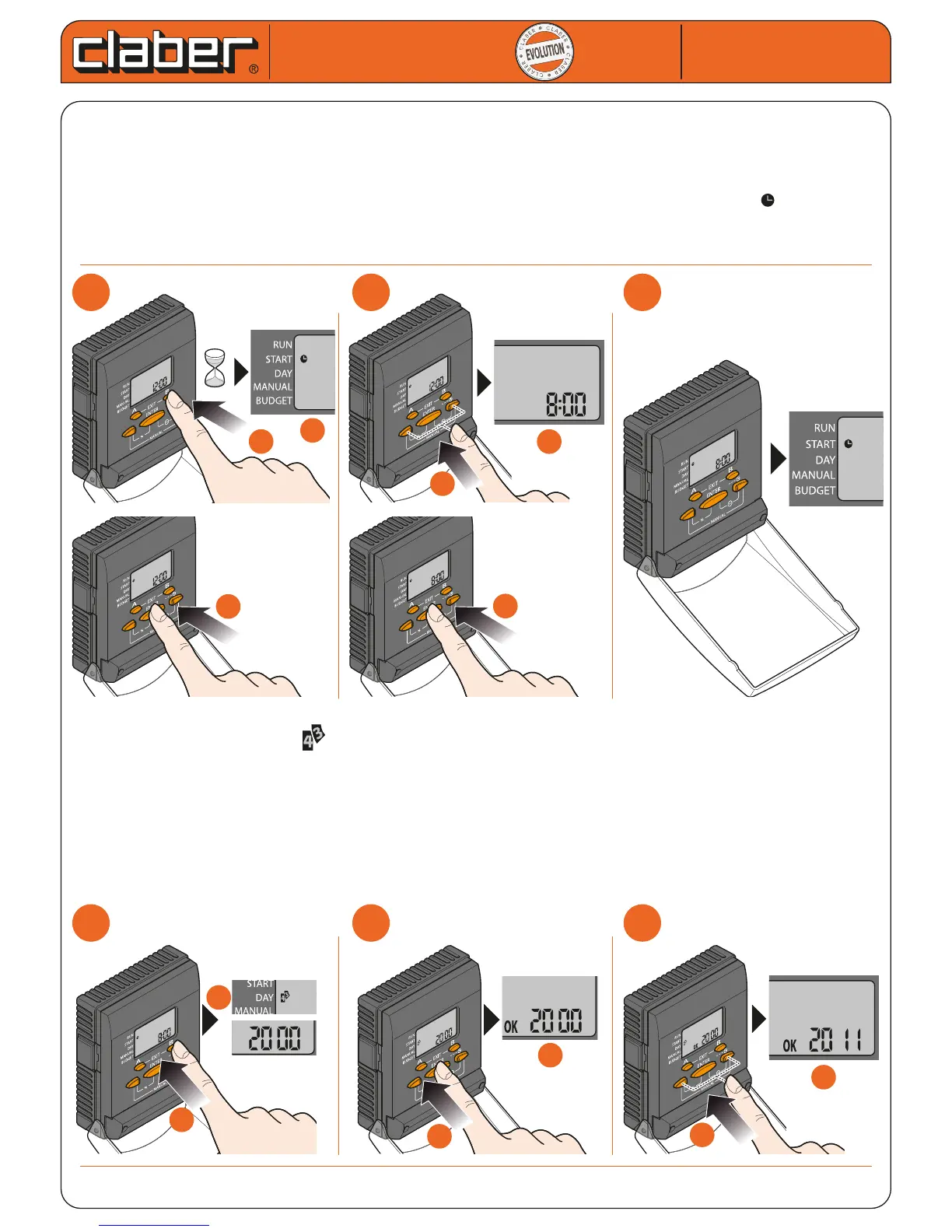
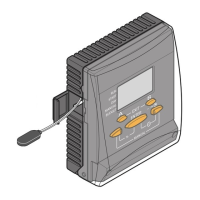
Having completed the installation of the timer, the clock and calendar must be set: time, year, day and month.
The internal calendar, which runs until 2057, will show the day of the week corresponding to the current date:
setting the date 11/01/2011, for example, the number 3 will be displayed, corresponding to Tuesday (number 1
denotes Sunday).
To set the time:
- press button B and keep it pressed for at least 5 seconds (to activate the SET-TIME function )
- press ENTER to activate the setting procedure
- use the arrows to set the time
- press ENTER to conrm
To set the year, day and month:
-
press button B; the symbol will appear in the display, with the default year
- press ENTER to activate the setting procedure
- use the arrows to select the year
- press ENTER to conrm the year and activate the day and month setting function (the message OK conti-
nues to be displayed, and the cursor blinks on month 7)
- use the arrows to select the day and month (press the button and keep it pressed until the cursor is positio-
ned on the number of the month and the current day)
- press ENTER to conrm
- press EXIT (buttons A and B)
For Cometa Evolution 4 Zone (p/n): 8014
For Cometa Evolution 6 Zone (p/n): 8016
Cometa
Cometa
User manual
User manual
1
1
2
2
3
3
1
1
2
2
3
3
a
a
5 sec.
b
b
b
b
b
b
a
a
a
a
b
b
b
b
a
a
c
c
c
c
a
a


 To Next Page