EasyManua.ls Logo

Clark NPR17 - Page 64

Clark NPR17
110 pages
Print Icon
To Next Page IconTo Next Page
To Previous Page IconTo Previous Page
Loading...
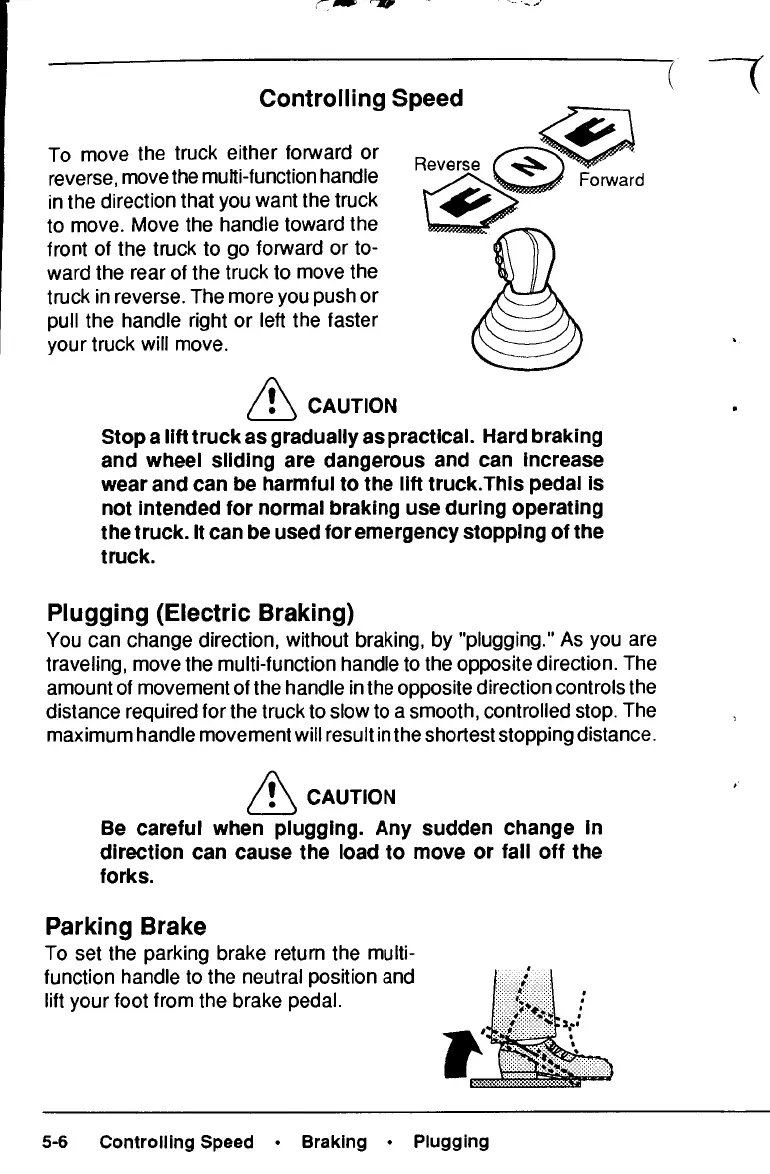
Controlling
Speed
Reverse
Forward
To
move
the
truck
either forward
or
reverse,
move
the
multi-function handle
in the
direction that
you
want
the
truck
to
move. Move
the
handle toward
the
front
of the
truck
to go
forward
or to-
ward
the
rear
of the
truck
to
move
the
truck
in
reverse.
The
more
you
push
or
pull
the
handle right
or
left
the
faster
your
truck
will
move.
CAUTION
Stop
a
lift
truck
as
gradually
as
practical. Hard braking
and
wheel sliding
are
dangerous
and can
increase
wear
and can be
harmful
to the
lift
truck.This
pedal
is
not
intended
for
normal braking
use
during operating
the
truck.
It can be
used
for
emergency stopping
of the
truck.
Plugging
(Electric Braking)
You
can
change direction, without braking,
by
"plugging."
As you are
traveling, move
the
multi-function handle
to the
opposite direction.
The
amount
of
movement
of the
handle
in the
opposite direction controls
the
distance required
for the
truck
to
slow
to a
smooth, controlled stop.
The
maximum handle movement will result
in the
shortest stopping distance.
CAUTION
Be
careful when plugging.
Any
sudden change
In
direction
can
cause
the
load
to
move
or
fall
off the
forks.
Parking
Brake
To
set the
parking brake return
the
multi-
function handle
to the
neutral position
and
lift
your foot from
the
brake pedal.
5-6
Controlling Speed
Braking
Plugging

Related product manuals