EasyManua.ls Logo

Clark NPR17 - Brake System; Instrument Panel

Clark NPR17
110 pages
Print Icon
To Next Page IconTo Next Page
To Previous Page IconTo Previous Page
Loading...
Section
3.
Know Your
Truck
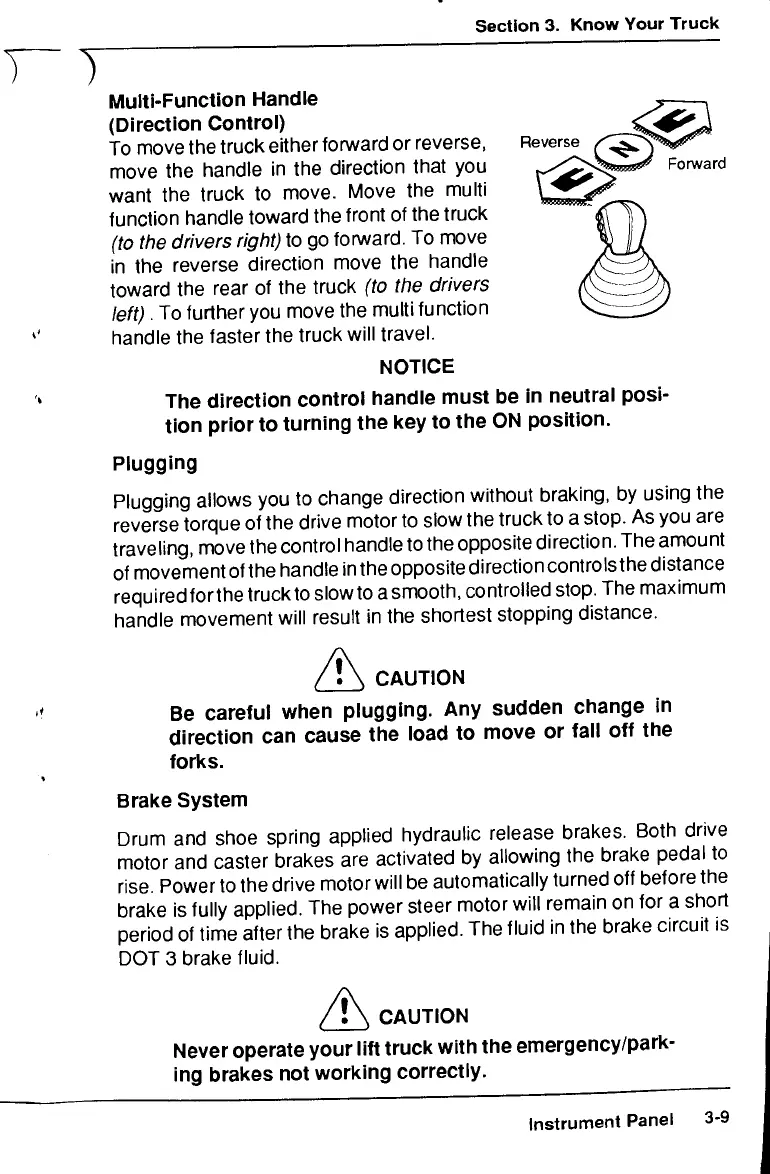
Reverse
Forward
Multi-Function
Handle
(Direction
Control)
To
move
the
truck
either
forward
or
reverse,
move
the
handle
in the
direction that
you
want
the
truck
to
move. Move
the
multi
function handle toward
the
front
of the
truck
(to
the
drivers
right)
to go
forward.
To
move
in the
reverse
direction
move
the
handle
toward
the
rear
of the
truck
(to
the
drivers
left).
To
further
you
move
the
multi
function
handle
the
faster
the
truck will travel.
NOTICE
The
direction
control
handle
must
be in
neutral posi-
tion prior
to
turning
the key to the ON
position.
Plugging
Plugging allows
you to
change direction without braking,
by
using
the
reverse
torque
of the
drive motor
to
slow
the
truck
to a
stop.
As you are
traveling, move
the
control
handle
to the
opposite
direction.
The
amount
of
movement
of
the
handle
inthe
opposite
direction
controlsthe
distance
required
forthe
truck
to
slow
to
a
smooth,
controlled
stop.
The
maximum
handle movement will result
in the
shortest stopping distance.
CAUTION
Be
careful
when plugging.
Any
sudden
change
in
direction
can
cause
the
load
to
move
or
fall
off the
forks.
Brake System
Drum
and
shoe spring applied hydraulic release brakes. Both drive
motor
and
caster brakes
are
activated
by
allowing
the
brake
pedal
to
rise. Power
to the
drive motor will
be
automatically turned
off
before
the
brake
is
fully
applied.
The
power steer motor
will
remain
on for a
short
period
of
time
after
the
brake
is
applied.
The
fluid
in the
brake circuit
is
DOT
3
brake fluid.
CAUTION
Never operate your lift truck with
the
emergency/park-
ing
brakes
not
working correctly.
Instrument Panel
3-9

Related product manuals